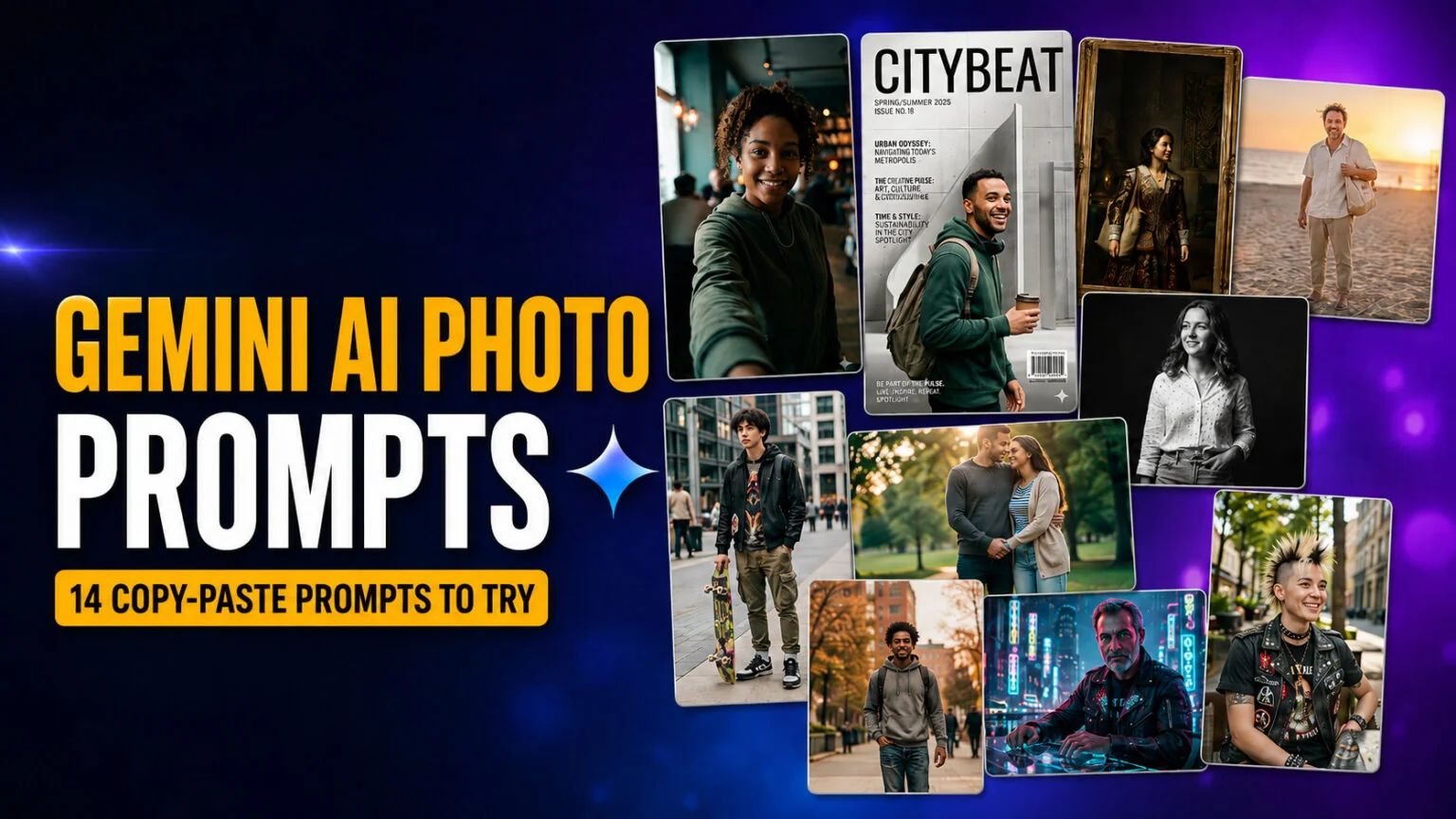
Diese 14 Gemini-AI-Foto-Prompts verwandeln ein normales Selfie in ein cineastisches Filmstill, ein Modemagazin-Cover, ein Vintage-Polaroid, ein Studio-Headshot oder ein Renaissancegemälde, und jeder davon ist sofort zum Kopieren bereit. Sie laufen auf Nano Banana, Googles nativem Bildmodell in der Gemini-App: kein Photoshop, kein Lightroom, keine Prompt-Schreibkenntnisse nötig. Du lädst ein Foto hoch, fügst einen Prompt ein, und Gemini liefert dir ein bearbeitetes Porträt in wenigen Sekunden.
Das ist derselbe virale Trend, der ChatGPT-Fotobearbeitungen 2025 explodieren ließ. Die Qualitätslatte hat sich seitdem auf Nano Banana 2 verschoben, das neueste Gemini-Bildmodell und die Standardoption in der kostenlosen Gemini-App. Hier bekommst du die Prompts nach Stil und Persona gruppiert, mit Optionen für Frauen, Männer und Paare. Außerdem gibt es eine Fünf-Schritte-Anleitung und eine einfache Formel zum Schreiben eigener Prompts. Jeder Prompt wurde in der Gemini-App entwickelt und getestet, damit du ihn direkt einfügen und nur Hautton, Outfit oder Hintergrund nach deinen Wünschen anpassen kannst.
Das Wichtigste in Kürze
- 14 Gemini-AI-Foto-Prompts zum Kopieren für cineastische, Magazin-, Polaroid-, Studio-, Strand-, Pärchen- und Retro-Looks.
- Läuft auf Nano Banana 2 (
gemini-3.1-flash-image-preview), dem neuesten und standardmäßigen Bildmodell in der kostenlosen Gemini-App.- Keine Bearbeitungssoftware oder Erfahrung nötig; hochladen, einfügen, absenden und in Sekunden verfeinern.
- Eine wiederverwendbare 5-teilige Prompt-Formel, mit der du unbegrenzt eigene Varianten erstellen kannst.
- Füge deinen echten Hautton, dein Outfit und deinen Hintergrund in jeden Prompt ein, um das realistischste, identitätstreue Ergebnis zu erhalten.
So nutzt du diese Gemini-AI-Foto-Prompts
Du brauchst weder die API noch eine Kreditkarte noch eine Bearbeitungs-App. Die kostenlose Google-Gemini-App auf iOS, Android oder im Web führt jeden Prompt unten auf Nano Banana aus. Folge diesen fünf Schritten. Den vollständigen Leitfaden zum Schreiben von Prompts, die mit jedem Modell funktionieren, findest du in unserem umfassenden KI-Prompt-Leitfaden.
- Öffne die Gemini-App und melde dich mit einem Google-Konto an.
- Tippe auf das Bild- oder „+"-Symbol und lade ein klares, gut belichtetes Foto von dir hoch.
- Kopiere einen Prompt aus diesem Artikel und füge ihn in das Nachrichtenfeld ein.
- Ersetze die Teile in eckigen Klammern, wie
[describe hairstyle], damit das Ergebnis zu dir passt, dann absenden. - Verfeinere durch Antworten. Wenn Gemini dein Originalfoto unverändert zurückgibt, antworte: „Apply the edit. Change the lighting, color, and background. Keep only my face and identity." Diese zweite Runde erzwingt die Transformation fast immer.
Ein kurzer Hinweis zu den Modellen. Nano Banana ist Googles Familie von Bildmodellen und umfasst drei Optionen, bestätigt in Googles offizieller Dokumentation zur Bildgenerierung. Die kostenlose Gemini-App verwendet standardmäßig Nano Banana 2 (gemini-3.1-flash-image-preview), das neueste und schnellste. Nano Banana Pro (gemini-3-pro-image-preview) ist die höchste Qualitätsoption für bezahlte Google-AI-Pläne, und das ursprüngliche Nano Banana (gemini-2.5-flash-image) betreibt weiterhin hochvolumige Bearbeitungen. Bildgenerierung ist in der Gemini-App kostenlos mit einem Tageslimit von rund 20 Bildern in der kostenlosen Stufe, das Google oft anpasst. Bezahlte Google-AI-Stufen erhöhen dieses Limit deutlich. Für eine ausführlichere Anleitung zum Modell selbst: So kannst du Google Nano Banana Schritt für Schritt testen. Für weitere kostenlose Optionen sieh dir unsere Übersicht der besten kostenlosen KI-Bildgeneratoren an.
Kurzübersicht aller 14 Prompts
| # | Prompt-Stil | Am besten für | Vibe | Wichtigster Prompt-Hinweis | Schwierigkeit |
|---|---|---|---|---|---|
| 1 | Cineastisches Filmstill | Profilbilder | Düster, filmisch | shallow depth of field, 35mm | Einfach |
| 2 | Modemagazin-Cover | Auffällige Social-Posts | Editorial, glänzend | cover text, studio strobe | Einfach |
| 3 | Professionelles Studio-Headshot | LinkedIn, Lebenslauf | Klar, sachlich | softbox, neutral backdrop | Einfach |
| 4 | Vintage-Polaroid | Trendige Feeds | Nostalgisch, warm | film grain, white border | Einfach |
| 5 | Renaissance-Ölgemälde | Herausragende Kunst-Posts | Klassisch, malerisch | chiaroscuro, oil texture | Mittel |
| 6 | Goldene Stunde am Strand | Sommer-Content | Warm, traumhaft | backlight, sun flare | Einfach |
| 7 | Schwarz-Weiß Editorial | Zeitlose Porträts | Hochkontrast, Fine-Art | hard light, grayscale | Einfach |
| 8 | Streetwear Fashion (Männer) | Männer-IG-Porträts | Urban, selbstbewusst | overcast light, 50mm | Mittel |
| 9 | Soft-Glam-Beauty (Frauen) | Beauty-Nahaufnahmen | Strahlend, clean | beauty dish, dewy skin | Einfach |
| 10 | 90er Retro-Film | Ästhetische Feeds | Verblasst, analog | expired film, light leak | Einfach |
| 11 | Cineastisches Pärchen-Porträt | Paare, Jahrestage | Romantisch, filmisch | golden backlight, two subjects | Mittel |
| 12 | Cyberpunk-Neon | Kühne, edgy Posts | Futuristisch, elektrisch | neon rim light, rain | Mittel |
| 13 | Old Money Quiet Luxury | Gehobener Lifestyle | Raffiniert, zurückhaltend | natural light, muted tones | Mittel |
| 14 | Frisur- und Outfit-Makeover | Neue Looks ausprobieren | Praktisch, realistisch | keep face, restyle only | Einfach |
1. Cineastisches Filmstill
Dieser Prompt verwandelt ein normales Selfie in einen Frame aus einem Spielfilm, mit weicher Tiefenschärfe und einem Farbgrading, das teuer wirkt. Es ist der zuverlässigste Prompt für ein neues Profilbild. Fang hier an, wenn du nur einen ausprobierst.
Prompt: Restyle the uploaded photo into a cinematic 35mm film still. Relight it with soft directional window light from the left, add a moody teal-and-orange color grade, shallow depth of field, subtle film grain, and a softly blurred atmospheric background. Keep the same person's face and identity clearly recognizable; restyle only, do not alter their facial features. This is an edit, the lighting, color, and background must visibly change. Photorealistic, natural skin texture, no plastic smoothing.
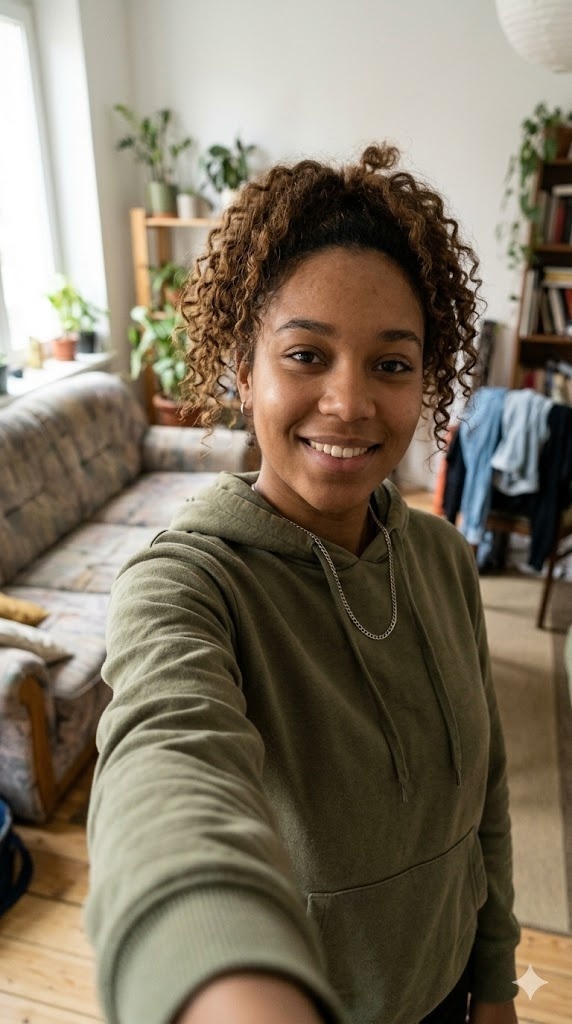
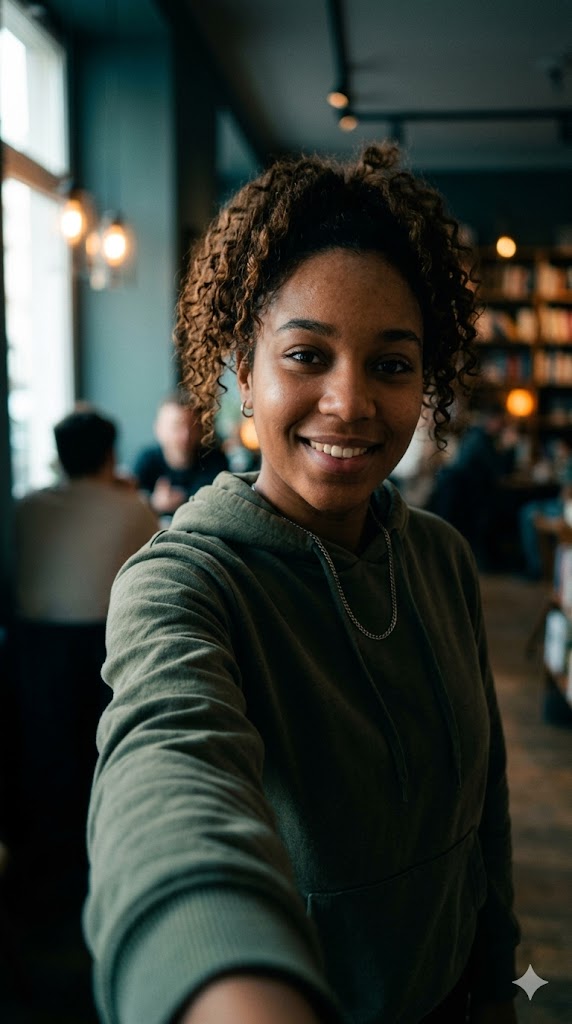
Vorher (links) und nachher (rechts): der Cinematic-Film-Still-Gemini-AI-Foto-Prompt, generiert mit Nano Banana.
2. Modemagazin-Cover
Dieser Prompt platziert dich auf einem Hochglanz-Cover mit realistischem Titelschriftzug und Studio-Beleuchtung. Es ist einer der meistgeteilten Looks, weil er aspirativ wirkt, ohne künstlich auszusehen. Und wenn ein Foto jemals zu perfekt aussieht, findest du hier, wie du erkennst, ob ein Foto KI-generiert ist.
Prompt: Turn the uploaded photo into a high-fashion magazine cover. Replace the background with a clean studio set, add bright studio strobe lighting, a glossy editorial look, a realistic magazine masthead at the top, a few small cover lines, a barcode in the corner, and the date 2026. Keep the same person's face and identity clearly recognizable; restyle only, do not change their features. This is an edit, the background, lighting, and layout must visibly change. Photorealistic, high detail.

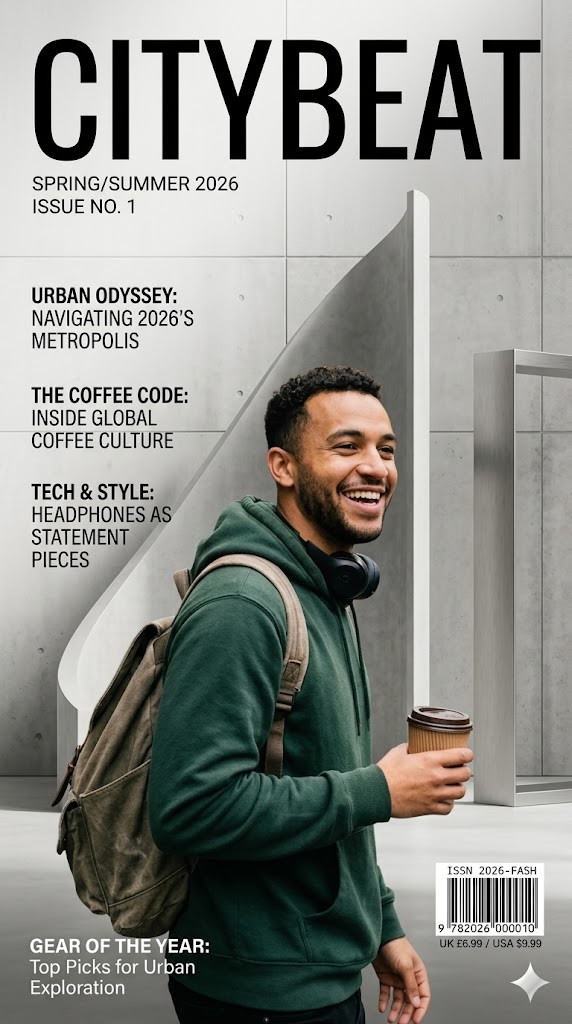
Vorher (links) und nachher (rechts): der Modemagazin-Cover-Gemini-AI-Foto-Prompt, generiert mit Nano Banana.
3. Professionelles Studio-Headshot
Das ist der praktische Prompt. Er verwandelt ein lockeres Foto in ein sauberes Unternehmens-Headshot für LinkedIn, einen Lebenslauf oder eine Unternehmensseite, mit neutraler Beleuchtung und ordentlichem Hintergrund.
Prompt: Convert the uploaded photo into a clean professional studio headshot. Replace the background with a neutral light-grey backdrop, add soft three-point softbox lighting, dress the person in business-casual attire, and give a confident relaxed expression with sharp eyes. Keep the same face and identity clearly recognizable; do not change their facial features. This is an edit, the background, outfit, and lighting must visibly change. Shot on an 85mm portrait lens, photorealistic, realistic skin texture.


Vorher (links) und nachher (rechts): der Professionelles-Studio-Headshot-Gemini-AI-Foto-Prompt, generiert mit Nano Banana.
4. Vintage-Polaroid
Der Polaroid-Look ist einer der viralsten Gemini-Stile gerade, mit warmem Film-Cast, weichem Fokus und dem klassischen weißen Sofortbild-Rand.
Prompt: Restyle the uploaded photo as a vintage 1990s polaroid. Apply a warm faded color cast, soft focus, light vignette, subtle film grain, slight overexposure, and add a classic white polaroid border with a blank handwritten-style caption strip at the bottom. Keep the same person's face and identity clearly recognizable; restyle only. This is an edit, the colors, grain, and border must visibly change. Authentic instant-camera look, photorealistic.
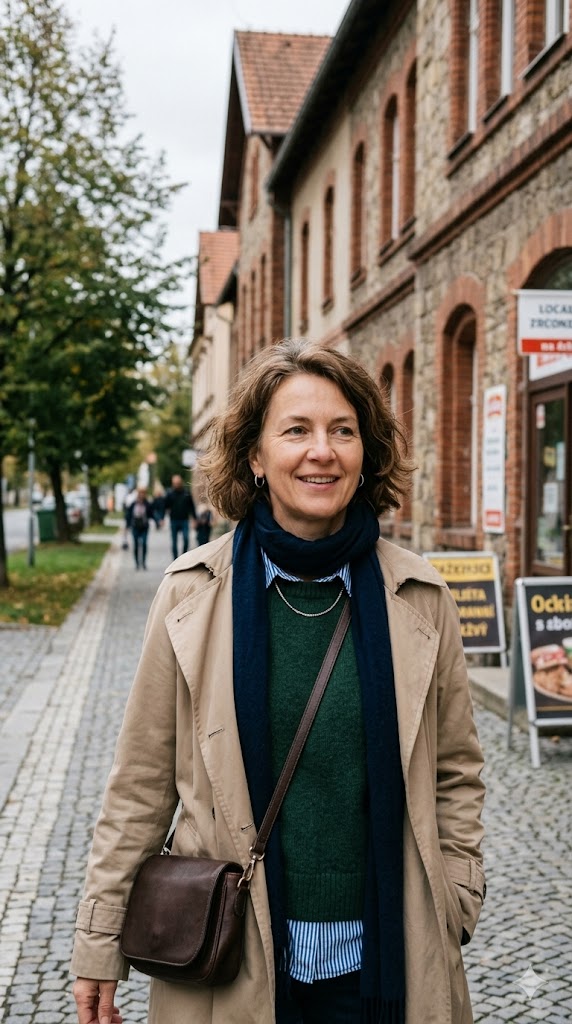
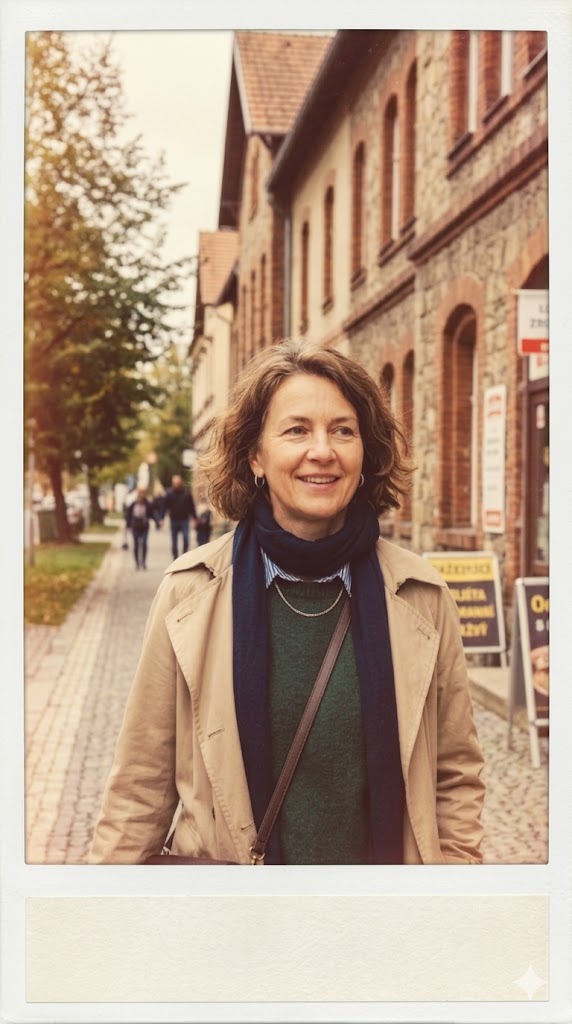
Vorher (links) und nachher (rechts): der Vintage-Polaroid-Gemini-AI-Foto-Prompt, generiert mit Nano Banana.
5. Renaissance-Ölgemälde
Dieser Prompt stylt dich als klassisches Renaissance- oder Barockporträt, mit dramatischem Licht und sichtbarem Pinselstrich. Es stoppt den Scroll, weil es wie Galeriekunst aussieht, nicht wie ein Filter.
Prompt: Transform the uploaded photo into a 17th-century Renaissance oil painting. Repaint it with dramatic chiaroscuro lighting, a dark muted background, period clothing, visible oil brushstrokes and canvas texture, and rich warm tones. Keep the same person's face and likeness clearly recognizable. This is an edit, the medium, lighting, and background must visibly change. Museum-quality classical portrait.
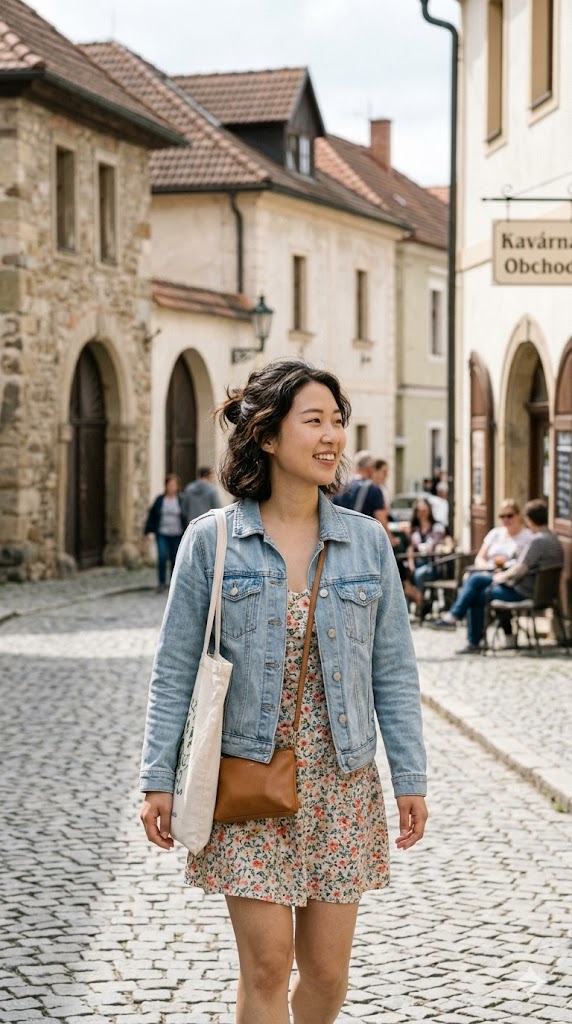
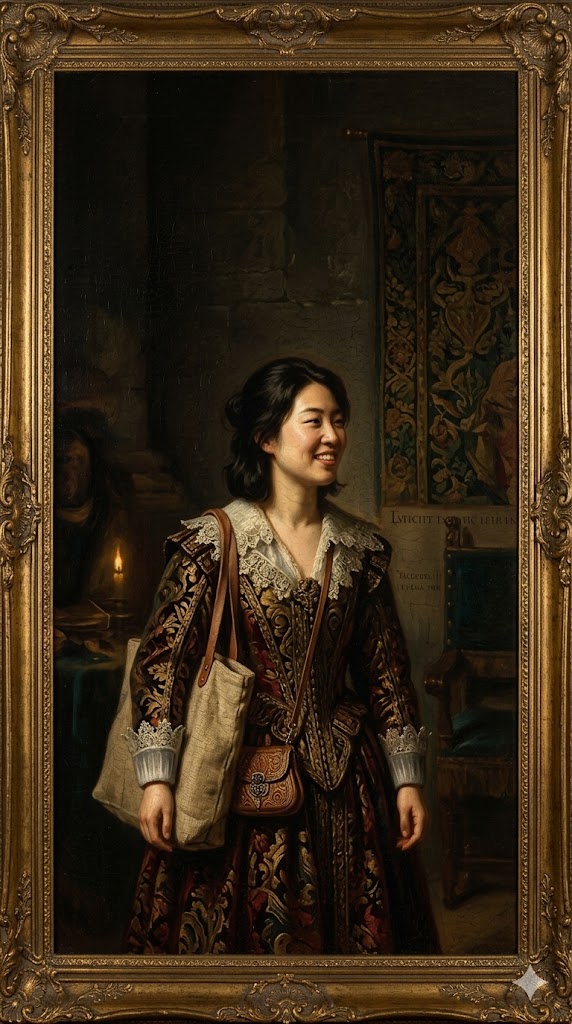
Vorher (links) und nachher (rechts): der Renaissance-Ölgemälde-Gemini-AI-Foto-Prompt, generiert mit Nano Banana.
6. Strandporträt zur goldenen Stunde
Ein sommertauglicher Look mit warmem Gegenlicht und einem weichen Sonnenflare. Funktioniert gut für Reise-Feeds und saisonalen Content. Für ein ganzes Set an Destinationen statt nur eines Strands sind diese neun KI-Reisefoto-Prompts genauso aufgebaut.
Prompt: Restyle the uploaded photo into a golden hour beach portrait. Replace the background with a sandy beach and calm sea at sunset, add warm low-sun backlight, a soft lens flare, light breeze in the hair, and breezy summer clothing. Keep the same person's face and identity clearly recognizable; restyle only. This is an edit, the background and lighting must visibly change. Cinematic, photorealistic, glowing natural skin.
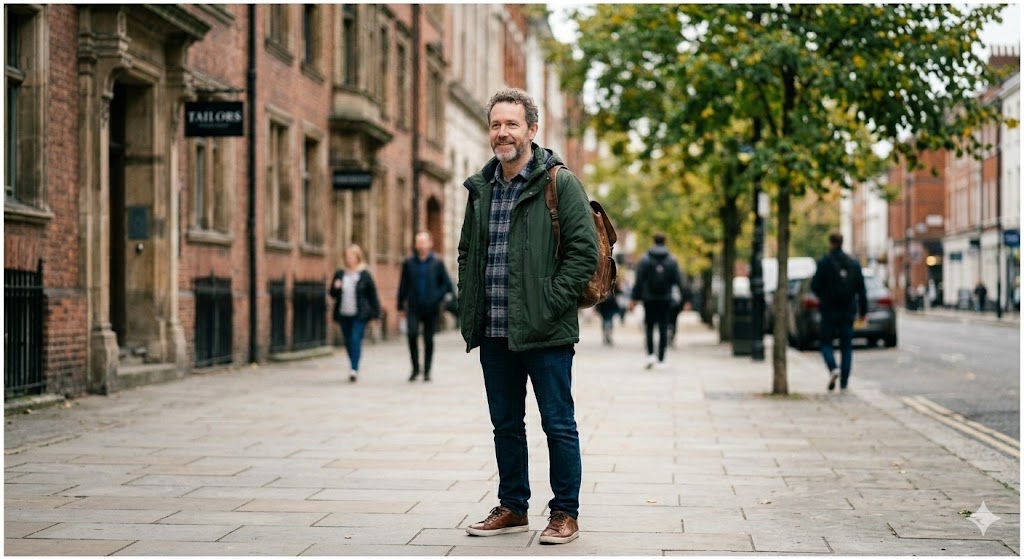

Vorher (links) und nachher (rechts): der Strandporträt-zur-goldenen-Stunde-Gemini-AI-Foto-Prompt, generiert mit Nano Banana.
7. Schwarz-Weiß-Editorial-Porträt
Ein zeitloses, hochkontrastiges Monochrom-Porträt, das wie Fine-Art-Fotografie aussieht und fast jedes Gesicht schmeichelt, weil es den Farblärm entfernt.
Prompt: Convert the uploaded photo into a fine-art black-and-white editorial portrait. Apply hard directional studio light with deep shadows, a rich tonal range, a plain dark background, and crisp detail in the eyes. Keep the same person's face and expression clearly recognizable; restyle only. This is an edit, the photo must become high-contrast monochrome with a new background. High-end monochrome photography, photorealistic, natural skin texture.
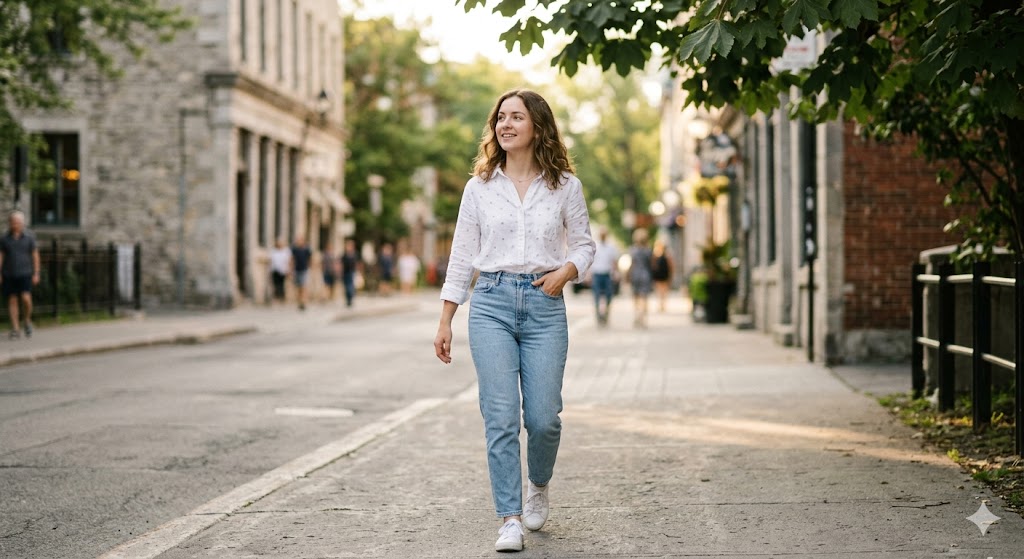
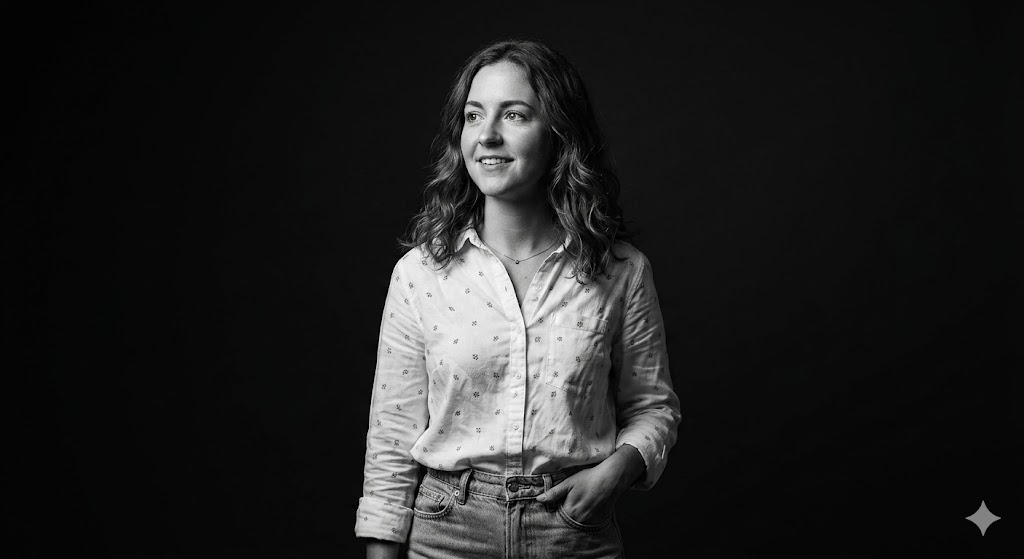
Vorher (links) und nachher (rechts): der Schwarz-Weiß-Editorial-Porträt-Gemini-AI-Foto-Prompt, generiert mit Nano Banana.
8. Streetwear-Fashion-Shoot (besonders gut für Männer)
Abgestimmt auf ein selbstbewusstes Männerporträt mit urbanem Hintergrund und weichem Bedeckt-Licht. Tausche das Outfit gegen deinen eigenen Stil aus.
Prompt: Restyle the uploaded photo into an urban streetwear fashion shoot. Replace the background with a modern city street softly blurred, add soft overcast daylight, a confident relaxed pose, and stylish streetwear clothing. Keep the same person's face and identity clearly recognizable; restyle only. This is an edit, the background, outfit, and lighting must visibly change. Shot on a 50mm lens with shallow depth of field, photorealistic, realistic skin texture.
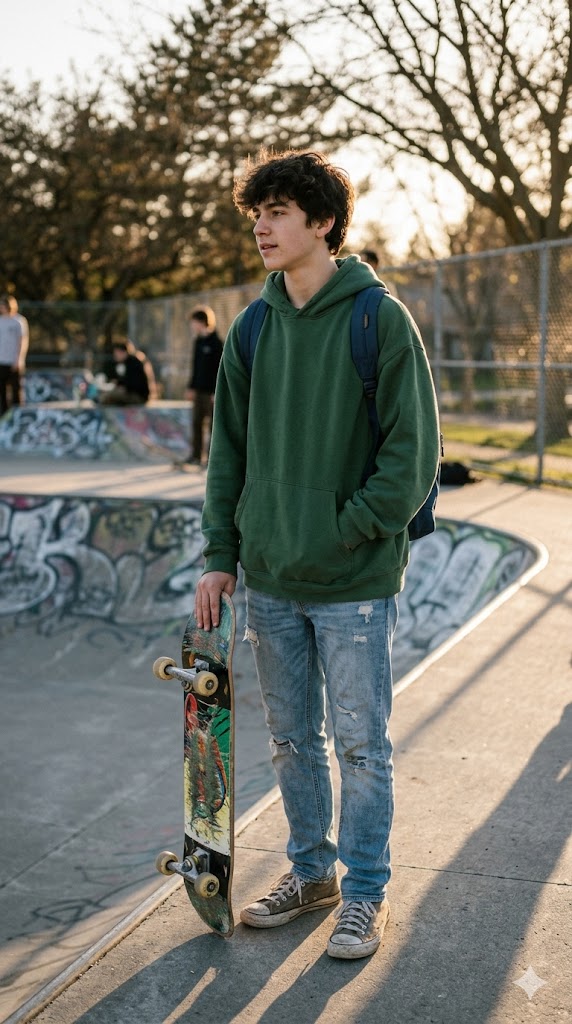
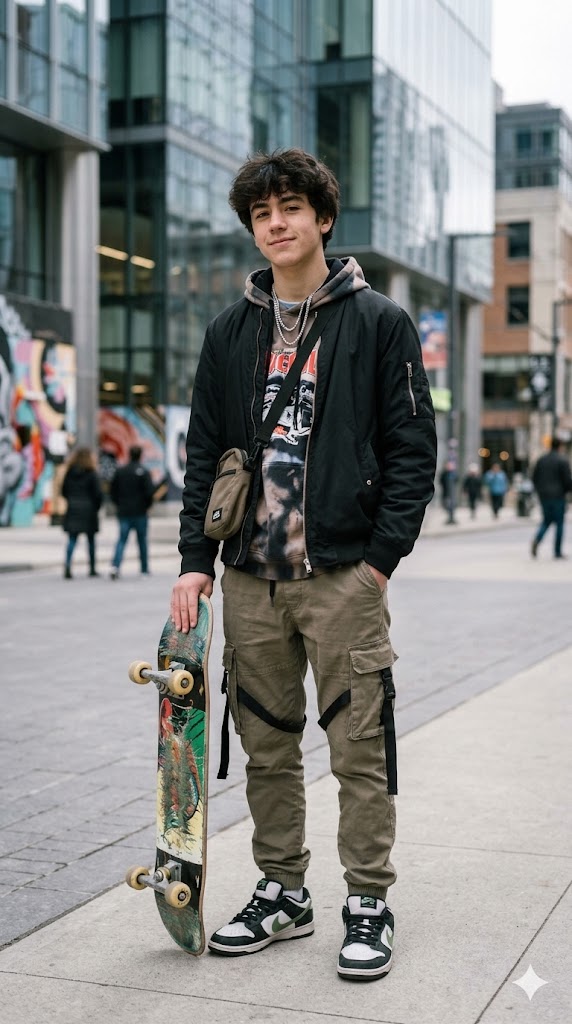
Vorher (links) und nachher (rechts): der Streetwear-Fashion-Shoot-Gemini-AI-Foto-Prompt, generiert mit Nano Banana.
9. Soft-Glam-Beauty-Look (besonders gut für Frauen)
Ein strahlendes Beauty-Nahaufnahme-Porträt mit sauberer, glaubwürdiger Haut. Der Schlüssel ist, nach natürlicher Textur zu fragen, damit es nie überbearbeitet aussieht. Diese eine Zeile ist das, was ein echt aussehendes Ergebnis von einem offensichtlichen Filter trennt.
Prompt: Restyle the uploaded photo into a soft glam beauty portrait. Add beauty-dish lighting, soft glowing dewy skin with visible natural texture, subtle clean makeup, a gentle pastel background, and sharp catchlights in the eyes. Keep the same person's face and bone structure clearly recognizable; restyle only, do not slim or reshape the face. This is an edit, the lighting and background must visibly change. High-end beauty photography, photorealistic, no plastic smoothing.


Vorher (links) und nachher (rechts): der Soft-Glam-Beauty-Look-Gemini-AI-Foto-Prompt, generiert mit Nano Banana.
10. 90er Retro-Film
Ein verblasstes analoges Aussehen mit Lichtleck und Korn, gestylt wie ein gescanntes Filmnegativ aus den frühen 90ern.
Prompt: Restyle the uploaded photo as a 1990s retro film photograph. Apply slightly faded colors, a warm cast, visible film grain, a soft light leak in one corner, and gentle blur, like a scanned film negative. Keep the same person's face and identity clearly recognizable; restyle only. This is an edit, the colors and grain must visibly change. Nostalgic analog look, photorealistic.


Vorher (links) und nachher (rechts): der 90er-Retro-Film-Gemini-AI-Foto-Prompt, generiert mit Nano Banana.
11. Cineastisches Pärchen-Porträt
Für zwei Personen in einem Foto. Es rahmt euch beide in warmem, filmischem Licht, ohne ein Gesicht zu verändern. Wenn dein Ausgangsfoto zwei Personen zeigt, behält Gemini beide Identitäten.
Prompt: Restyle the uploaded couple photo into a cinematic portrait. Add warm golden backlight, a soft bokeh background, an intimate natural pose, gentle film grain, and a romantic teal-and-amber color grade. Keep both people's faces and identities clearly recognizable; restyle only, do not change either face. This is an edit, the lighting, background, and color must visibly change. Shot on 35mm, photorealistic, movie-poster mood.


Vorher (links) und nachher (rechts): der Cineastische-Pärchen-Porträt-Gemini-AI-Foto-Prompt, generiert mit Nano Banana.
12. Cyberpunk-Neon
Ein kühnes, futuristisches Porträt mit Neon-Rim-Licht und einem regnerischen Nacht-Hintergrund. Dieser Prompt ist bewusst stilisiert, aber er behält trotzdem dein Gesicht.
Prompt: Transform the uploaded photo into a cyberpunk neon portrait. Replace the background with a rainy neon-lit city night, add magenta and cyan rim lighting on the face, reflective wet surfaces, atmospheric haze, and futuristic clothing. Keep the same person's face and features clearly recognizable. This is an edit, the background, lighting, and wardrobe must visibly change. Cinematic, high-contrast, photorealistic sci-fi mood.
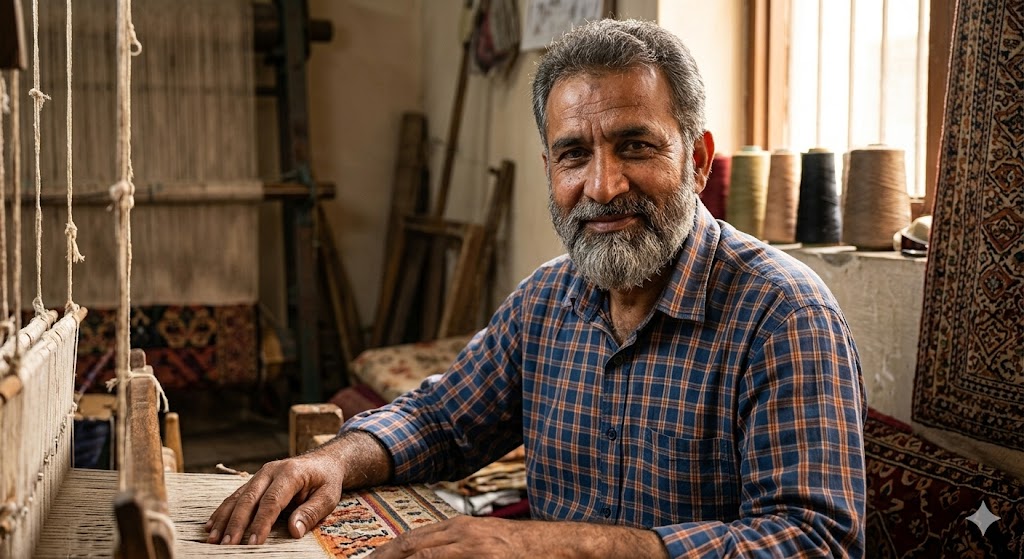
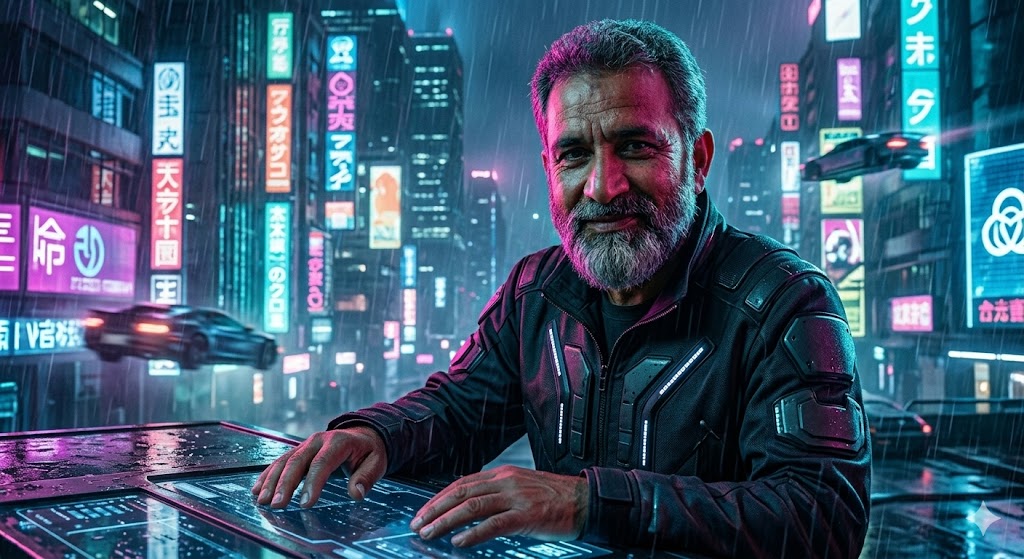
Vorher (links) und nachher (rechts): der Cyberpunk-Neon-Gemini-AI-Foto-Prompt, generiert mit Nano Banana.
13. Old Money Quiet Luxury
Eine zurückhaltende, raffinierte Ästhetik, die gerade stark im Trend liegt. Weiches natürliches Licht, gedämpfte Töne und ein geschmackvolles Setting tun die Arbeit, keine schweren Effekte.
Prompt: Restyle the uploaded photo into an old-money quiet-luxury portrait. Add soft natural window light, a muted neutral color palette, tailored classic clothing, and an elegant understated background such as a library or country estate, with a relaxed confident pose. Keep the same person's face and identity clearly recognizable; restyle only. This is an edit, the background, outfit, and lighting must visibly change. Refined, editorial, photorealistic.
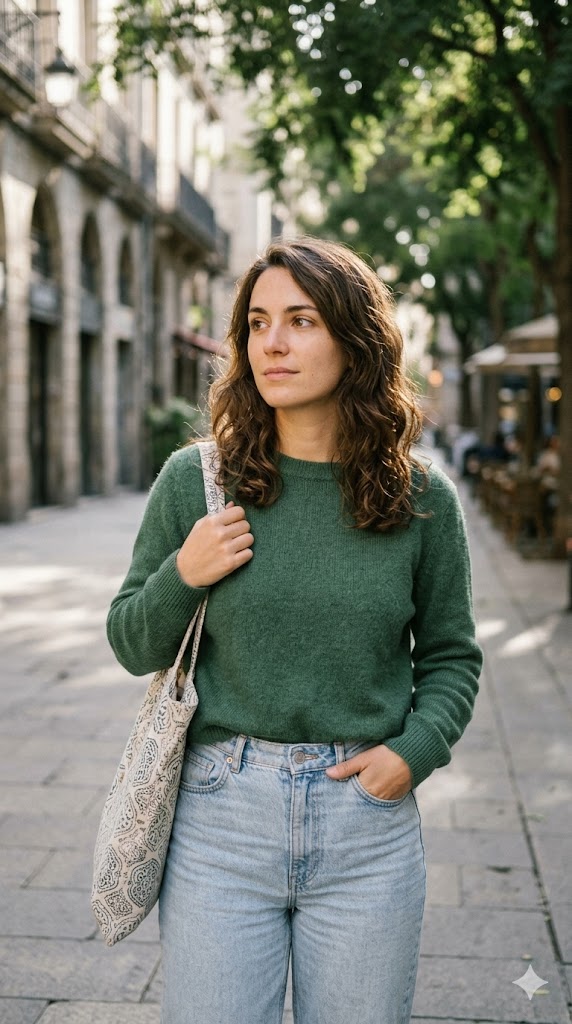

Vorher (links) und nachher (rechts): der Old-Money-Quiet-Luxury-Gemini-AI-Foto-Prompt, generiert mit Nano Banana.
14. Frisur- und Outfit-Makeover
Der praktischste Prompt. Statt die gesamte Szene umzugestalten, ändert er nur deine Frisur oder Kleidung, damit du einen neuen Look auf deinem echten Gesicht vorschauen kannst.
Prompt: Edit the uploaded photo to restyle only the hair and clothing. Change the hairstyle to a [describe hairstyle] and the outfit to a [describe outfit], keeping the same face, pose, and background. Make the new hair and clothing photorealistic and naturally lit to match the original photo. This is an edit, the hair and outfit must visibly change while the face stays identical. Do not alter the facial features.
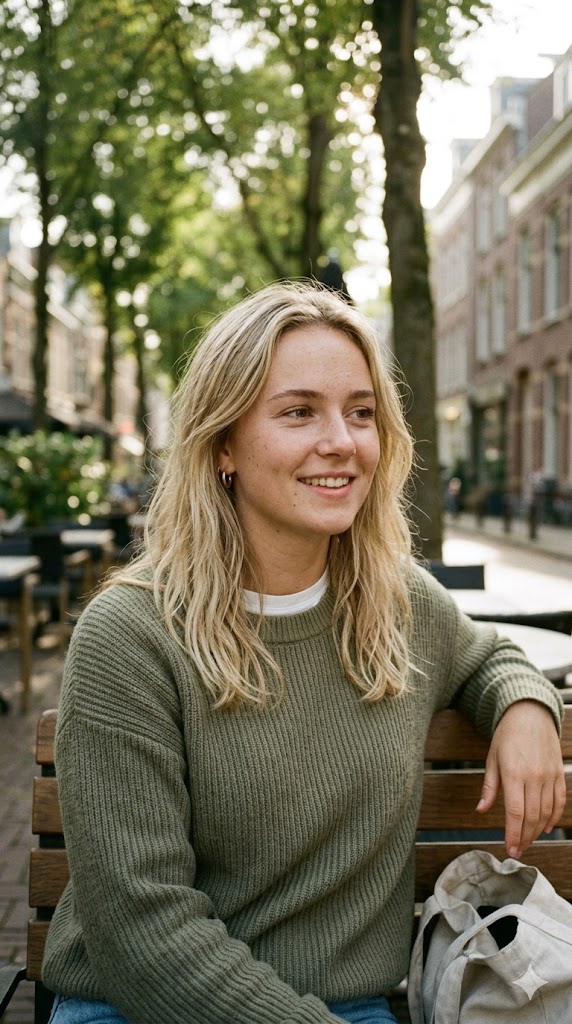
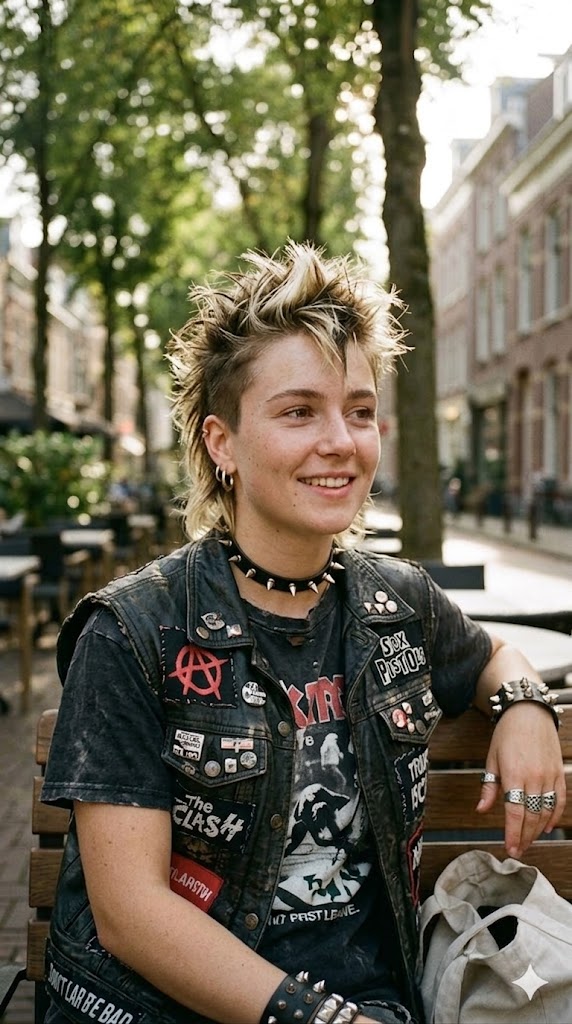
Vorher (links) und nachher (rechts): der Frisur-und-Outfit-Makeover-Gemini-AI-Foto-Prompt, generiert mit Nano Banana.
So schreibst du eigene Gemini-AI-Foto-Prompts
Sobald du das Muster erkennst, kannst du unbegrenzt Prompts erstellen. Ein starker Gemini-Foto-Prompt beginnt mit der gewünschten Änderung und schützt dann deine Identität. Bau ihn in fünf Teilen auf.
- Edit-Anweisung zuerst. Beginne mit „Restyle the uploaded photo into…", damit das Modell weiß, dass es transformieren muss und nicht das Original zurückgeben soll.
- Die sichtbaren Änderungen. Liste genau auf, was sich ändern soll: Hintergrund, Beleuchtung, Farbe und Kleidung.
- Identitätsschutz danach. Füge hinzu: „keep the same person's face and identity clearly recognizable; restyle only, do not alter their facial features."
- Anti-Passthrough-Zeile. Füge hinzu: „this is an edit, the lighting and background must visibly change," was verhindert, dass Gemini dein Original zurückgibt.
- Realismus-Tag. Schließe mit „photorealistic, natural skin texture, no plastic smoothing."
Halte das Ganze auf zwei oder drei präzise Sätze. Längere Prompts verwässern das Ergebnis, und mit der Bearbeitung anzufangen verhindert, dass das Modell dein Foto unverändert zurückgibt. Für mehr Inspiration, was das Modell leisten kann, stöbere durch Nano Bananas virale Beispiele und unerwartete Ergebnisse, und wenn du es gegen Bearbeitungssoftware abwägen möchtest, findest du hier die Frage, ob Nano Banana Photoshop ersetzen kann.
Gemini, ChatGPT, Claude und mehr aus einer App
Gemini ist ausgezeichnet für diese Fotobearbeitungen, aber vielleicht möchtest du für einen anderen Look ChatGPT oder ein anderes Modell verwenden, und das Jonglieren mit separaten Apps und Logins wird schnell lästig. Fello AI ist eine Mac-App, die Gemini, ChatGPT, Claude, Grok und DeepSeek hinter einer einzigen Oberfläche bündelt, damit du denselben Foto-Prompt modellübergreifend ausprobieren und das beste Ergebnis behalten kannst. Ein Abo deckt alle für $9.99 im Monat ab, statt für mehrere Pro-Pläne separat zu zahlen.
Das ist besonders für Prompt-Arbeit relevant. Derselbe Prompt kann auf Geminis Nano Banana und ChatGPTs Bildmodell sehr unterschiedlich landen, und sie direkt vergleichen zu können ist der schnellste Weg, den gewünschten Look zu finden. Wenn du neugierig bist, wie die führenden Modelle bei der Bildqualität abschneiden, sieh dir unseren Nano Banana Pro vs. GPT Image Vergleich an.
Fazit
Gemini-AI-Foto-Prompts sind der einfachste Weg, ein professionell aussehendes Porträt zu erhalten, ohne eine Bearbeitungs-App zu öffnen. Die 14 oben decken fast jeden Look ab, den Menschen tatsächlich wollen, vom sauberen LinkedIn-Headshot bis zum viralen Polaroid. Fang mit dem Cinematic Film Still oder dem Professional Studio Headshot an, da beide verzeihen und bei fast jedem Ausgangsfoto funktionieren. Dann nutze die Fünf-Teile-Formel, um eigene Varianten zu entwickeln. Wenn du vergleichen möchtest, wie Gemini einen Prompt gegenüber ChatGPT verarbeitet, ist unsere Übersicht der ChatGPT-Fotobearbeitungs-Prompts das perfekte Ergänzungsstück.
FAQ
Ist die Gemini-AI-Fotobearbeitung kostenlos?
Ja. Du kannst jeden Prompt hier in der kostenlosen Google-Gemini-App ausführen, die standardmäßig Nano Banana 2 verwendet. Die kostenlose Stufe erlaubt rund 20 Bilder pro Tag, ein Limit, das Google nach eigenen Angaben häufig ändert. Bezahlte Google-AI-Tarife erhöhen es deutlich (bis zu 1.000 pro Tag auf der höchsten Stufe) und bieten mehr Zugang zum hochwertigeren Nano-Banana-Pro-Modell.
Warum gibt Gemini mein Originalfoto unverändert zurück?
Das ist ein Passthrough, meistens verursacht durch einen Prompt, der mit „keep everything the same" beginnt. Beginne stattdessen mit der Bearbeitung („Restyle the uploaded photo into…"), füge hinzu „this is an edit, the lighting and background must visibly change", und antworte dann „apply the edit, change the lighting and background, keep only my face", wenn es das Original weiterhin zurückgibt.
Welches Gemini-Modell bearbeitet meine Fotos?
Die kostenlose Gemini-App verwendet Nano Banana 2 (gemini-3.1-flash-image-preview), Googles neuestes Bildmodell. Nano Banana Pro (gemini-3-pro-image-preview) ist die Top-Option für bezahlte Tarife, und das ursprüngliche Nano Banana (gemini-2.5-flash-image) verarbeitet weiterhin hochvolumige Bearbeitungen.
Wie behalte ich mein Gesicht unverändert?
Füge „keep the same person's face and identity clearly recognizable" und „do not alter their facial features" nach der Bearbeitungsanweisung ein. Das Hochladen eines klaren, frontal aufgenommenen, gut belichteten Fotos hilft dem Modell außerdem, deine Identität deutlich genauer zu erhalten.
Kann ich diese Prompts für Paare oder speziell für Männer und Frauen verwenden?
Ja. Prompt 11 ist für Pärchen-Fotos gebaut und behält beide Gesichter. Prompt 8 ist auf Männer-Streetwear-Porträts ausgerichtet, und Prompt 9 ist ein Soft-Glam-Look, der bei Frauen besonders beliebt ist. Jeder andere Prompt ist geschlechtsneutral; passe einfach die Kleidungs- und Stilbeschreibung an dich an.