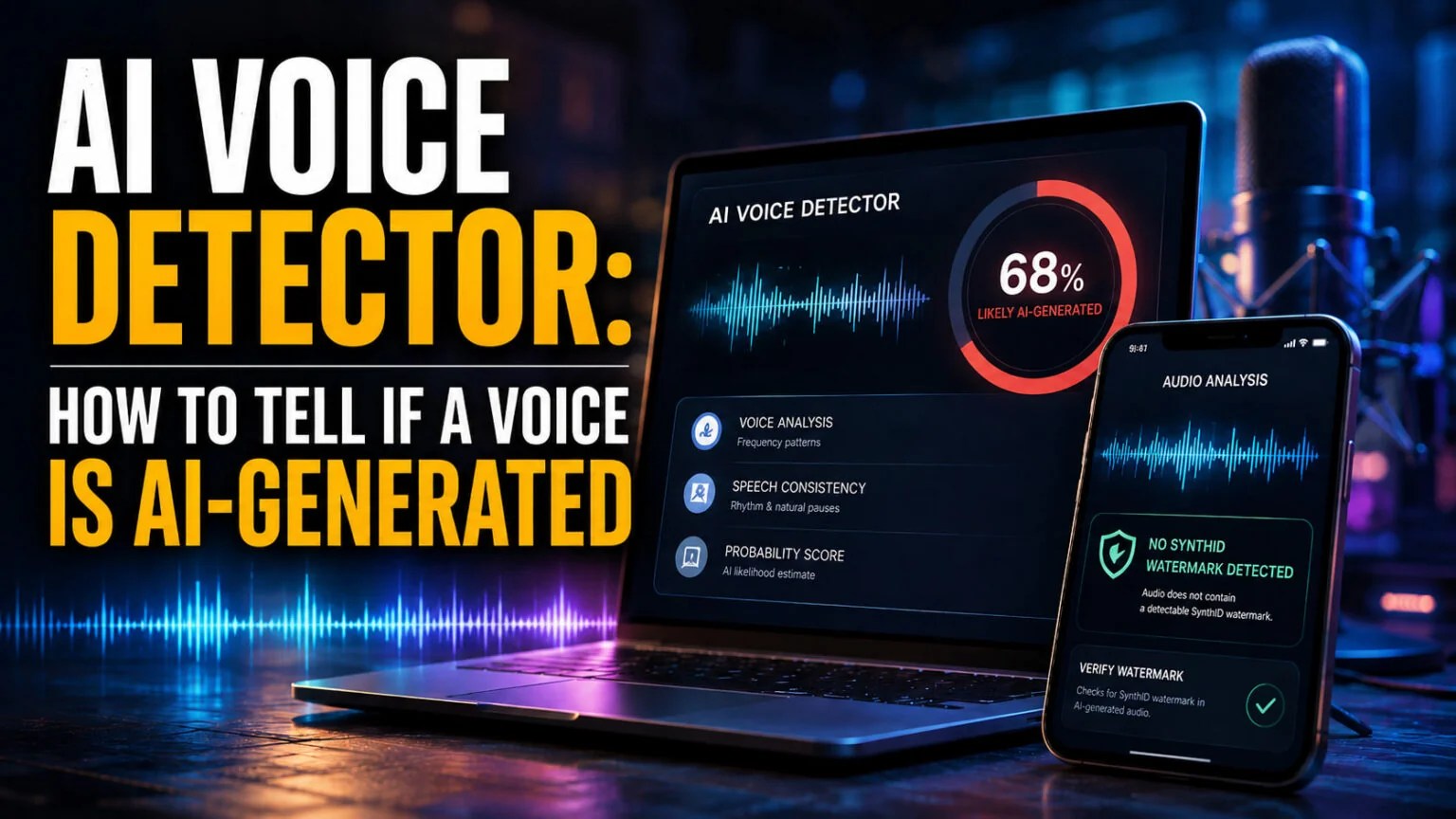
Every AI voice detector on the first page of Google advertises something close to 99% accuracy. ElevenLabs, which builds one of them, states plainly on its own tool page that its classifier “does not reliably classify audio generated with the Eleven v3 model”, meaning its current flagship. When the company that makes both the voice and the detector tells you the detector cannot keep up with the voice, that is the honest starting point for this whole category.
This guide covers which tools work, what their accuracy numbers actually describe, and a second detection method almost nobody on that first page mentions. That method is watermarking, and since 2 August 2026 European law has required AI-generated audio to be marked as synthetic in a machine-readable format. You will also get a per-format walkthrough for voicemails, WhatsApp notes and YouTube voiceovers, plus the one verification step that works even when every detector fails.
The Key Takeaways
- The “99% accuracy” figure describes clean studio audio. Accuracy falls on compressed phone and messaging recordings, which is exactly how scam audio reaches you.
- There are two different detection methods, and only one produces evidence. Classifiers guess from acoustic traces. Watermark checks look for a deliberate signal such as SynthID, embedded at the moment the audio was created.
- Two of the top-ranking “independent” detectors run the same engine. Undetectable.ai’s voice detector is labelled “Powered by TruthScan”, and TruthScan ranks separately for the same searches.
- The best free option depends on what you are checking. ElevenLabs’ classifier is free with no login but only recognises ElevenLabs audio; the Gemini app checks for a SynthID watermark at no cost.
- A detector score is evidence, never proof. When University at Buffalo researchers ran a known fake Biden robocall past a set of detectors in 2024, the best performer returned 69.7%, not a verdict.
What Is an AI Voice Detector?
An AI voice detector is a tool that analyses an audio clip and estimates whether the speech was generated or cloned by artificial intelligence. Detectors work in two fundamentally different ways. Classifiers hunt for statistical traces that synthetic speech leaves in the frequency spectrum, the rhythm of micro-pauses and the pattern of breathing. Watermark checkers look for a deliberate signal that was embedded when the audio was created.
That difference matters more than any accuracy claim.
A classifier is making an educated guess about audio it has never seen, and it gets things wrong in both directions. A watermark check is looking for something a generator put there on purpose, so a positive result is close to confirmation rather than probability.
The catch is coverage.
Watermarks only exist if the tool that made the audio chose to embed one, so a clean watermark check never proves audio is human. Classifiers cover everything but trust nothing. In practice you run both, which is why the tools below are grouped by method rather than by ranking.
What Detectors Are Actually Listening For
Classifier-based tools inspect a handful of signals at once. They look at spectral artefacts across the frequency range, formant transitions as the mouth moves between vowel sounds, and prosody, meaning the rise and fall of emphasis across a sentence. They also weigh the small human imperfections that synthetic speech smooths away.
Real recordings carry inconsistent room noise, audible breaths, throat clearing and slight timing variation. Many AI voices are cleaner and more uniform than a genuine recording ever is, and that unnatural tidiness is itself the tell. The same logic drives image forensics, which we cover in our guide on how to tell if a photo is AI generated.
The Best AI Voice Detector Tools, Checked Against Their Own Claims
Nearly every “best AI voice detector” list published this year was written by a company that sells one, and each of those lists ranks its own product first. FelloAI does not sell a detector, so the table below reports what each tool discloses on its own pages, including a column for the thing almost none of them publish.
| Tool | Free tier | What it actually detects | Stated accuracy | Publishes methodology? | Best for |
|---|---|---|---|---|---|
| ElevenLabs AI Speech Classifier | Free, no login | ElevenLabs-generated audio only | Not stated; admits it is unreliable on Eleven v3 | No | Checking whether a clip came from ElevenLabs |
| Undetectable.ai Voice Detector | Free, no login | General synthetic speech, runs the TruthScan engine | Not stated for voice | No | A fast first-pass check |
| TruthScan | Demo-led, enterprise | Voice cloning, live call monitoring, forensics | “99%+ detection accuracy” | No | Businesses with call-fraud exposure |
| Resemble Detect | Free Chrome extension, free starter tier | Audio, image and video; names covered generators | Publishes figures for image models, not for voice | Partial | Seeing which generators are covered |
| Hiya Deepfake Voice Detector | Free Chrome extension | Synthetic speech in calls, video and audio | “Over 99%” on in-the-wild datasets | No | Phone and telecom fraud |
| DeepFake-o-meter (University at Buffalo) | Free, account required | Audio, image and video via multiple open algorithms | Per-algorithm scores shown to the user | Yes, open source | Anyone who wants to see the working |
| Google SynthID Detector / Gemini | Gemini check is free; portal is waitlisted | SynthID watermarks, not general synthetic speech | Not a probability score | Not applicable | Confirming a watermark exists |
ElevenLabs AI Speech Classifier
The ElevenLabs AI Speech Classifier is the most useful free option and the most honest about its limits. You upload a sample, it uses only the first minute, no login is required, and it returns the probability that the audio came from ElevenLabs voice technology. If the result is positive it will also show you the closest matching voices in the ElevenLabs library.
Two limits define it. It detects ElevenLabs audio and nothing else, so a clean result tells you only that this particular vendor probably did not make the clip. ElevenLabs also warns directly on the page that the classifier does not reliably handle its own Eleven v3 model, which is a remarkable admission for a tool that competitors cite as a benchmark.
Undetectable.ai and TruthScan
These two rank separately in search results and read as independent choices, but Undetectable.ai’s voice detector page carries the line “Powered by TruthScan”. You are comparing one engine against itself. Undetectable.ai is the consumer-facing free front end, with a three-step upload flow and no account requirement, while TruthScan sells the same capability to businesses.
TruthScan advertises “99%+ detection accuracy” alongside real-time warnings and call monitoring. Neither page publishes a methodology, a test set or a false-positive rate, so that number cannot be checked by anyone outside the company.
Treat it as marketing until it is audited.
Resemble Detect
Resemble Detect covers audio, image and video, and offers a free Chrome extension that scans media in the browser. Its most useful feature is a public coverage table naming the specific generators it handles, including ElevenLabs, Murf, PlayHT, Descript and Udio.
Read that table closely and something stands out. Resemble publishes per-model accuracy percentages for image generators, listing figures like 98% for DALL-E 3 and 94% for Stable Diffusion, but the voice and text-to-speech entries are marked only as “Covered” with no number attached. The company is willing to quantify its image performance and not its audio performance, which tells you which problem is harder.
Hiya Deepfake Voice Detector
Hiya comes at this from telecoms rather than from AI tooling, and its focus is fraud on live calls. It claims over 99% accuracy against what it calls “in-the-wild” datasets, verifications in fractions of a second, and performance that holds up on low-quality audio. It also offers a free Chrome extension for checking video and audio you encounter online.
The low-quality-audio claim is the interesting one, because compressed phone audio is where most detectors struggle. Hiya does not publish the underlying test data either, so the claim sits in the same unaudited bucket as the rest.
DeepFake-o-meter from the University at Buffalo
This is the only option on the list with no commercial interest in the answer. It was built by the UB Media Forensics Lab. DeepFake-o-meter is open source, runs your file through several published detection algorithms at once, and shows each result separately. The accuracy, runtime and publication year of every algorithm are listed next to it.
It handles image, video and audio, results usually arrive in under a minute, and it is free with a registered account. Because it shows the spread between algorithms rather than a single confident number, it is the best tool for understanding how uncertain these judgements really are.
How Accurate Is an AI Voice Detector, Really?
Vendor accuracy figures are measured on clean audio. That means a good microphone, no compression, no background noise and a reasonable clip length.
Almost nothing you actually want to check arrives in that condition.
Scam audio reaches you as a phone call through a lossy codec, a voice note squeezed by a messaging app, or a re-uploaded social video that has been transcoded twice. Every one of those steps strips out detail the classifier depends on, and accuracy falls accordingly.
The format most likely to be fraudulent is the format detectors handle worst.
The clearest public illustration comes from the University at Buffalo team. When the notorious fake Biden robocall was checked against a set of detectors in September 2024, DeepFake-o-meter was the most accurate of them, and it returned a 69.7% likelihood that the audio was AI-generated. That was the winning score, on a confirmed fake.
A number like that is useful as evidence and useless as proof. Read the confidence score rather than the headline verdict, run the same clip through two or three tools, and treat disagreement between them as information rather than noise. The same scepticism applies to text tools, as we found when testing the field in our roundup of AI detectors.
The Watermark Route Nobody Is Talking About
While detector vendors compete on classifier accuracy, the industry has been quietly building something more reliable. SynthID, developed by Google DeepMind, embeds a digital watermark directly into AI-generated images, audio, text and video at the moment of creation. It is inaudible to people and survives the transformations that break ordinary metadata.
For audio, Google states the watermark cannot be removed by common modifications such as adding noise, MP3 compression or changing the speed of a track. On Google’s own products it covers audio from the Lyria music model and the podcast generation feature in NotebookLM. That podcast coverage is worth knowing if you work with the tools in our guide to the best AI podcast generator options.
Where SynthID Has Spread
SynthID is no longer a Google-only signal. ElevenLabs announced a partnership with Google DeepMind to embed SynthID directly into audio it generates, describing watermarks that survive trimming, speed changes, metadata stripping and file-format conversion. Be precise about the scope, because the rollout started with text-to-speech generations from free users and is expanding to all ElevenLabs audio over the following weeks.
ElevenLabs also launched a dedicated Audio Detector page that reads the watermark, which it describes as a more robust approach than its older classifier. Alongside this it uses C2PA content credentials, the provenance standard already common in AI image tools. OpenAI adopted the same combination of C2PA manifests and SynthID watermarking for images generated across its products in May 2026.
How to Check a SynthID Watermark for Free
The simplest route costs nothing and needs no specialist tool. Upload the file to the Gemini app and ask whether it carries a SynthID watermark, and Gemini will check and tell you what it finds. No detector vendor mentions this, because none of them profit from it.
Google also runs a dedicated SynthID Detector portal that accepts image, video and audio uploads. Access is currently limited, with Google collaborating with journalists and media professionals to test it and an early-tester waitlist for everyone else. If you are a working journalist, joining that waitlist is the highest-value thing on this page.
Remember the asymmetry.
Finding a watermark is strong evidence the audio is synthetic, but finding none proves nothing at all, because plenty of generators embed no watermark and open-source models run without one.
What the Law Now Requires
On 2 August 2026 the European Commission began enforcing the transparency obligations in Article 50 of the EU AI Act. Those rules require providers to disclose when someone is interacting with an AI system, to mark synthetic content in a machine-readable format, and to label deepfakes. This is the legal engine behind the watermarking push described above.
Two clarifications matter, because coverage of this date has been muddled. The strictest high-risk obligations were not switched on; they moved to December 2027 and August 2028 under the Digital Omnibus, formally Regulation (EU) 2026/1744, which entered into force on 27 July 2026. Article 50 transparency was not delayed, which is why it is the part that bites first.
For you as a listener, the duty sits with the companies, not with you. The practical effect is that more AI audio should carry a detectable signal over the coming months, which makes watermark checking steadily more useful and classifier guessing steadily less central. We break the full timeline down in our explainer on the EU AI Act.
How to Check Audio on a Mac or iPhone
Every tool above runs in a browser, so a Mac or an iPhone works as well as anything else. The friction is getting the audio out of the app it arrived in, and that differs by format.
A WhatsApp or Messages Voice Note
Long-press the voice note and use the share sheet to save it to Files, then upload that file from Files to the detector in Safari. On a Mac, drag the note out of the conversation directly onto your desktop. Do not screen-record it if you can avoid doing so, because the extra compression pass costs you accuracy.
A Voicemail or Call Recording
Visual Voicemail lets you share a message to Files on an iPhone. Expect the weakest results here, since carrier audio is heavily compressed and short. Use the callback protocol below rather than relying on any score.
A YouTube or Social Voiceover
Some detectors accept a pasted URL and pull the audio for you, which avoids a re-encoding step. If yours does not, extract the audio track rather than uploading a screen recording. A voiceover is usually the best-case scenario for a detector, since it is usually long, clean and uncompressed relative to a phone call.
If you create voice content yourself rather than verifying it, the disclosure duties above now apply to your output too. Readers working across several models often run Claude, ChatGPT, Gemini, Grok and DeepSeek through Fello AI, a single Mac and iPhone app at $9.99/month. That is roughly half the cost of subscribing to any one of them alone. Our roundup of the free AI voice generator tools covers which of them watermark their output.
What to Do When a Call Sounds Cloned
No detector helps you in real time on a live call, so the protocol matters more than the tooling. Hang up and call back on a number you already had, not one the caller gave you and not by returning the incoming call.
A cloned voice cannot control which phone rings.
Agree a safe phrase in advance with family and close colleagues, something simple and unguessable that a genuine caller can produce under pressure. Ask about something specific and recent that is not public, because a clone can deliver prepared lines but falls apart when the conversation goes somewhere it did not expect.
Be aware that WhatsApp, Messenger and Telegram do not analyse audio to tell you whether it is synthetic, and you cannot verify identity through the same channel an attacker already controls. For the wider set of red flags across video and images, see our guide to 10 easy ways to detect AI deepfakes.
Conclusion
Start with a free classifier to get a signal, then check for a watermark, then verify through a channel the other person does not control.
That order reflects how much each step is actually worth.
If you only take one action, run your clip through DeepFake-o-meter rather than a vendor tool, because seeing several algorithms disagree teaches you more about this technology than any single confident percentage will. For text rather than audio, our comparison of the best free AI detector tools covers that side of the problem.
FAQ
Is there a free AI voice detector?
Yes, several. ElevenLabs’ AI Speech Classifier is free with no login and uses the first minute of your sample, though it only recognises ElevenLabs audio. Undetectable.ai is free without an account, DeepFake-o-meter is free with registration, and the Gemini app will check for a SynthID watermark at no cost.
How accurate are AI voice detectors?
Vendors advertise around 99%, but that describes clean studio audio and none of them publish a methodology you can check. Accuracy falls on compressed phone and messaging audio. When University at Buffalo researchers checked a known fake robocall in 2024, the best-performing detector returned 69.7%, so treat any score as evidence rather than proof.
Can an AI voice detector check a WhatsApp voice note?
Yes, but expect lower confidence. Save the note to Files through the share sheet and upload that file rather than a screen recording, which adds another compression pass. WhatsApp itself does not analyse audio for you, so any check has to happen outside the app.
What is a SynthID watermark?
SynthID is a Google DeepMind watermark embedded into AI-generated images, audio, text and video as they are created. In audio it is inaudible and survives added noise, MP3 compression and speed changes. Finding one is strong evidence the audio is synthetic, but finding none proves nothing, since many generators embed no watermark.
Does the law require AI audio to be labelled?
In the EU, yes. The European Commission began enforcing Article 50 of the EU AI Act on 2 August 2026, requiring synthetic content to be marked in a machine-readable format and deepfakes to be labelled. The obligation sits with providers rather than with listeners, and the stricter high-risk rules were deferred to 2027 and 2028.