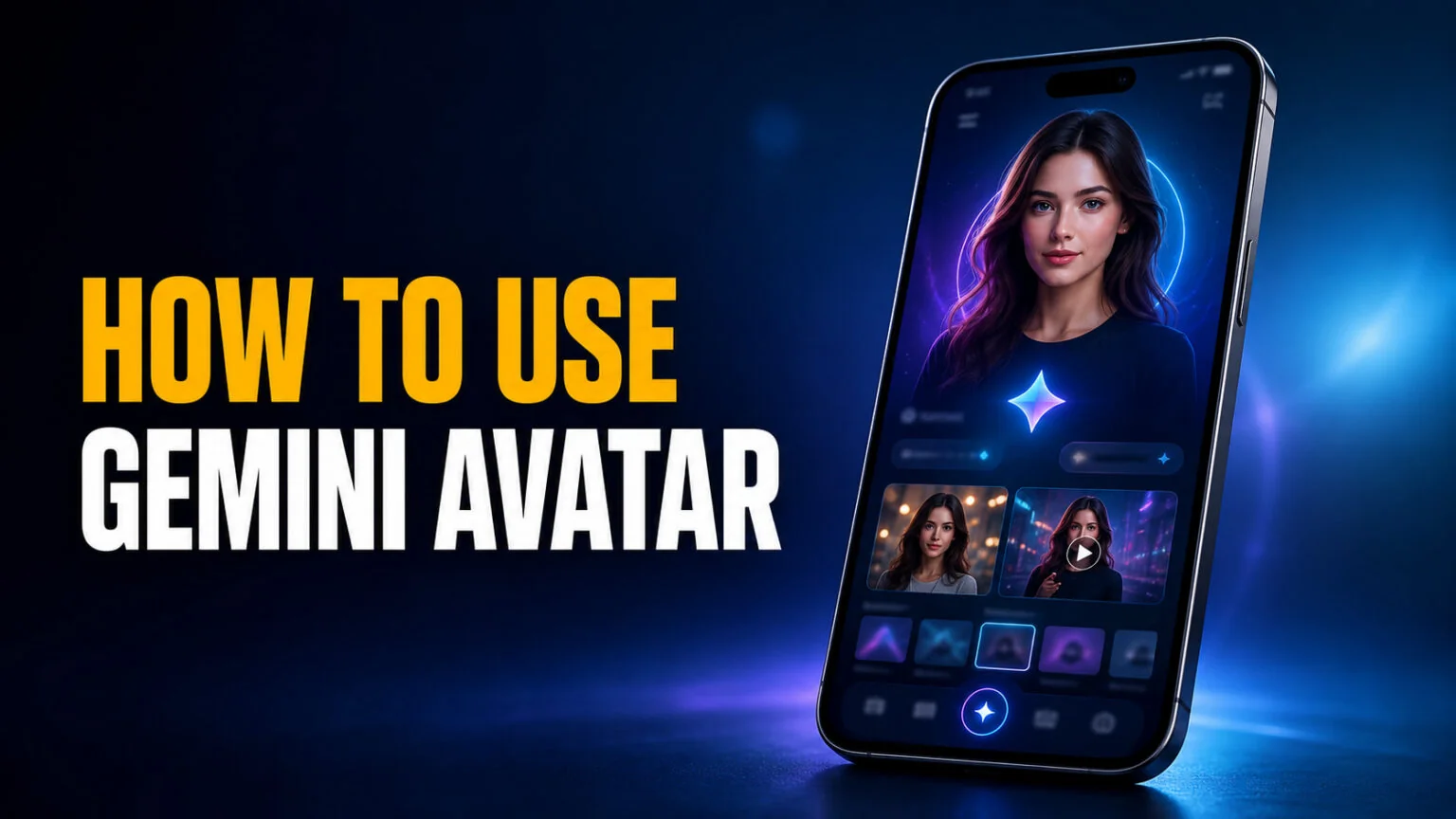
Google’s July 2026 Gemini Drop extended Gemini Avatar to still images, and that changes what “AI photo of me” means. The feature takes a short selfie video, learns your face and voice, and stores that likeness in your account. From then on you add yourself to any image or video by typing @ and your name in a prompt, with no photo upload each time.
That is a different mechanic from every AI headshot tool you have used, and it comes with hard limits that Google states plainly and most coverage skips. You need a paid Google AI plan, you need to be 18 or over, the feature works in English only, and it is not available in the EEA, Switzerland or the United Kingdom. Below is what the feature actually does, how to set it up on a phone and on a Mac, the prompts that work, and what to do when the option never appears.
The Key Takeaways
- Gemini Avatar is not free. Google’s requirements state you must be signed in with a personal Google Account that has a Google AI plan, starting at the AI Plus tier.
- Setup takes roughly two to five minutes and always needs a phone, even when you start on a computer.
- Your avatar works with Nano Banana for images and Gemini Omni for video, called with @[your name] in the prompt.
- Blocked in the EEA, Switzerland and the UK, and supported in English only, per Google’s own documentation.
- Video output carries a SynthID watermark, and deleting your avatar removes the selfie and voice data from Google’s systems.
What Gemini Avatar Is
Gemini Avatar is a Google feature that turns a short selfie video into a reusable digital likeness. Once you record your face and voice, you can add yourself to any image or video by typing @ followed by your name in a Gemini prompt. It requires a paid Google AI plan.
The important word is reusable. Most AI image tools ask you to upload a reference photo every session, then guess at your face from that single frame. Gemini enrols you once, capturing your face from multiple angles and your voice timbre, and keeps that profile attached to your Google Account.
In the July 2026 Gemini Drop, Google pitches it as the ability to “add yourself to any image” with “no need to upload your image every time.” Put plainly, your likeness becomes a prompt ingredient. You can drop it into anything else Gemini is able to generate.
Video came first. Reviewers were making avatar clips in early June, and the July drop is what brought the same likeness to still images.
This is also why it sits apart from the AI headshot category. A headshot tool produces a polished portrait from a photo you supply. An avatar puts a recognisable you into a scene you describe, in motion, and speaking in something close to your own voice, which is a much harder trick and a much smaller field of competitors.
Who Can Use Gemini Avatar Right Now
No. Gemini Avatar requires a personal Google Account with a Google AI plan, which starts with AI Plus. Google’s own requirements also state you must be 18 or over, and avatars are supported in English only. The feature is not available in the EEA, Switzerland or the United Kingdom.
Those four gates are worth reading twice, because they disqualify a large share of readers before step one. Google lists them in the official avatar support page, and they are not optional or region-negotiable.
| Requirement | What Google says |
|---|---|
| Plan | “Be signed in with a personal Google Account with an Google AI plan” |
| Age | “Be 18 or over” |
| Language | “Avatars are currently only supported in English” |
| Countries | “Avatars are currently not available in the EEA, Switzerland, or the United Kingdom” |
One nuance on the plan requirement. Google’s documentation adds a second, more specific line for video, stating that “to create a video with your personal avatar, you must have a Google AI plan.” Read alongside the requirements list, the safe conclusion is that a paid plan gates the feature as a whole.
There is better news on which paid tier. Android Authority reported in June that the feature works on “any of the following: Google AI Plus, Google AI Pro, Google AI Ultra”, so the cheapest plan qualifies rather than the feature being reserved for Ultra.
If you want to check where your subscription sits before recording anything, our breakdown of Gemini’s pricing tiers covers what each plan includes.
How to Create Your Gemini Avatar
The enrolment flow is short, and the awkward part is that a phone is mandatory. Even the desktop path hands you off to your phone camera partway through, because the recording needs a front-facing camera and a microphone in the same device. Set aside five minutes and find a quiet, evenly lit room before you start.
On your phone
- Open the Gemini app on your phone or tablet.
- Tap Settings at the bottom left, or tap your profile picture at the top right.
- Tap Personal avatar in the menu.
- Grant camera and microphone access when prompted.
- Hold the phone at eye level and keep your eyes, nose and mouth visible in frame.
- Turn your head slowly through the angles the screen asks for.
- Read the numbers shown on screen aloud, in a normal speaking voice.
- Save the recording to attach the avatar to your account.
Two details decide whether the recording is accepted. Lighting must not be too dim or too bright, and no other faces can appear in the background, which is Google’s way of preventing you from enrolling someone else. A quiet room matters as much as the light, because the voice capture is what makes video output sound like you.
On a Mac or PC
Starting from a computer works, but it is a relay rather than a separate flow. In the text box at the bottom of Gemini, click Add Files, then More uploads, then Avatar. Gemini shows a QR code, you scan it with your phone and complete the same face and voice recording there, then return to the computer and click Use Avatar.
Google’s documentation describes this QR handoff as the computer creation path, and puts avatar management under Settings, then Personal avatar, on both desktop and mobile. Whichever device you start on, the recording happens on the phone.
That distinction matters if you use Gemini for Mac, which now sits in the menu bar and handles dictation and image generation natively. The Mac app is a fine place to use your avatar once it exists. It is not a place to record one, because macOS never gets the enrolment step.
Independent tests put the whole process at two to five minutes. Android Authority described it as “just a couple of minutes” of reading numbers and turning your head, while PCWorld clocked roughly five.
How to Use Your Avatar in a Prompt
Once enrolled, your avatar behaves like a mention. Type @ in the prompt box, pick your name from the pop-up, and Gemini inserts it as @[your Google username]. Google’s own example prompt is “Create an image of @[your Google username] singing with an orchestra.”
Where that prompt goes depends on what you are making, and the two paths have different models and different costs behind them.
| What you’re making | Which model handles it | What it costs you |
|---|---|---|
| Still images | Nano Banana | Counts against your plan’s image generation |
| Video clips | Gemini Omni | Explicitly requires a Google AI plan, and limits bite fast |
| Reusing the avatar | Stored on your account | Nothing extra, recorded once |
Images with Nano Banana
Image generation runs through Nano Banana, the same engine behind Gemini’s photo output. If you have already worked through our Gemini photo prompts, the syntax is identical apart from the mention. You are simply naming yourself as the subject instead of describing one.
Limits here follow whatever your plan allows for images, which our guide to Nano Banana’s free tier explains in detail.
Video with Gemini Omni
Video is the demanding path. Gemini Omni animates the likeness and drives lip-sync from your captured voice, and it is where the plan requirement is stated most explicitly.
It is also where you hit a wall fastest. PCWorld, testing on a paid AI Pro account, reported being “cut off after just three videos.” Google publishes no official per-day figure, so treat that as one reporter’s experience rather than a documented cap. Either way, expect video to be rationed far more tightly than images.
Prompts Worth Trying First
These follow the structure Google demonstrates, with the mention doing the identity work and the rest of the prompt carrying the scene. Swap @yourname for your own mention in each one.
The broadcast test
@yourname presenting a weather forecast in front of a studio green screen, broadcast lighting
Start here. Studio lighting is flat and unforgiving, which makes it the fastest way to judge whether the likeness holds up before you spend a video generation on something more ambitious.
The album cover
@yourname as a 1970s album cover portrait, grainy film, warm colour cast
Heavy stylisation is where upload-based tools usually lose your face. An enrolled avatar holds identity through the grain and the colour cast, so this one shows you what the feature is actually buying you.
The podcast seat
@yourname sitting in a podcast studio wearing headphones, explaining something with their hands
This is the practical one. Gesture and lip-sync are what sell a talking-head clip, and it is the scene most people want the moment they see the feature work.
The wide landscape
@yourname hiking a ridge line at sunrise, shot from behind, wide landscape
Small-in-frame subjects are a useful stress test. When your face occupies a fraction of the shot, weaker systems quietly swap in a generic person.
The product shot
@yourname in a bright test kitchen holding a tray of pastries, shallow depth of field
Shallow depth of field plus hands plus an object is the combination that trips up most image models. If this one lands cleanly, your avatar is ready for real work.
Keep the scene description doing the heavy lifting. The mention already fixes your face and voice, so adding words like “realistic portrait of a man with brown hair” fights the avatar rather than helping it.
When Gemini Avatar Doesn’t Show Up
The most common complaint is not a bad result, it is a missing button. Google’s own Gemini Apps Community carries active threads from users who cannot find the option or cannot finish the recording.
If the avatar option is missing in Gemini, the cause is almost always eligibility rather than a bug. Check that your account has an active Google AI plan, that your Google Account is set to 18 or over, that your app language is English, and that you are not in the EEA, Switzerland or the UK.
| What you see | Why it happens | What to do |
|---|---|---|
| No Avatar option at all | One of the four requirements is unmet, most often plan or country | Verify plan, account age, app language and region before troubleshooting anything technical |
| “Cannot generate an avatar due to an internal error” | Server-side, reported by multiple users | Wait and retry later; there is no user-side fix |
| “Something went wrong” after recording | Recording rejected, usually lighting, framing or a second face in shot | Re-record at eye level, in even light, alone, in a quiet room |
| Avatar exists but @name does nothing | Mention not selected from the pop-up, so it is plain text | Type @, then tap your name in the list so it inserts as a real mention |
One caution on region. Changing your account country to sidestep the block is against Google’s terms, and it breaks billing on the subscription you just paid for. If you are in a blocked region, the alternatives section below is the better route.
Privacy, Deletion and Watermarks
You are handing Google a recording of your face and voice, so the retention terms matter. Google’s documentation states that deleting an avatar takes you to the selfie video page of your Google Account, and that your “recorded selfie and voice data for that avatar will be removed from Google’s systems.”
Output is labelled as synthetic. PCWorld found that generated avatar videos carry a SynthID watermark, Google’s invisible provenance marker, identifying the content as AI-created. That matches how Google treats its other generative output.
That cuts both ways. It protects you from having your own likeness passed off as genuine footage, and it means anything you make stays traceable back to a machine. If you want to know what those markers actually prove, our guide on how to spot an AI-generated photo covers what detection can and cannot do in 2026.
The obvious risk is the one Google guards at enrolment. Because no second face may appear during recording, you cannot casually enrol someone who has not consented, which is a sensible constraint on a tool that makes talking video of a real person.
What to Use If Gemini Avatar Is Blocked Where You Are
Readers in the EEA, the UK and Switzerland cannot use this at all, and no setting changes that.
The nearest equivalents work from an uploaded photo rather than an enrolled likeness. That means less consistency across generations, but no regional lock and no subscription requirement.
For still images of yourself, the tools in our roundup of free AI headshot generators produce portraits from a single photo and run everywhere. For motion, our tested picks for free AI video generators cover what is available without a Google AI plan.
The trade-off is real and worth naming. Upload-based tools drift between generations, so your face shifts subtly from image to image. That inconsistency is exactly the problem enrolment solves, which is why the feature is worth revisiting if and when Google expands the rollout.
Should You Bother?
If you already pay for a Google AI plan, live outside the blocked regions, and make any kind of visual content, Gemini Avatar is worth the five minutes. The consistency you get from enrolment beats prompting your own face over and over, and the voice capture makes video usable rather than uncanny.
If you are on the free tier or sitting in Europe, skip it and use an upload-based tool instead.
For everyone else, start with Gemini’s pricing tiers to see whether AI Plus earns its place on your account. Then record your avatar somewhere quiet and well lit. The recording quality decides everything that comes after it.
FAQ
Is Gemini Avatar free?
No. Google’s requirements state you must be signed in with a personal Google Account that has a Google AI plan, and the cheapest tier that includes it is AI Plus. Google’s documentation separately confirms that creating a video with your avatar requires a Google AI plan.
Is Gemini Avatar available in the UK?
No. Google states that avatars are “currently not available in the EEA, Switzerland, or the United Kingdom.” There is no supported workaround, and changing your account region risks breaking your subscription billing.
Can you create a Gemini avatar on a Mac?
You can start on a Mac, but not finish there. Gemini shows a QR code on the desktop, you scan it with your phone and record your face and voice on the phone, then return to the computer and click Use Avatar.
Does Google keep your selfie and voice recording?
Google stores it while the avatar exists. Deleting the avatar takes you to the selfie video page of your Google Account, and Google states the recorded selfie and voice data “will be removed from Google’s systems.”
Are Gemini avatar videos watermarked?
Yes. PCWorld’s testing found that generated avatar videos carry a SynthID watermark identifying the content as AI-created, in line with how Google labels its other generative output.