ChatGPT on Mac

The best way to use
ChatGPT on your Mac

Fello AI is a native Mac app giving you GPT-5.6 and every other frontier model in one place. No browser tabs, no subscription juggling, no switching apps.

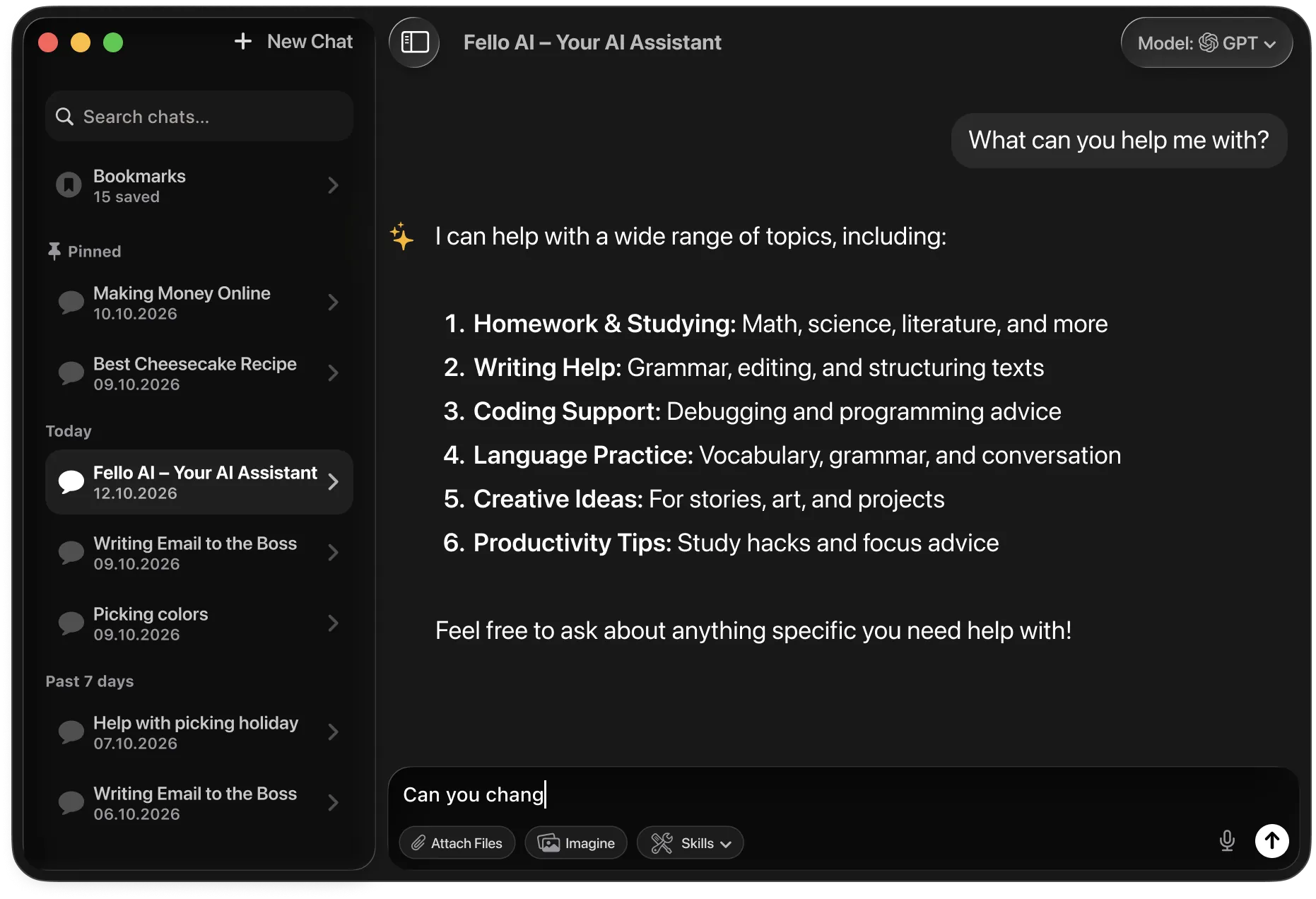
Fello AI on macOS with the model picker open, showing 9 AI models
What is ChatGPT

What ChatGPT actually is

ChatGPT is the AI assistant made by OpenAI and the one that started the whole AI boom when it launched in late 2022. Within five days of launch it had a million users. Within two months it hit 100 million. Nothing had spread that fast before. Today it is the most recognizable AI product in the world, used by students, writers, business owners, developers, and curious people in almost every country.

GPT-5.6 is the model that powers ChatGPT today. Think of ChatGPT as the app and GPT-5.6 as the brain inside it. The current version is significantly smarter than the original, it writes better, reasons through harder problems, follows complex instructions reliably, and makes far fewer embarrassing mistakes. Most people who tried ChatGPT two years ago and walked away would be surprised by how much it has improved.

What makes ChatGPT work well for everyday use is its versatility. It can help you draft an email, summarize an article, plan a trip, explain a confusing document, write a cover letter, come up with birthday gift ideas, or just answer questions you feel awkward Googling. You do not need to be technical to get value from it. Most useful AI interactions are simple conversations.

ChatGPT vs GPT-5.6: ChatGPT is the product, the app you log into. GPT-5.6 is the specific model version doing the thinking. In Fello AI, you get direct access to GPT-5.6 alongside Claude, Gemini, and 30+ other models, all without switching apps.
200M+
Weekly users worldwide
#1
Most-used AI tool on earth
50+
Languages it writes fluently
2022
Year it changed everything

ON YOUR MAC

3 ways to use ChatGPT on Mac

02
Official ChatGPT website

Open chatgpt.com in Safari or Chrome. No download required and you get the full ChatGPT experience in a browser. The downside is it's browser-only, limited to GPT models, and gets buried under other tabs. You'll need a ChatGPT Plus subscription ($20/month) for GPT-5.6 access.

03
Official ChatGPT Mac app

OpenAI ships a native Mac app available from the App Store. It's a solid option if you only ever need ChatGPT, but it requires macOS 14 or later and an Apple silicon Mac. Intel Macs are not supported. You're also locked into GPT models only.


Why Fello AI

GPT-5.6 without the browser tab

ChatGPT is great for everyday questions, reasoning, and writing, and Fello AI gives it to you as a native Mac app. The difference is choice: when ChatGPT isn't the best fit, switch to Claude, Gemini, or Grok in one click, generate AI images, and turn any answer into a real PowerPoint, Excel, or Word file. All of this for a fraction of ChatGPT's price.

Native Mac performance
Built for Apple silicon and Intel alike. Fello AI weighs just 30-50MB and uses negligible RAM. It launches instantly and lives in your dock like any proper Mac app, available on macOS 12 and later.
Works on older Macs too
The official ChatGPT Mac app requires macOS 14 and Apple silicon. Fello AI supports macOS 12 and Intel Macs, so no one gets left behind. Same full GPT-5.6 access, broader hardware support.
30+ models in one app
GPT-5.6 is excellent, but so is Claude 5 for writing and Gemini 3.6 for research. Fello AI lets you use all of them without managing separate subscriptions or switching between apps.

Side by side

Fello AI vs ChatGPT official app

Feature Fello AI ChatGPT (browser / Mac app)
Price Free tier + $9.99/mo or $79.99/yr $20/mo (Plus) for GPT-5.6
Access to GPT-5.6 Yes Yes (Plus subscribers)
Native Mac app macOS 12+, Intel + Apple silicon Apple silicon + macOS 14+ only
Models available GPT-5.6, Claude 5, Gemini 3.6, Grok 4.5, DeepSeek, Kimi K3 and more GPT models only
Image generation GPT Image 2, Nano Banana 2, Seedream 5, FLUX.2 GPT Image 2 only
PDF support Up to 16 PDFs at once Limited (Plus only)
Podcast generation Yes No
Web research Web, YouTube, X, booking sites Web only (Plus)
iPhone and iPad Yes, same app Separate app
macOS requirement macOS 12 (Monterey) macOS 14 (Sonoma) for Mac app

In depth

A closer look at GPT-5.6

Understands what you actually mean

GPT-5.6 does not just pattern-match your words. It reads for intent. Give it a vague prompt and it will ask for clarification. Give it a complex one and it breaks it into steps before responding.

Writes like a professional

Whether you need a formal email, a casual caption, or a legal-sounding letter, GPT-5.6 adjusts its tone to match. It is the model most people reach for when the writing quality actually matters.

Handles images and documents

Upload a photo, screenshot, PDF, or chart and GPT-5.6 can read, describe, and reason about what it sees. Useful for anything from analyzing a receipt to explaining a graph from a report.

Works in over 50 languages

ChatGPT translates, writes, and thinks in more than 50 languages. This makes it one of the most accessible AI tools in the world for non-English speakers.


Model comparison

How does ChatGPT compare to other AIs?

The AI landscape in 2026 is crowded with strong contenders. Gemini 3.6 Flash leads most context-length benchmarks, Claude 5 excels at complex writing and long-form analysis, and Grok 4.5 brings real-time data from X. Where does ChatGPT, powered by GPT-5.6, actually stand?

GPT-5.6 is the strongest model for everyday use, computer-control tasks, and knowledge-work documents. It is built to operate software and finish real desktop work, not just answer questions.

ChatGPT VS Gemini

ChatGPT vs Gemini

Gemini is the researcher. GPT-5.6 is the operator.

Google's Gemini 3.6 Flash is one of the most factually reliable models available. It leads on academic reasoning benchmarks and ships with native Google Search grounding for real-time fact access. It is the safest default for research, scientific writing, and any task where factual accuracy matters most.

GPT-5.6 takes a different approach. Where Gemini focuses on accuracy and reasoning depth, GPT-5.6 excels in execution and computer use. It can operate software, fill out forms, manage files, and complete multi-step desktop workflows autonomously, and it is especially strong on knowledge-work documents.

Use Gemini 3.6 Flash for research, scientific accuracy, and long-context document analysis. Use ChatGPT when you want the model to operate software, complete documents, or execute multi-step desktop tasks.

ChatGPT VS Claude

ChatGPT vs Claude

Claude is the writer. GPT-5.6 is the executor.

Anthropic's Claude 5 is one of the strongest models for complex writing and structured long-form work. It produces the most natural, well-structured text of any major model, follows detailed instructions without drifting, and handles enormous documents with exceptional coherence.

GPT-5.6 approaches the same tasks differently. Instead of deep planning and long-form precision, GPT-5.6 prioritizes momentum and tool use. It is stronger for developers who need rapid prototyping, IDE automation, and direct computer-use tasks like UI navigation.

Choose Claude 5 for complex multi-file writing, structured planning, and long-form professional documents. Choose ChatGPT for rapid prototyping, IDE automation, and tool-heavy agentic workflows.

ChatGPT VS Grok

ChatGPT vs Grok

Grok is the brainstormer. GPT-5.6 is the finisher.

xAI's Grok 4.5 leans on real-time data from X and the broader web. That makes Grok 4.5 useful for brainstorming, current events, and creative tasks where divergence from the expected answer is a feature. It is also more openly opinionated and less restricted in the topics it will engage with.

GPT-5.6 is less stylistically experimental, but more reliable once tasks become technical or multi-step. It maintains better internal consistency across longer workflows, especially in code, computer-use tasks, and structured document work.

Use Grok 4.5 for brainstorming, real-time information, and creative work where unexpected ideas matter. Use ChatGPT when correctness, execution, and follow-through matter.

ChatGPT VS Perplexity

ChatGPT vs Perplexity

Perplexity finds the information. GPT-5.6 does something with it.

Perplexity is optimized for search-first answers with citations. It shines when the goal is to verify facts, explore sources, or quickly understand a topic with references. It is essentially an AI-powered research tool rather than a general-purpose assistant.

GPT-5.6 is stronger at transformation and execution: turning information into code, plans, summaries, finished documents, or completed software workflows.

Use Perplexity to gather facts and sources. Use ChatGPT to act on those facts.

ChatGPT VS DeepSeek

ChatGPT vs DeepSeek

DeepSeek is the open alternative. GPT-5.6 is the established standard.

DeepSeek V4 is among the strongest open-weight models, with reasoning and coding abilities competitive with frontier closed models. Its API pricing undercuts most proprietary models by a wide margin. For developers building cost-sensitive automation or organizations with data-privacy requirements, it is a genuinely viable alternative.

GPT-5.6 still leads in consistency, ecosystem integration, and computer-use capabilities, especially in production-level tasks where predictability matters. It is also more deeply integrated with third-party tools and the broader macOS environment.

Use DeepSeek when cost, privacy, or self-hosting matter most. Use ChatGPT when reliability, ecosystem, and execution quality are the priority.

ChatGPT VS Qwen GLM Kimi

ChatGPT vs other models

No single model wins every task.

Fello AI also gives you Qwen for math and coding, GLM as a strong open model, and Kimi as a top open-weight model. Each is a click away, right beside ChatGPT.

Metric GPT-5.6 Claude 5 Gemini 3.6 Flash Grok 4.5
Reasoning Excellent Excellent Very good Strong
Coding Top tier Top tier Very good Good
Writing Very good Excellent Good Good
Image gen GPT Image 2 None Nano Banana Pro Grok Imagine
Speed Fast Moderate Very fast Fast
Context window 1M tokens 1M tokens 1M tokens 500K tokens
Best for All-round work, coding, operators Complex writing, long-form Speed, large docs, research Brainstorming, real-time info

What Fello AI offers

What you can actually do in Fello AI

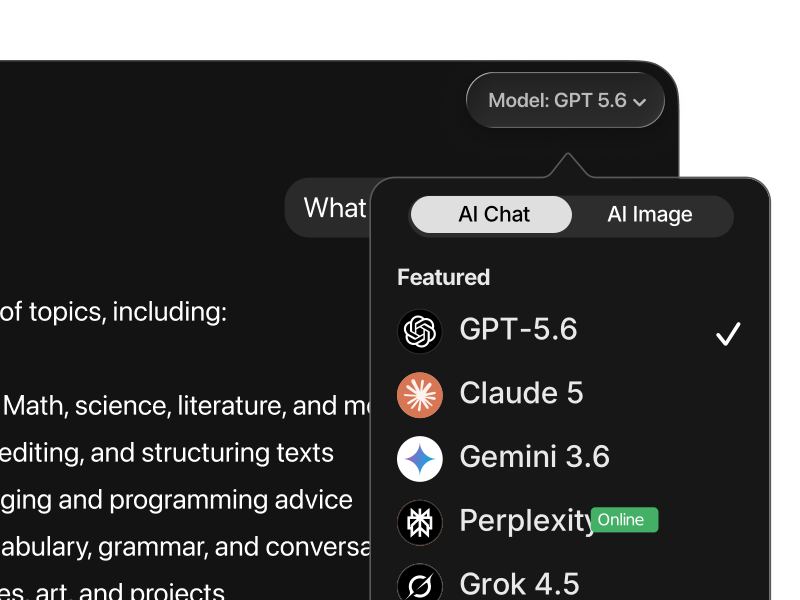
Switching between AI models in Fello AI
Use the right model for the task

Different models are better at different kinds of work. In Fello AI, you switch between ChatGPT, Claude, Gemini, Grok, and more without leaving the app or rebuilding your workflow. Compare outputs, move faster, and use the model that fits instead of forcing everything through one tool.

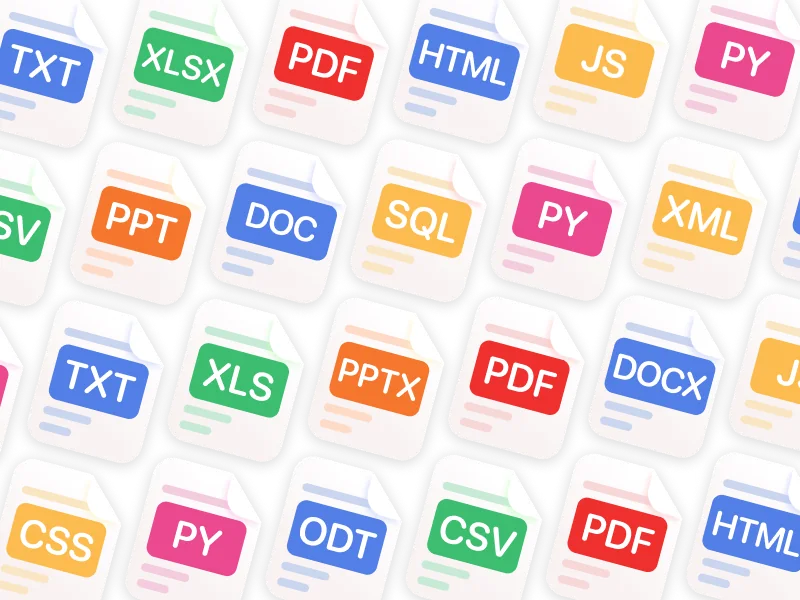
Fello AI supports PDF, Word, Excel, PowerPoint, images, and many more file formats
Chat with PDFs, images, and Office files

Upload PDFs, images, Excel sheets, slide decks, and documents, then ask for summaries, explanations, rewrites, or extracted insights. This makes Fello AI much more useful for study, research, reporting, and day-to-day professional tasks than a plain text chatbot.

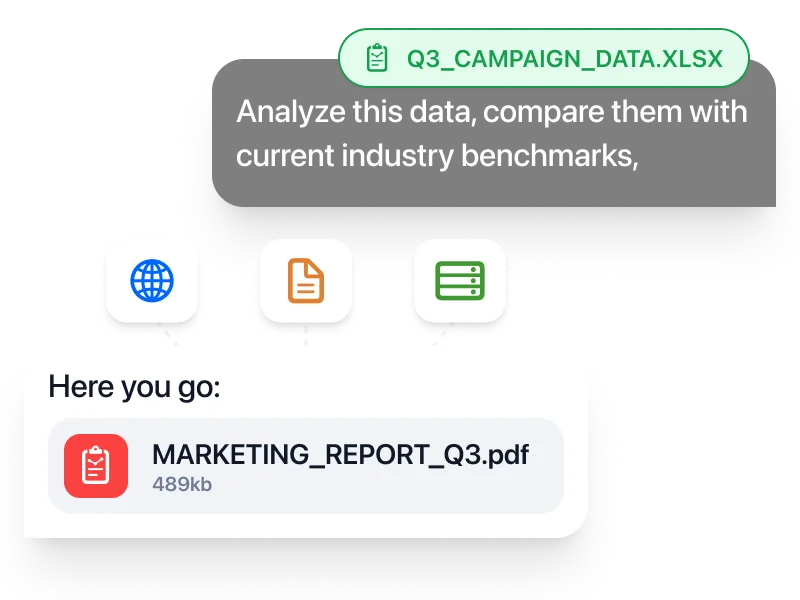
Fello AI generating a downloadable PDF report from a spreadsheet
Create real documents you can download

Generate PowerPoint presentations, Excel spreadsheets with formulas, Word documents, and PDFs, then download and use them immediately. That turns AI from a brainstorming tool into something much closer to a real productivity workspace.

Fello AI web search results with cited sources
Search the web and keep working in one place

When you need current information, Fello AI searches the web with cited sources instead of forcing you to leave the app and manually piece things together. Especially useful when researching a topic, checking facts, or turning fresh information into a finished document.

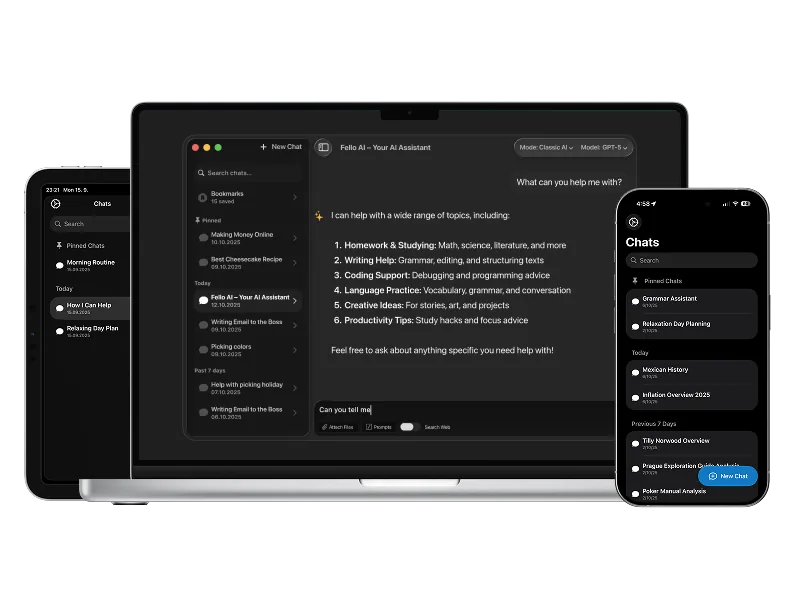
Fello AI on Mac, iPhone, and iPad
One workflow across Mac, iPhone, and iPad

Fello AI is native on all Apple devices, so you keep the same app, the same models, and the same workflow whether you're on your Mac at a desk or on your phone on the go. No separate setup, no switching tools, no restarting the context.

For professionals

Fello AI gives professionals a practical way to use ChatGPT, Claude, Gemini, Grok, and other top models across Mac, iPhone, and iPad as part of one consistent workflow. Analyze PDFs, Word files, Excel sheets, presentations, and images, then turn the result into real downloadable documents for client work, internal workflows, and day-to-day execution.

For students

Fello AI helps students handle everyday academic work more efficiently. Summarize readings, explain difficult topics, compare answers across models, and work with PDFs, slides, notes, and study materials in one place. Instead of relying on a single AI answer, use the model that fits the task and move from quick explanations to deeper research without jumping between apps.


FAQ

Common questions about ChatGPT on Mac

No. You can access GPT-5.6 through chatgpt.com in any browser, through the official Mac app, or through Fello AI. Fello AI is the only option that also gives you Claude, Gemini, Grok, and other models in the same native Mac experience, with broader hardware support (macOS 12+, Intel Macs).
GPT-5.6 is OpenAI's current flagship model, several generations ahead of GPT-4o. It has significantly stronger reasoning, better instruction-following, improved coding performance, and more reliable outputs on complex multi-step tasks. GPT-5.6 also handles longer documents more reliably and is less likely to make up information.
No. The official ChatGPT Mac app from OpenAI requires Apple silicon (M1 or later) and macOS 14 Sonoma or newer. If you have an Intel Mac or are running an older macOS version, Fello AI supports macOS 12 Monterey and later on both Intel and Apple silicon hardware.
Fello AI gives you access to the current frontier GPT models available through the OpenAI API. GPT-5.6 is the latest and most capable option. You can switch between models at any time within the same conversation, including switching over to Claude 5 or Gemini 3.6 for a second opinion.
Fello AI starts free and offers a paid plan at $9.99 per month or $79.99 per year. That gives you access to GPT-5.6 and 30+ other frontier models, image generation, PDF analysis (up to 16 files), podcast creation, and web research. ChatGPT Plus, by comparison, is $20 per month and covers GPT models only.
Yes. Fello AI supports image generation using GPT Image 2, Nano Banana 2, Seedream 5, and FLUX.2. You can describe what you need in a chat and generate images without switching to a separate app. The official ChatGPT Mac app only supports GPT Image 2.
Yes. In Fello AI you can upload up to 16 PDF files at once and ask GPT-5.6 (or any other model) to read, summarize, compare, or extract information from them. This is useful for contracts, research papers, financial documents, or any set of files you need to work across simultaneously.
Yes. Fello AI is the same app across Mac, iPhone, and iPad. Your conversations sync across devices so you can start something on your Mac and continue on iPhone, or the other way around. All models including GPT-5.6 are available on all platforms.
Fello AI includes 30+ models: Claude 5, Gemini 3.6, Grok 4.5, DeepSeek V4, Kimi K3, Qwen 3.8 Max, Perplexity, Mistral, and more. You can switch between them in any conversation to compare answers or pick the right model for each task.
Yes. Fello AI includes web research that can search the web, YouTube, X (Twitter), and booking sites. This goes beyond what the official ChatGPT app offers, which only supports web search for Plus subscribers. You can ask GPT-5.6 to research a topic and get cited, up-to-date answers.

All the AI you need.
One beautiful app.

Download Fello AI for Mac, iPhone, and iPad. Free to start.

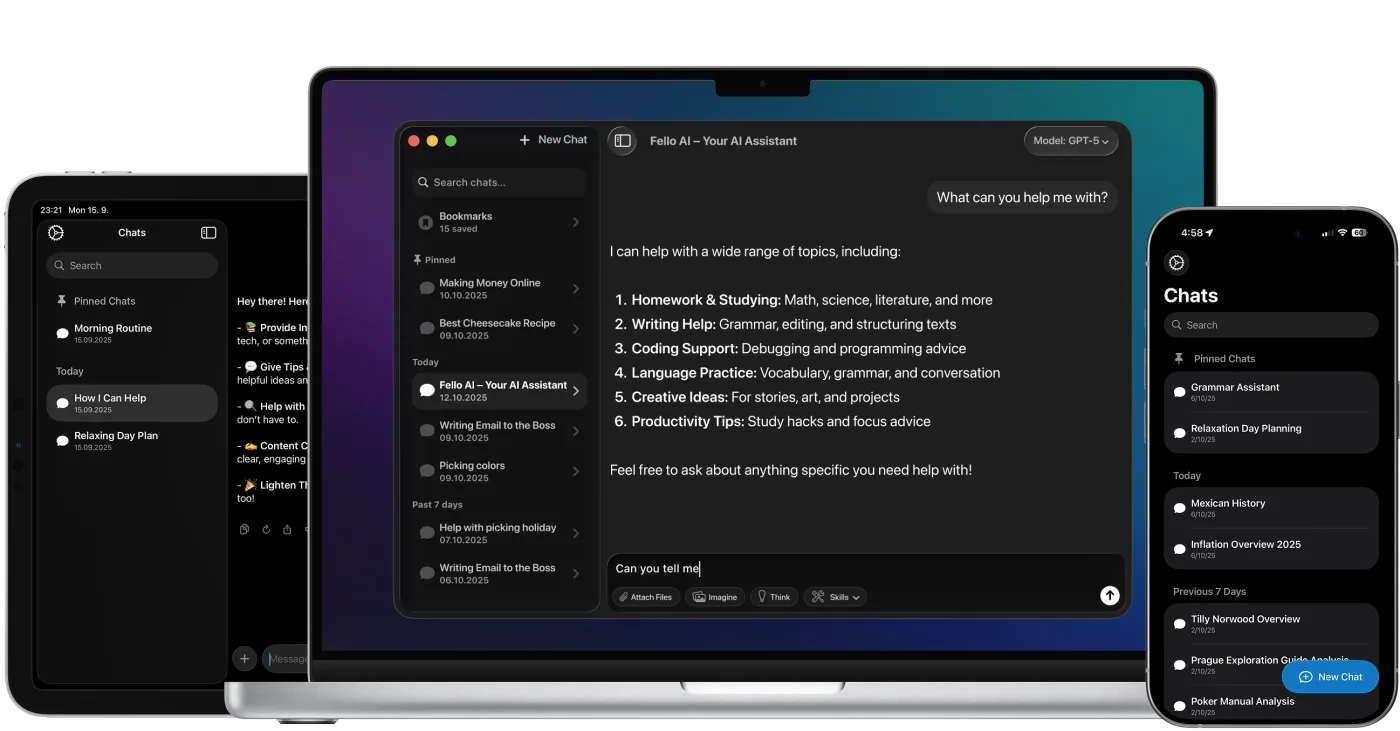
Fello AI running on Mac, iPad, and iPhone

4.7 rating·27,000+ reviews·Free to start