The best way to use
Claude on your Mac
Fello AI is a native Mac app giving you Claude 5 Sonnet and every other frontier model in one place. No browser tabs, no subscription juggling, no switching apps.
Claude is Anthropic's AI assistant and the one most praised for the quality of its writing. Where other models can feel robotic or generic, Claude produces text that sounds genuinely considered. It adapts its tone, follows nuanced instructions, and writes in a way that actually sounds human. Writers, marketers, lawyers, and executives who need polished output tend to reach for Claude first.
What makes Claude different under the hood is a design philosophy called Constitutional AI. Anthropic built Claude to be helpful and honest at the same time, rather than just saying what you want to hear. It pushes back when something seems off, admits uncertainty rather than inventing answers, and declines harmful requests thoughtfully rather than robotically. In practice this means it is less prone to the confident-but-wrong answers that plague other models.
Claude 5 Sonnet is the model most people should use, the balanced default in the Claude 5 family. It can read extremely long documents in a single session, a full legal contract, an entire book, a complete codebase. If you need an AI that actually reads everything you give it carefully before responding, rather than skimming and guessing, Claude is consistently the top choice.
Claude vs Claude 5 Sonnet: Claude is the model family. Claude 5 is the current generation. Sonnet 5 is the everyday default, Opus 5 (launched July 2026) is the powerful everyday workhorse, and Fable 5 is the top-tier flagship for the most demanding work. In Fello AI, you get Claude 5 Sonnet as part of your plan.
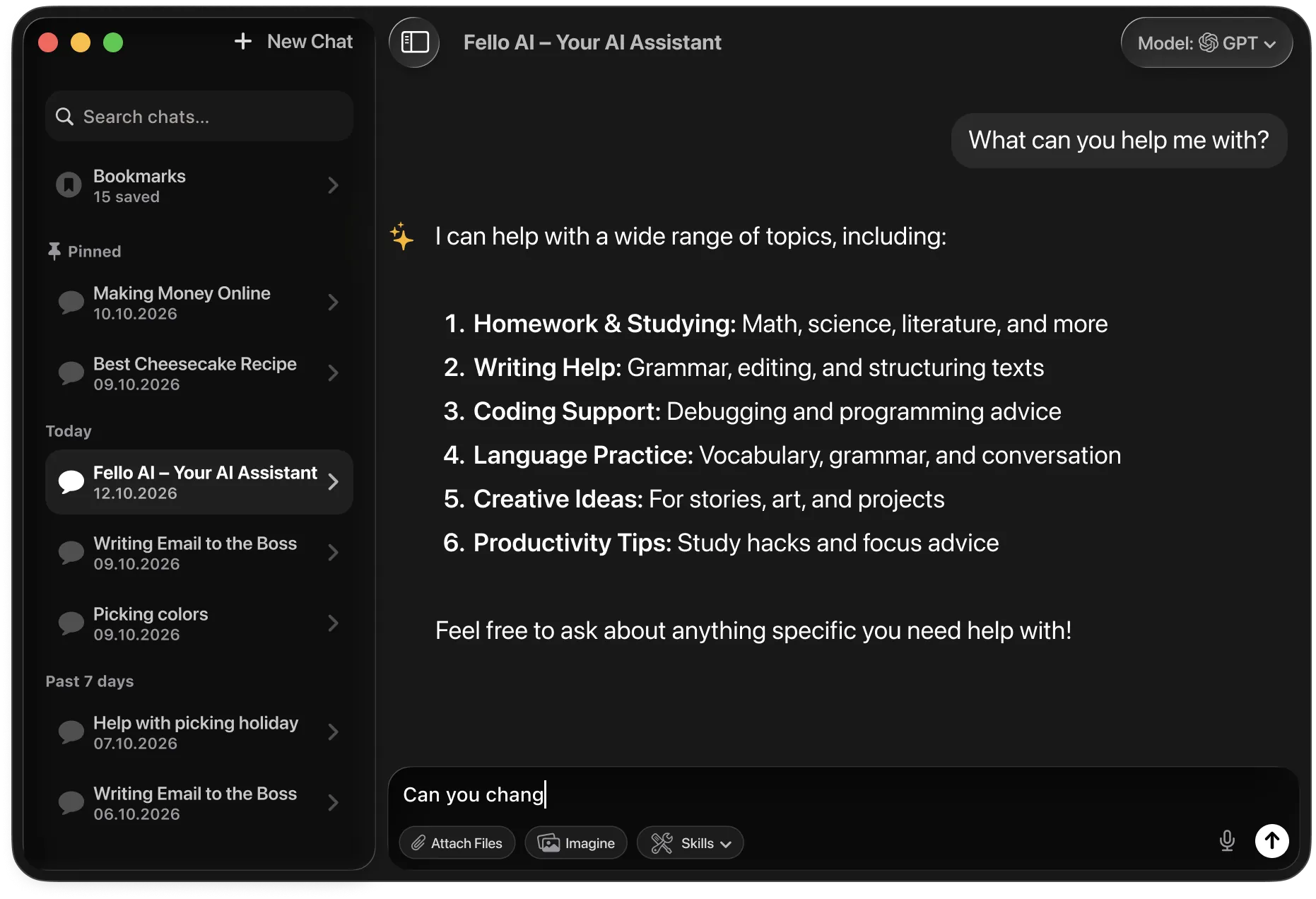
Anthropic ships Claude in a few tiers, but for almost everyone Claude Sonnet 5 is the one to use. It is the balanced default that handles writing, analysis, and coding beautifully, and it is the Claude you get inside Fello AI. The heavier models are built for specialists and are overkill for everyday use.
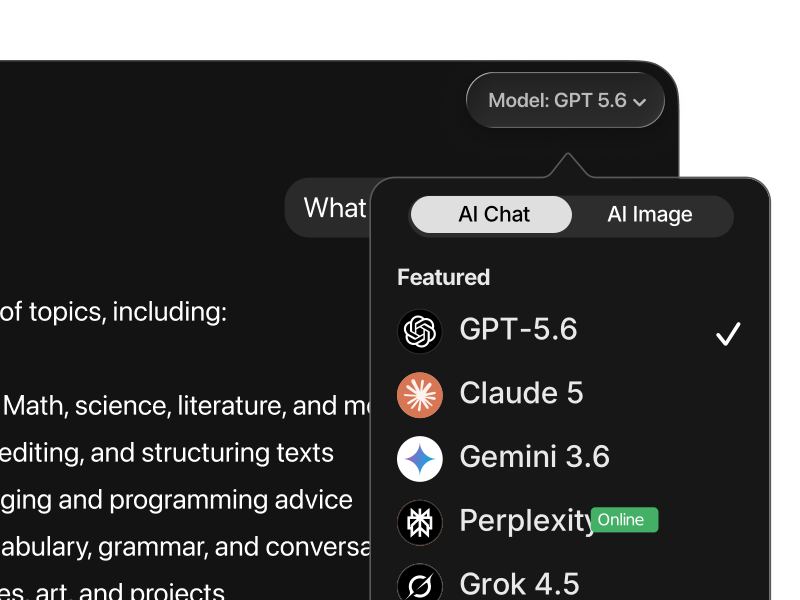
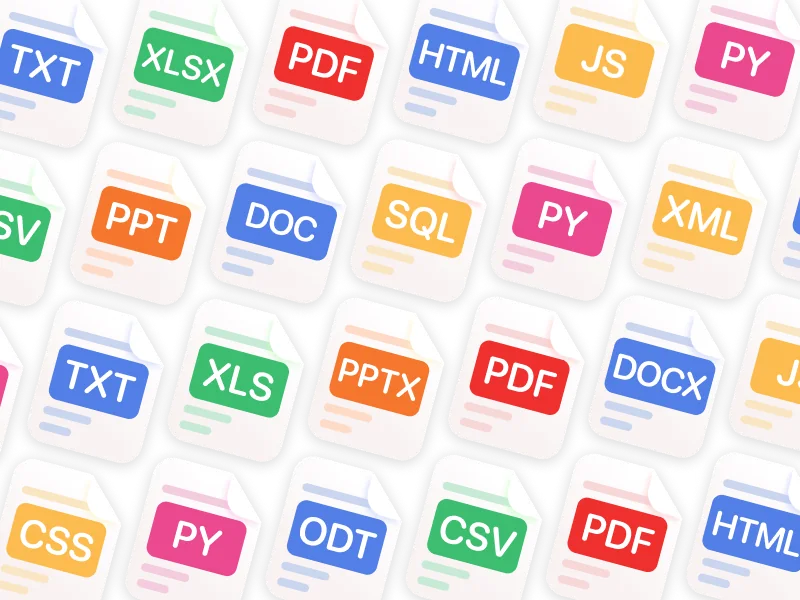
Download Fello AI from the Mac App Store and get Claude 5 Sonnet alongside GPT-5.6, Gemini 3.6, Grok 4.5, DeepSeek V4, Kimi K3, and 30+ more models in a single native Mac app. Around 30-50MB, uses negligible RAM, supports macOS 12 and later including Intel Macs. One subscription at $9.99/month covers every model. iPhone and iPad included. Free tier available. Supports PDFs (up to 16 at once), images, podcast generation, image generation, and web research.
Visit claude.ai in Safari, Chrome, or any browser. No download required. The free tier gives you limited daily messages. Claude Pro costs $20/month and removes most limits. Claude Max starts at $100/month for the heaviest users. Browser access is the easiest way to try Claude before committing, but you are locked to Claude models only, and the experience lives in a browser tab rather than a native Mac window.
Anthropic ships a native Mac desktop app available at claude.ai/download. It requires macOS 13 Ventura or later and a Claude.ai account. It gives you a dedicated Claude window outside the browser, supports keyboard shortcuts, and integrates with macOS features like Spotlight. The limitation is that it only covers Claude models. No GPT-5.6, Gemini, DeepSeek, or other AI providers are accessible within the same interface.
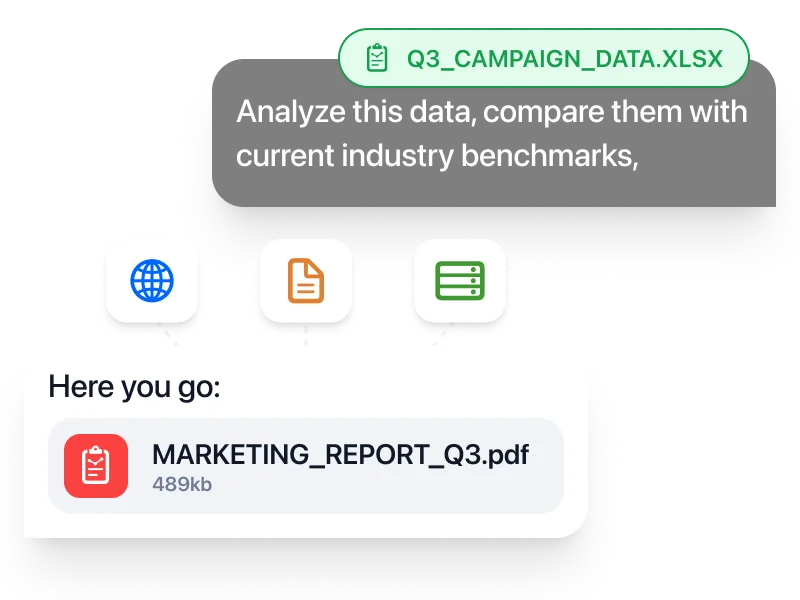
Claude is one of the best models for writing and coding, and Fello AI runs it natively on your Mac. One downside of Claude is that it can't create images at all. In Fello AI you can use Claude and generate AI images in the same chat, then turn any answer into a real PowerPoint, Excel, or Word file you can download.
| Feature | Fello AI | Claude (browser / Mac app) |
|---|---|---|
| Price | Free tier + $9.99/mo or $79.99/yr | $20/mo (Claude Pro) for full access |
| Access to Claude 5 | ✓ Yes (Claude 5 Sonnet) | ✓ Yes (Pro subscribers) |
| Native Mac app | ✓ macOS 12+, Intel + Apple silicon | macOS 13+ only for native app |
| Models available | ✓ Claude 5, GPT-5.6, Gemini 3.6, Grok 4.5, DeepSeek V4, Kimi K3 and more | ✗ Claude models only |
| Image generation | ✓ GPT Image 2, Nano Banana 2, Seedream 5, FLUX.2 | ✗ Not available |
| PDF support | ✓ Up to 16 PDFs at once | Yes (Pro only, limited) |
| Podcast generation | ✓ Yes | ✗ No |
| Web research | ✓ Web, YouTube, X, booking sites | Limited web search (Pro) |
| iPhone and iPad | ✓ Yes, same app | ✓ Separate app |
| macOS requirement | ✓ macOS 12 (Monterey) | macOS 13 (Ventura) for native app |
Claude consistently produces the most natural, well-structured writing of any major model. It adapts to your style, follows detailed instructions without drifting, and avoids the robotic phrasing that makes AI-generated text obvious.
Claude can hold the equivalent of a 500-page book in its memory during a single conversation. Useful for analyzing legal contracts, reviewing research, or working through a full manuscript without losing the thread.
Unlike models that confidently invent answers, Claude admits uncertainty. It flags when it is unsure and avoids stating things it cannot verify. This makes it more trustworthy for anything factual.
Claude ranks among the top models for software development. It reviews code, explains complex systems in plain English, and writes clean implementations across Python, JavaScript, and most other languages.
The AI landscape in 2026 is genuinely competitive. ChatGPT runs deep computer-use workflows, Gemini 3.6 Flash pairs a 1M-token context with Google Search, and Grok 4.5 has real-time data from X. Where does Claude, powered by Claude 5, actually stand?
Claude 5 is the best model available for writing, analysis, and following complex instructions. It produces the most natural and accurate output of any frontier model and maintains coherence across extremely long documents.
ChatGPT operates the computer. Claude does the thinking.
ChatGPT powered by GPT-5.6 is the strongest model for computer-use workflows. It can operate software, navigate interfaces, fill out forms, and complete multi-step desktop tasks autonomously. It is also deeply integrated into the broader ecosystem of third-party developer tools and macOS workflows.
Claude 5 is stronger for the work itself. When the task is to produce a well-structured document, analyze a complex brief, write code that needs to be clean and readable, or reason through a nuanced problem with careful steps, Claude consistently outperforms GPT-5.6 in quality and precision.
Choose ChatGPT for computer-use tasks, automated workflows, and rapid tool-based execution. Choose Claude for writing quality, complex reasoning, and any work where the output needs to be excellent.
Gemini is the archivist. Claude is the analyst.
Gemini 3.6 Flash pairs a 1M-token context window with native Google Search grounding. It can process the equivalent of thousands of pages in one session and pull real-time facts from the web. For research tasks and large-scale document analysis, it is a serious tool.
Claude 5 has a large context window too (1M tokens), but its real advantage is what it does with that context. Claude is significantly better at following detailed instructions across long documents, maintaining consistent tone and reasoning throughout, and producing output that is genuinely useful rather than technically accurate.
Use Gemini for very long documents, Google-integrated workflows, and real-time research. Use Claude when the quality and coherence of the output matter more than raw scale.
Grok is in the moment. Claude is built to last.
Grok 4.5 is built around real-time information. It indexes live posts from X and the web, gives direct and often opinionated answers, and is notably less restricted in the topics it will engage with. For current events and brainstorming, it is genuinely differentiated.
Claude is more measured and precise. It is significantly better at structured writing, following multi-part instructions, and maintaining internal consistency across long documents. Claude also admits uncertainty more reliably, which makes it more trustworthy for anything that needs to be accurate.
Use Grok for brainstorming, real-time information, and edgy or creative tasks. Use Claude for structured writing, analysis, and anything where accuracy and quality matter.
Perplexity gathers. Claude creates.
Perplexity is a research tool, not a general-purpose AI. Its strength is finding information, summarizing sources, and returning cited answers from the live web. It is excellent at what it does and genuinely useful for fact-gathering.
Claude is stronger once you have the information and need to do something with it. Writing, rewriting, planning, analyzing, explaining, coding: Claude's output quality is significantly better than Perplexity's for anything that requires producing a final artifact rather than finding facts.
Use Perplexity to find facts and sources. Use Claude to write, analyze, and build with those facts.
DeepSeek is the open alternative. Claude is the quality benchmark.
DeepSeek V4 is a serious open-weight model with frontier-level reasoning and coding ability. It is cost-efficient, publicly auditable, and a credible choice for developers and organizations that prioritize budget or data privacy over brand recognition.
Claude 5 leads on writing quality, instruction following, and the kind of nuanced reasoning that shows up in professional or creative work. It is also more consistent across edge cases and less likely to drift or hallucinate confidently when it reaches the limits of its knowledge.
Use DeepSeek when cost, privacy, or self-hosting matter. Use Claude when output quality and reliability are the priority.
No single model is best at everything. Claude excels at writing and reasoning, but GPT-5.6 handles computer use better, Gemini scales to larger documents, and Grok has live data. The most effective setups use two or three models routed to the task they handle best. Fello AI puts Claude, ChatGPT, Gemini, Grok, Perplexity, and DeepSeek in one native app for Mac, iPhone, and iPad.
| Metric | Claude 5 | GPT-5.6 | Gemini 3.6 Flash | Grok 4.5 |
|---|---|---|---|---|
| Reasoning | Excellent | Excellent | Very good | Strong |
| Writing | Best in class | Very good | Good | Good |
| Coding | Top tier | Top tier | Very good | Good |
| Context window | 1M tokens | 1M tokens | 1M tokens | 500K tokens |
| Speed | Moderate | Fast | Very fast | Fast |
| Best for | Long-form writing, docs, nuanced reasoning | All-round work, coding, operators | Speed, large docs, research | Real-time info, brainstorming |
Different models are better at different kinds of work. In Fello AI, you switch between ChatGPT, Claude, Gemini, Grok, and more without leaving the app or rebuilding your workflow. Compare outputs, move faster, and use the model that fits instead of forcing everything through one tool.

Upload PDFs, images, Excel sheets, slide decks, and documents, then ask for summaries, explanations, rewrites, or extracted insights. This makes Fello AI much more useful for study, research, reporting, and day-to-day professional tasks than a plain text chatbot.

Generate PowerPoint presentations, Excel spreadsheets with formulas, Word documents, and PDFs, then download and use them immediately. That turns AI from a brainstorming tool into something much closer to a real productivity workspace.

When you need current information, Fello AI searches the web with cited sources instead of forcing you to leave the app and manually piece things together. Especially useful when researching a topic, checking facts, or turning fresh information into a finished document.

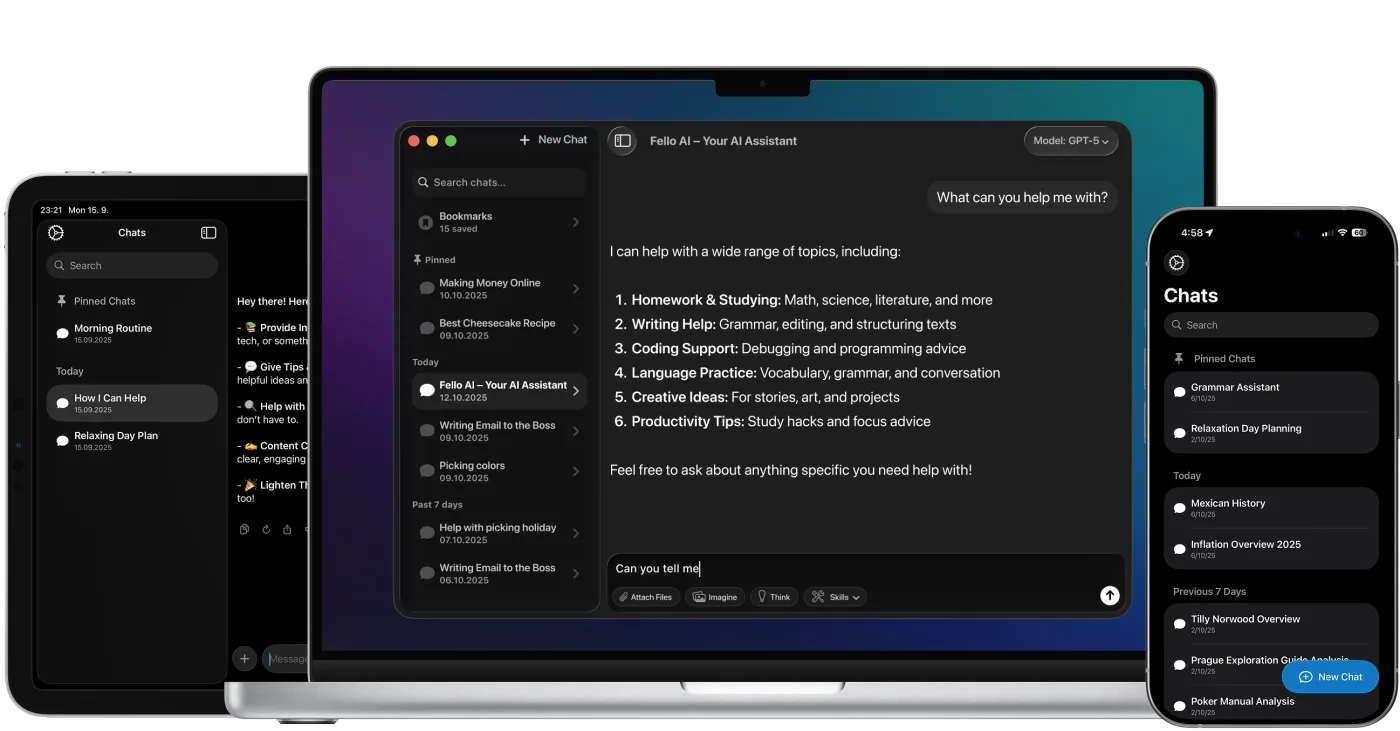
Fello AI is native on all Apple devices, so you keep the same app, the same models, and the same workflow whether you're on your Mac at a desk or on your phone on the go. No separate setup, no switching tools, no restarting the context.
Fello AI gives professionals a practical way to use ChatGPT, Claude, Gemini, Grok, and other top models across Mac, iPhone, and iPad as part of one consistent workflow. Analyze PDFs, Word files, Excel sheets, presentations, and images, then turn the result into real downloadable documents for client work, internal workflows, and day-to-day execution.
Fello AI helps students handle everyday academic work more efficiently. Summarize readings, explain difficult topics, compare answers across models, and work with PDFs, slides, notes, and study materials in one place. Instead of relying on a single AI answer, use the model that fits the task and move from quick explanations to deeper research without jumping between apps.


Download Fello AI for Mac, iPhone, and iPad. Free to start.
4.7 rating·27,000+ reviews·Free to start