Kimi on Mac

The best way to use
Kimi on your Mac

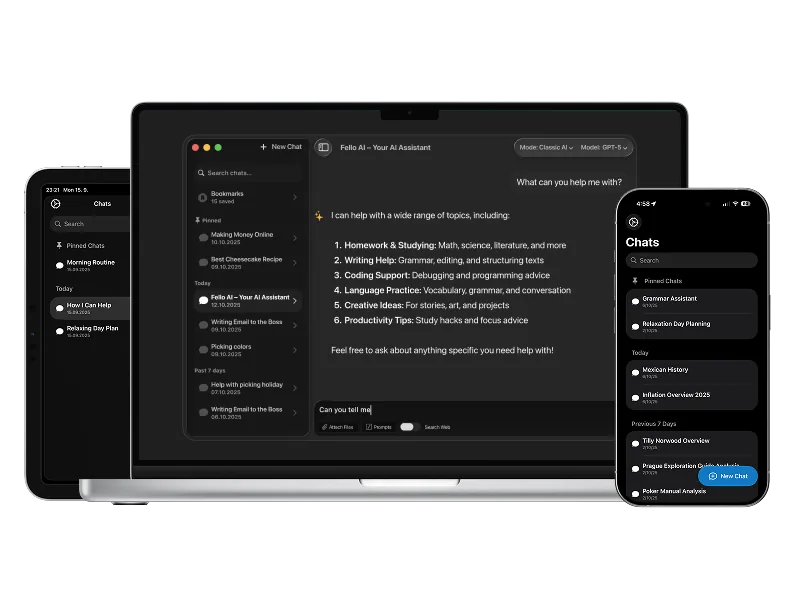
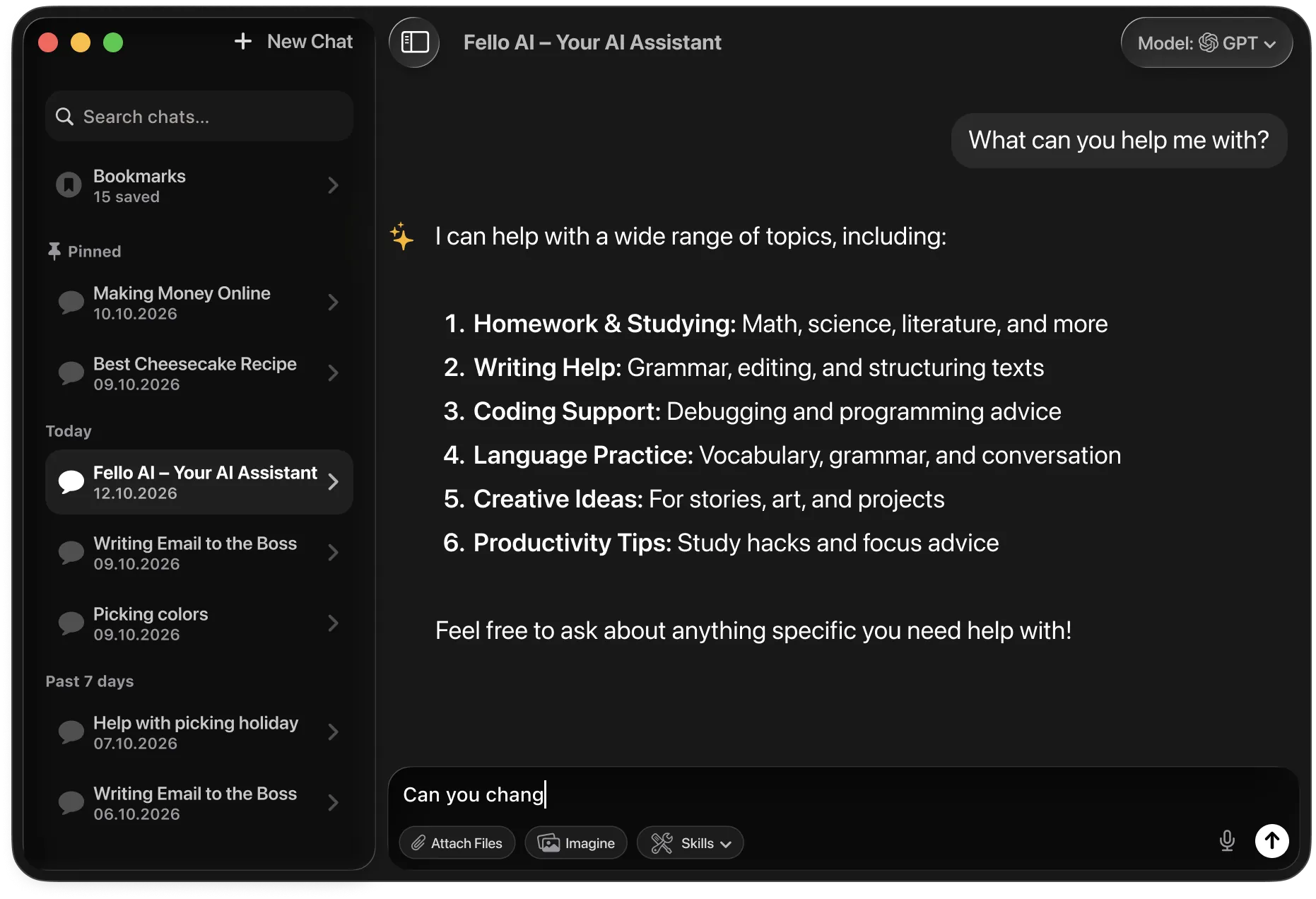
Fello AI is a native Mac app giving you Kimi K3 through secure US-based infrastructure, plus every other frontier model in one place. No browser tabs, no data concerns.

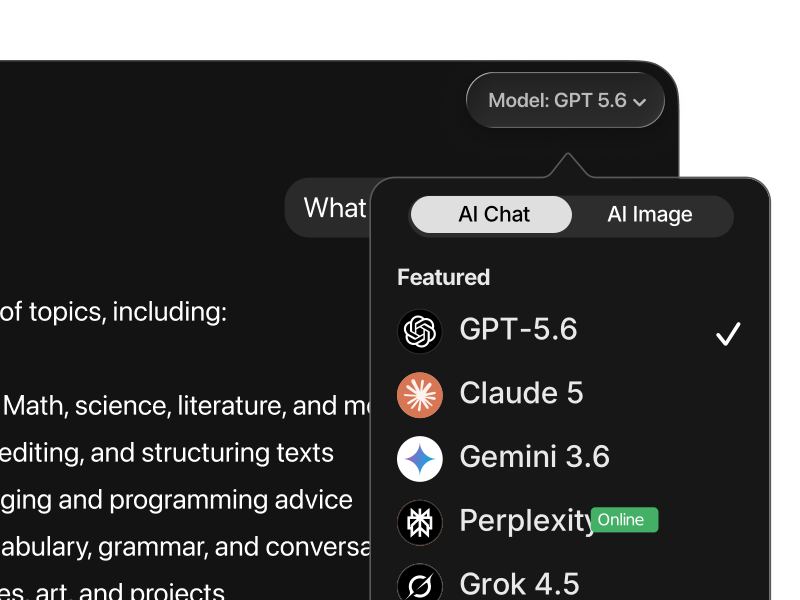
Fello AI on macOS with the model picker open, showing 9 AI models
What is Kimi

What Kimi actually is

Kimi is the AI made by Moonshot AI, a Beijing lab founded in 2023 by Tsinghua University alumni and backed by Alibaba and Tencent. In just a few years it has grown from a startup into one of the most talked-about names in AI, and its models have become the strongest widely-known systems to come out of China. "Kimi" is the consumer brand people chat with; the underlying models are the K-series, and the current flagship is Kimi K3.

Kimi K3 is billed as the largest open-weight model ever built, a multi-trillion-parameter Mixture-of-Experts system with a 1-million-token context window, native vision, and always-on reasoning by default. Because the weights are open, anyone can download and self-host it, which is what makes Kimi genuinely different from the closed models at OpenAI and Anthropic. On independent leaderboards it competes with the top US labs, especially on agentic tool-use, very long context, and front-end coding.

For everyday work, that translates into a model that can hold an entire codebase or a stack of documents in its head at once, chain tools together to complete multi-step tasks, and read images alongside text. If you need an AI for long-context analysis, agentic automation, or hands-on coding, Kimi K3 is a genuine frontier-level option, and it is free to try.

Kimi vs Kimi K3: Kimi is the app and brand from Moonshot AI. K3 is the current flagship model in its K-series, alongside specialized variants for agentic and reasoning work. In Fello AI, Kimi queries are routed through secure US-based servers, not through Moonshot's own infrastructure.
1M tokens
Context window in a single session
Open source
Free weights anyone can run
Native vision
Reads images as well as text
China's best
Most capable model from China

Getting started

3 ways to use Kimi on Mac

02
Kimi app & kimi.com

Chat with Kimi for free (with usage limits) at kimi.com in any browser. Moonshot does ship an official Mac app called Kimi Work, but it is a heavy autonomous-agent product with paid tiers (roughly $19–$199/month), not a lightweight chat client. Important caveat: both the website and Kimi Work route your conversations to Moonshot's servers in China, which is worth considering if you handle sensitive or confidential information.

03
API and open weights

Developers can access Kimi K3 directly through Moonshot's API, which is OpenAI-compatible and drops into existing setups. Because Kimi K3's open weights are released under the Kimi K3 License, the model is also available on Hugging Face for local self-hosting, letting privacy-sensitive users run it entirely on their own hardware, though the full multi-trillion-parameter model requires serious infrastructure.


Why Fello AI

Kimi, done right

Kimi is one of the best open models, but using it yourself means a huge download, expensive hardware, and a lot of setup. Fello AI gives you Kimi instantly on your Mac, next to Claude, ChatGPT, and Gemini. You can also generate AI images and turn any answer into a real PowerPoint, Excel, or Word file.

Your data stays out of China
Fello AI routes Kimi queries through a secure US-based pipeline. Your conversations are not sent to or stored on Moonshot's own servers in China, making it the privacy-conscious way to access Kimi K3's capabilities.
One app, every model
Moonshot's own Kimi Work app locks you into a single model and a heavy paid agent. Fello AI gives you Kimi K3 plus every other frontier model in one native Mac app that launches instantly and uses negligible RAM, more models, a proper Mac experience, and a better price than juggling separate paid apps.
Kimi plus the frontier stack
Kimi K3 is elite at long context, agentic tool-use, and native vision. For polished writing Claude 5 is stronger, and GPT-5.6 leads on computer-use automation. Fello AI gives you all of them in one app with instant switching.

Side by side

Fello AI vs Kimi (kimi.com)

Feature Fello AI Kimi (kimi.com)
Price Free tier + $9.99/mo or $79.99/yr Free tier + from $19/mo (Kimi Work)
Access to Kimi K3 Yes Yes (limited free tier)
Native Mac app macOS 12+, Intel + Apple silicon Kimi Work app exists, but it's a paid agent (macOS / Apple silicon)
Data privacy US-based infrastructure Servers in China
Models available Kimi K3, Claude 5, GPT-5.6, Gemini 3.6, Grok 4.5 and more Kimi only
Image generation GPT Image 2, Nano Banana 2, Seedream 5, FLUX.2 No
PDF support Up to 16 PDFs at once Limited
iPhone and iPad Yes, same app Browser only

In depth

A closer look at Kimi K3

The largest open-weight model ever built

Kimi K3 is a multi-trillion-parameter Mixture-of-Experts model released under the Kimi K3 License, billed as the largest open-weight model ever made public. Unlike the closed systems at OpenAI and Anthropic, anyone can download its weights, inspect how it works, and run it on their own hardware.

1M-token context with native vision

Kimi K3 handles a 1-million-token context window, so it can hold an entire codebase, a long research corpus, or a stack of documents in a single session without losing the thread. It is also natively multimodal, reading images alongside text rather than bolting vision on as an afterthought.

Elite at agentic tasks and front-end coding

With always-on reasoning by default, Kimi K3 is one of the strongest models for agentic tool-use (chaining steps together to complete real tasks), and for general and front-end coding. On independent leaderboards it competes with the top US labs, making it a genuine frontier-level option.

Your data stays private in Fello AI

Using Kimi through its own website or the Kimi Work app sends your conversations to Moonshot's servers in China. In Fello AI, your Kimi queries go through US-based infrastructure instead, which means your data never touches Moonshot's own servers.


Model comparison

How does Kimi compare to other AIs?

The AI landscape in 2026 is competitive at the frontier level. ChatGPT leads in computer-use automation, Claude 5 excels at writing and complex analysis, and Gemini holds the context-length record. Where does Kimi K3 actually stand?

Kimi K3 is a frontier-level open-weight model that stands out on long-context agentic work, chaining tools across a 1-million-token window, with native vision and open weights anyone can self-host. For developers and teams doing long-context or automation-heavy work, it is a genuinely compelling alternative to closed models.

Kimi VS ChatGPT

Kimi vs ChatGPT

ChatGPT is the established standard. Kimi is the open long-context one.

ChatGPT powered by GPT-5.6 is the strongest model for computer-use tasks. It can operate software, navigate interfaces, and complete multi-step desktop workflows autonomously. It is also backed by OpenAI's fully managed infrastructure, extensive ecosystem integrations, and consistent production reliability.

Kimi K3 is fully open-weight and built for long-context agentic work. Its 1-million-token window, native vision, and tool-use make it excellent for reasoning across huge inputs, and for teams that want to inspect, audit, or self-host the model weights, Kimi is a frontier-level option that allows it.

Use ChatGPT for computer-use tasks, ecosystem integrations, and production reliability. Use Kimi when long context, agentic tool-use, or open-weight access matter.

Kimi VS Claude

Kimi vs Claude

Claude is the quality benchmark. Kimi is the long-context one.

Claude 5 is the best model available for writing quality and following complex instructions. It produces the most natural, well-structured output of any major model, maintains consistency across very long documents, and is significantly more reliable at detailed multi-part tasks without drift.

Kimi K3 competes closely on agentic tasks and coding, and its 1-million-token context lets it reason over far larger inputs in a single pass. It is also open-weight and natively multimodal. What it does not match is Claude's quality on nuanced writing and instruction-following tasks.

Use Claude 5 for writing quality, structured analysis, and complex instruction-following. Use Kimi for long-context agentic work where open-weight access is preferred.

Kimi VS Gemini

Kimi vs Gemini

Gemini has Google's reach. Kimi runs open.

Gemini 3.6 Flash matches Kimi on context length (over 1 million tokens) and adds deep Google ecosystem integration. It pairs its large window with native Google Search grounding for real-time factual access, and understands images, audio, and video natively.

Kimi K3 also handles a 1-million-token window and native vision, but it is open-weight and self-hostable, which Gemini is not. It is especially strong on agentic tool-use and coding. For organizations that cannot send data to Google's servers, it is a viable large-context alternative they can run themselves.

Use Gemini for Google integrations and multimodal inputs across a huge window. Use Kimi for long-context agentic work where open-weight access matters.

Kimi VS Grok

Kimi vs Grok

Grok is real-time. Kimi is long-context.

Grok 4.5 is built around real-time information. It indexes X and the broader web live, making it the best model for breaking news, current sentiment, and anything time-sensitive. It is also more openly opinionated and willing to engage with edgy or controversial topics.

Kimi K3 is stronger on structured, long-context work and is fully open-weight. For agentic automation, coding, or reasoning across huge inputs without a real-time data requirement, Kimi is the more capable and self-hostable choice.

Use Grok for real-time information, live X data, and brainstorming. Use Kimi for long-context agentic tasks where open-weight access matters.

Kimi VS Perplexity

Kimi vs Perplexity

Perplexity retrieves. Kimi builds.

Perplexity is a search-first tool. It retrieves and summarizes information from the web with citations, making it the best option when you want sourced answers quickly without doing manual research.

Kimi K3 is a general-purpose reasoning model built for long-context agentic work. It does not have native web search as a core feature, but it is significantly better at coding, tool-use, native vision, and reasoning over huge inputs. These are complementary tools, not competing ones.

Use Perplexity to find and verify facts from the web. Use Kimi to reason, code, and build with that information across a long context.

Kimi VS DeepSeek Qwen GLM

Kimi vs other models

No single model wins every task.

Fello AI also gives you DeepSeek as a powerful, low-cost model, Qwen for math and coding, and GLM as a strong open model. Each is a click away, right beside Kimi.

Use all of them in one app

No single model is best at everything. Kimi leads on long context, agentic tool-use, and open weights, but Claude writes better, ChatGPT handles computer use, and Grok has live data. The most capable AI setups use multiple models routed to the right task. And through Fello AI, your Kimi queries run through US-based infrastructure, so your data never touches Moonshot's own servers. Fello AI puts Kimi, ChatGPT, Claude, Gemini, Grok, and Perplexity in one native app.

Metric Kimi K3 GPT-5.6 Claude 5 Gemini 3.6 Flash
Reasoning Excellent Excellent Excellent Very good
Coding Top tier Top tier Top tier Very good
Context window 1M tokens 1M tokens 1M tokens 1M tokens
Multimodal / vision Yes, native Yes Yes Yes, native
Open source weights Yes No No No
Best for Long context, agentic tasks, coding All-round work, operators Long-form writing, docs Speed, large docs, research

What Fello AI offers

What you can actually do in Fello AI

Switching between AI models in Fello AI
Use the right model for the task

Different models are better at different kinds of work. In Fello AI, you switch between ChatGPT, Claude, Gemini, Grok, and more without leaving the app or rebuilding your workflow. Compare outputs, move faster, and use the model that fits instead of forcing everything through one tool.

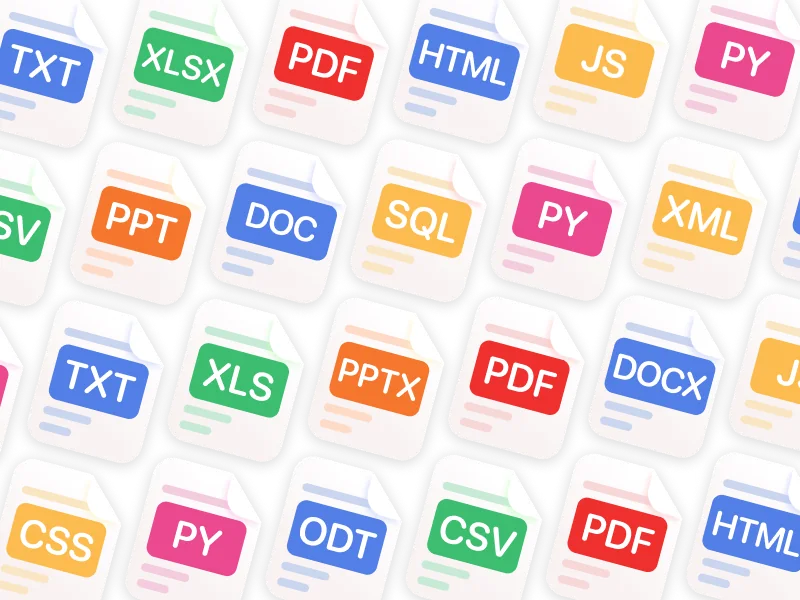
Fello AI supports PDF, Word, Excel, PowerPoint, images, and many more file formats
Chat with PDFs, images, and Office files

Upload PDFs, images, Excel sheets, slide decks, and documents, then ask for summaries, explanations, rewrites, or extracted insights. This makes Fello AI much more useful for study, research, reporting, and day-to-day professional tasks than a plain text chatbot.

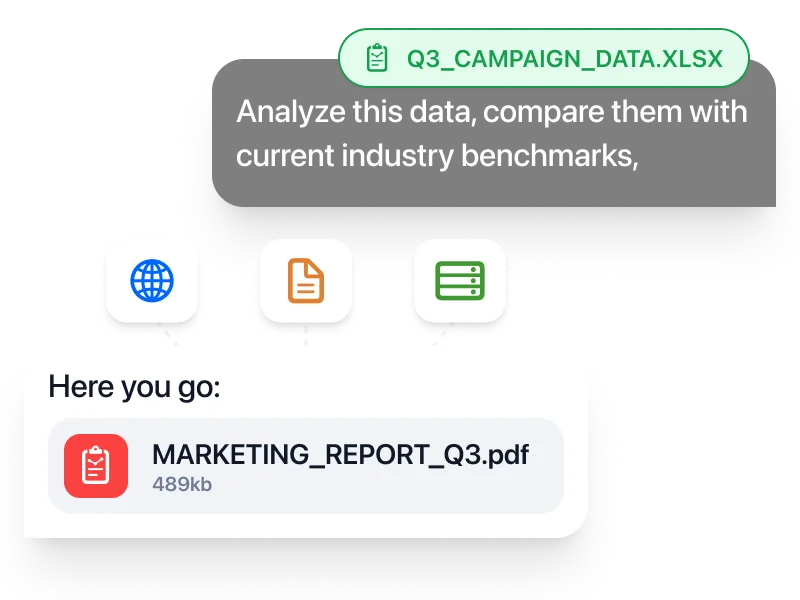
Fello AI generating a downloadable PDF report from a spreadsheet
Create real documents you can download

Generate PowerPoint presentations, Excel spreadsheets with formulas, Word documents, and PDFs, then download and use them immediately. That turns AI from a brainstorming tool into something much closer to a real productivity workspace.

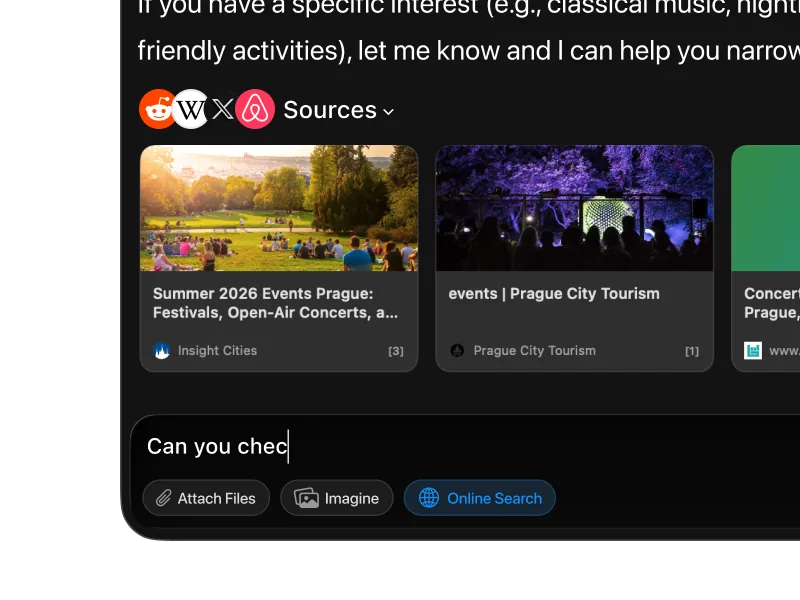
Fello AI web search results with cited sources
Search the web and keep working in one place

When you need current information, Fello AI searches the web with cited sources instead of forcing you to leave the app and manually piece things together. Especially useful when researching a topic, checking facts, or turning fresh information into a finished document.

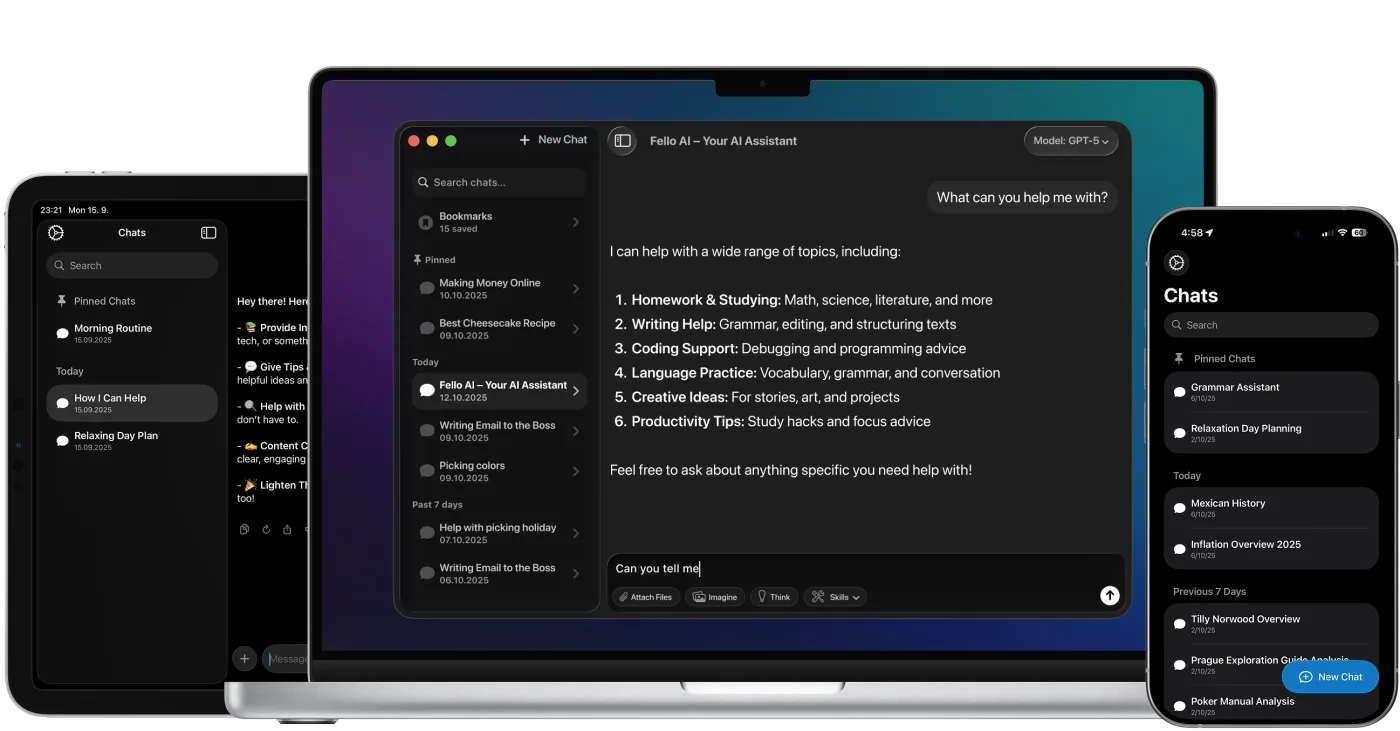
Fello AI on Mac, iPhone, and iPad
One workflow across Mac, iPhone, and iPad

Fello AI is native on all Apple devices, so you keep the same app, the same models, and the same workflow whether you're on your Mac at a desk or on your phone on the go. No separate setup, no switching tools, no restarting the context.

For professionals

Fello AI gives professionals a practical way to use ChatGPT, Claude, Gemini, Grok, and other top models across Mac, iPhone, and iPad as part of one consistent workflow. Analyze PDFs, Word files, Excel sheets, presentations, and images, then turn the result into real downloadable documents for client work, internal workflows, and day-to-day execution.

For students

Fello AI helps students handle everyday academic work more efficiently. Summarize readings, explain difficult topics, compare answers across models, and work with PDFs, slides, notes, and study materials in one place. Instead of relying on a single AI answer, use the model that fits the task and move from quick explanations to deeper research without jumping between apps.


Common questions

Frequently asked questions

Yes. Moonshot ships an official macOS app called Kimi Work, but it is a heavy autonomous-agent product with paid tiers (roughly $19–$199/month), and it routes your data to Moonshot's servers in China. If you just want Kimi K3 as a simple, privacy-friendly, multi-model chat app on your Mac, Fello AI is the easier option: it runs Kimi through secure US-based infrastructure alongside Claude, GPT, Gemini, and Grok, with no setup.
The Kimi model itself is safe and highly capable. The data concern relates to using Moonshot's own website (kimi.com) and Kimi Work app: your conversations are sent to Moonshot's servers in China and are subject to Chinese data laws, which require companies to cooperate with government data requests. For casual or non-sensitive queries this is unlikely to matter, but for confidential business, legal, or personal data it is worth considering. Fello AI routes Kimi queries through US-based infrastructure, which avoids this concern.
Yes. Moonshot releases Kimi K3's model weights openly on Hugging Face under the Kimi K3 License, and it is the top-ranked open-weight model on the Artificial Analysis Intelligence Index. That means developers and organizations can download the weights and run Kimi entirely on their own hardware with no data leaving their systems. Open weights is one of Kimi's major differentiators from OpenAI and Anthropic, which keep their models closed.
Very strong. Kimi K3 consistently ranks in the top tier on coding and agentic benchmarks, and is particularly noted for front-end and general coding as well as tool-use, chaining steps together to complete real, multi-part tasks. Its 1-million-token context also lets it reason over an entire codebase in a single session. In Fello AI you can use Kimi for heavy coding and agentic work and switch to Claude 5 or GPT-5.6 when you want a second opinion.
Kimi K3 has a 1-million-token context window (1,048,576 tokens), which puts it among the largest available, alongside Gemini. In practice that means it can hold an entire codebase, a long research corpus, or a large stack of documents in a single session without losing track of earlier details, ideal for long-context analysis and agentic work.
You can chat with Kimi for free at kimi.com, with usage limits. Moonshot's official Kimi Work desktop agent runs on paid tiers, roughly $19–$199/month depending on how much autonomous-agent capacity you need. Developers can also use the Kimi API on a pay-as-you-go basis. Through Fello AI's subscription at $9.99/month you get Kimi K3 plus every other frontier model without managing API billing directly.
Yes, in some areas. In line with Chinese content rules, Kimi declines to discuss topics that are politically sensitive in China, including subjects like Tiananmen Square, Taiwan independence, and similar matters. For technical, scientific, coding, and most general-purpose tasks this is not a factor. For journalism, political research, or work involving Chinese geopolitics, it is a real limitation. Because the weights are open, self-hosted deployments can be fine-tuned differently.
In principle yes (Kimi K3's weights are open), but it is a multi-trillion-parameter Mixture-of-Experts model, so running the full version locally requires serious hardware well beyond a typical Mac. Smaller quantized or distilled variants are more realistic on high-spec Apple Silicon machines using tools like Ollama or LM Studio, but Intel Macs cannot run it locally due to the lack of GPU acceleration. For most users, the cloud-based options (Fello AI or kimi.com) are far more practical.
Yes. Fello AI works on any Mac running macOS 12 Monterey or later, including Intel-based Macs. Because Fello AI uses cloud-based AI (routed API calls to Kimi, Anthropic, OpenAI, etc.), your local hardware performance does not affect the quality or speed of the AI responses. This is different from running Kimi locally, which requires Apple Silicon and substantial hardware.
Fello AI provides access to Kimi K3, the latest and most capable model in Moonshot's K-series as of mid-2026. Fello AI keeps model access updated as new versions are released, so you are not locked into an older version. Kimi queries are routed through secure US-based infrastructure rather than Moonshot's own servers.

All the AI you need.
One beautiful app.

Download Fello AI for Mac, iPhone, and iPad. Free to start.

Fello AI running on Mac, iPad, and iPhone

4.7 rating·27,000+ reviews·Free to start