Support
Frequently Asked Questions
Everything you need to know about Fello AI. Can't find your answer? Email us at felloai@icloud.com.
General
Fello AI is a native Mac, iPhone, and iPad app that bundles 30+ frontier AI models into a single interface. Unlike ChatGPT, you can switch between GPT-5.6, Claude, Gemini, DeepSeek, Grok, Kimi, Perplexity, and more without separate subscriptions. You also get extras like pinned conversations, bookmarked replies, and full file support all in one place.
No. Fello AI is an independently developed app and is not affiliated with, endorsed by, or sponsored by OpenAI, Anthropic, Google, Meta, Mistral, Alibaba, or xAI.
Fello AI supports a wide and growing roster. Text models include:
- GPT-5.6, GPT-4o, OpenAI o4 (OpenAI)
- Claude 5 (Anthropic)
- Gemini 3.6 (Google)
- Grok 4.5 (xAI)
- Perplexity (Online, with web search)
- DeepSeek V4, Qwen 3.8 Max, Kimi K3, GLM 5.2, MiniMax M3, Mistral
Image generation models include GPT Image 2, Nano Banana 2, Seedream 5, FLUX.2, and Grok Imagine. New models are added regularly.
Yes. Write your prompt in any language and the AI will automatically recognize it and reply in the same language. You can also change the app's interface language in Settings, with options including English, French, German, Spanish, Portuguese, Italian, Chinese (Simplified and Traditional), Japanese, Korean, Thai, Vietnamese, Turkish, Russian, Polish, and Czech.
All conversations are stored exclusively on your device. No prompts or interactions are saved on Fello AI's servers. Only the content you explicitly send (your prompt and any attached files) is passed to the AI provider to generate a response. Personal identifiers like your name or email are never shared with AI providers. See our Privacy Policy for full details.
Free users can ask up to 5 questions per hour with premium models, after which the app switches to the Free Compound model until the hour resets. Premium subscribers get unlimited questions with all premium models.
Some features unique to official apps are not available in Fello AI:
- ChatGPT's real-time voice mode
- Claude's persistent memory tools
- Gemini's Google Workspace integration
However, Fello AI offers things no single official app has: model-switching, multi-file uploads, document export (PDF, Word, PowerPoint), and pinned conversations all in one place.
Language models are not self-aware and don't have knowledge of the exact moment they were deployed or what version they are. They may default to earlier versions that existed in their training data. This is a known limitation of all large language models, not specific to Fello AI.
Requirements
- Mac: macOS 12 (Monterey) or later — Apple silicon and Intel
- iPhone / iPad: iOS or iPadOS 16 or later
Yes. Fello AI is available on iPhone and iPad running iOS 16 or later. Your subscription covers all your Apple devices under the same Apple ID, so conversations and settings stay in sync across Mac, iPhone, and iPad.
Not currently. Fello AI is available on macOS, iPhone, and iPad only. Expanding to other platforms may be explored in the future.
No. Fello AI is a standalone app. You do not need any additional subscriptions to use GPT-5.6, Claude, Gemini, or any other model inside Fello AI.
Technical Details
Large language models are trained on enormous datasets of text including books, websites, and articles. They learn to predict the next word in a sequence based on the context of everything before it. This process, repeated billions of times, results in a model that can generate human-like text, answer questions, write code, and reason through complex problems.
Accuracy depends on the complexity of your question and the model you are using. Popular models perform well on everyday tasks but may struggle with highly specialized or very recent topics. Always verify important information from authoritative sources.
AI responses should be treated as a starting point rather than a definitive source, especially for legal, financial, or medical topics. All models can generate plausible-sounding but incorrect information. Cross-check important claims against reliable, authoritative sources before acting on them.
A hallucination is when an AI gives an answer that sounds confident but is actually wrong or made up. This happens because the model predicts what sounds most likely based on patterns in its training data, not by looking up verified facts. If accuracy matters, always cross-check AI answers.
Most AI models are trained on data up to a specific cutoff date and do not receive real-time updates. For current information, use Perplexity Online or another web-connected model available in Fello AI.
- Start with a clear command (Summarize / Write / Explain / Compare)
- Be specific — vague prompts give vague answers
- Include relevant context the AI wouldn't otherwise know
- State the format you want (bullet list, table, short paragraph)
- Write in complete sentences, not fragments
You've hit the maximum API requests for that time period. Common causes:
- High usage on a free or lower-tier plan — wait for the limit to reset or upgrade
- Regions with strict internet restrictions or VPN usage
- Multiple people sharing the same account
This is typically a sync issue between your device and Apple's servers. Try these steps:
- Update to the latest version of Fello AI
- Confirm you are signed into the correct Apple ID
- Check that your subscription is active in Apple account settings
- Tap "Restore In-App Purchases" inside the app
Fello AI Features
Tap or click the Model menu in the top-right corner of the app and select your preferred model from the dropdown list. On macOS you can also set up quick-access shortcuts for your most-used models via Settings → Models.
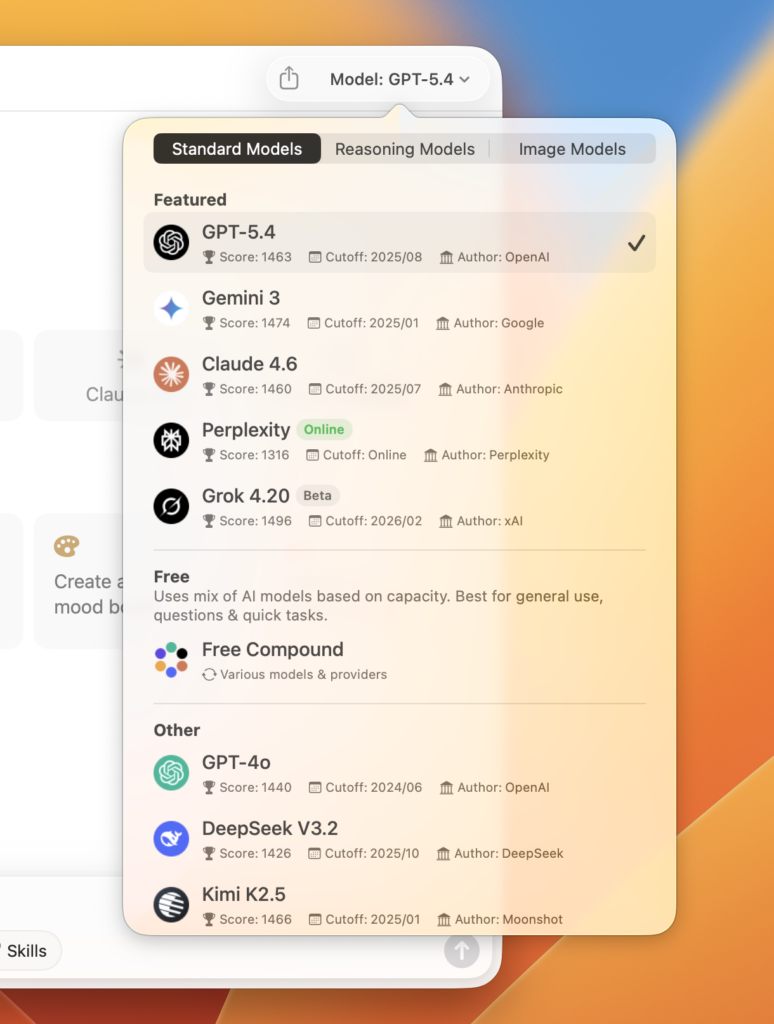
Yes. You can upload up to 16 files at once in a single conversation:
- PDFs — up to 500 pages each
- Images — JPG, PNG, and other common formats
- Office documents — Word, Excel, PowerPoint
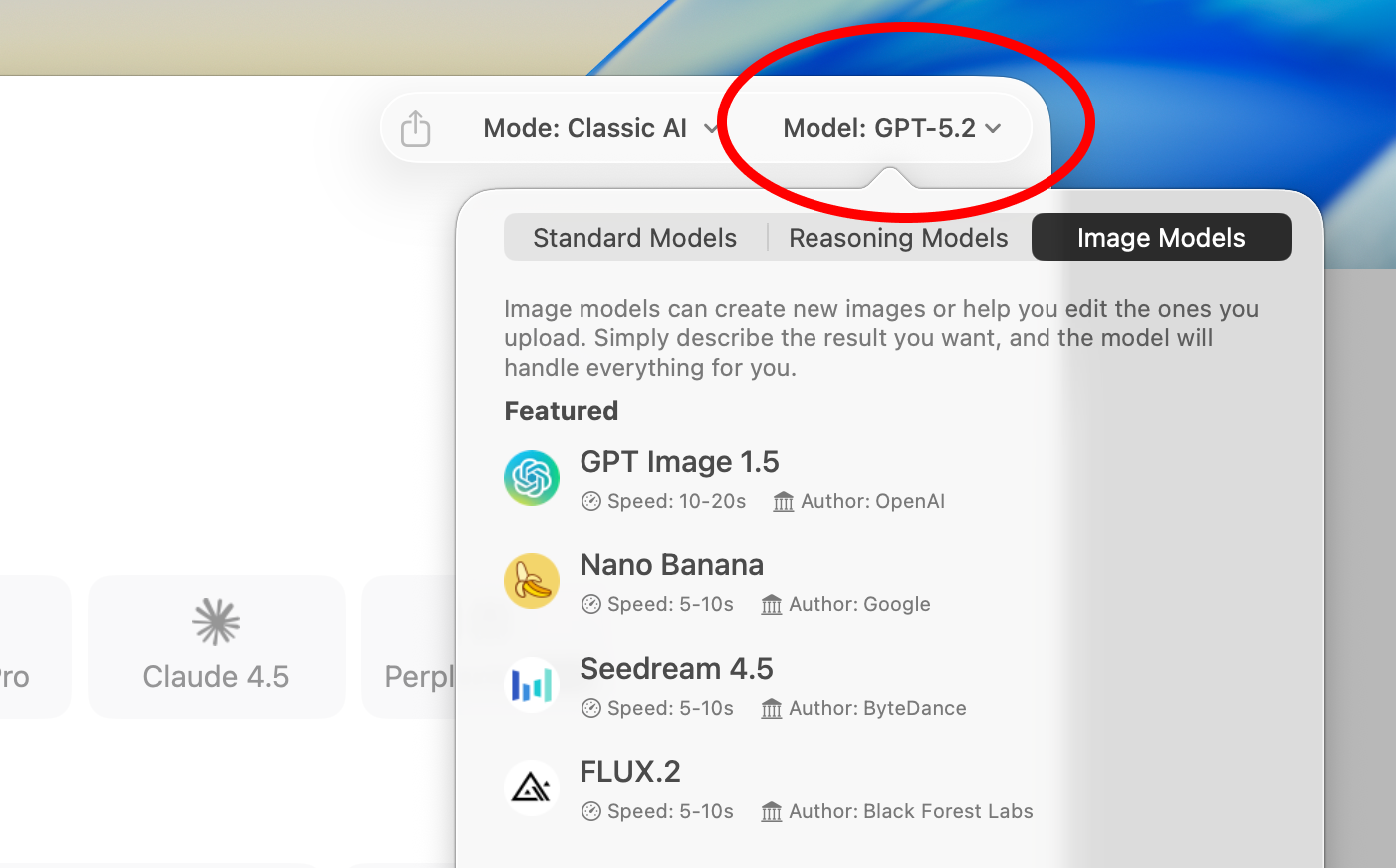
Yes. Fello AI includes image generation using GPT Image 2, FLUX.2, and Grok Imagine. Select an image generation model, choose your aspect ratio, type a description, and your image is generated in seconds.
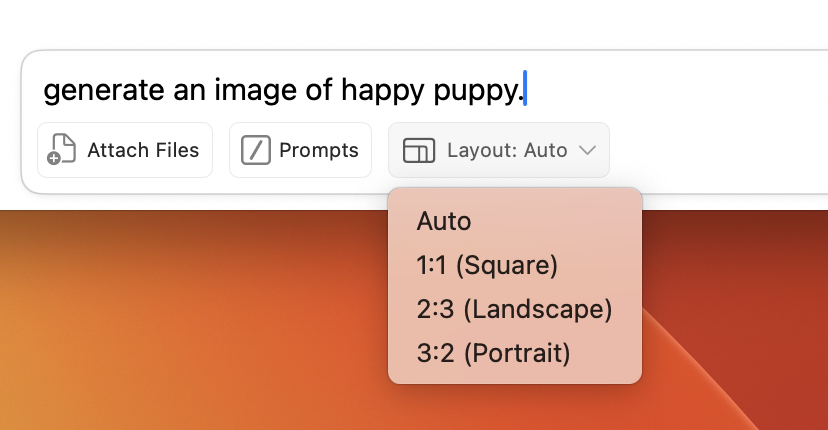
Yes. You can edit existing images by describing the changes you want in plain text, or upload multiple images to blend them creatively. Changes like adjusting colors, adding objects, or swapping backgrounds all work through a text prompt.
Yes. Hover over a conversation in the sidebar and click the three-dot icon, then select "Pin conversation." Pinned conversations stay at the top of your list for easy access.
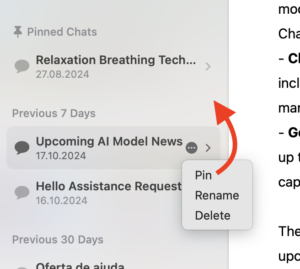
Yes. Click the three-dot icon on any message and select "Bookmark." Bookmarks are saved separately so you can reference important replies without scrolling through a long conversation.
Yes. Fello AI includes full-text search in the top-left corner of the app. It highlights every occurrence of your search term across all your conversations.
Yes. When an AI response includes information from a web search, you will see a "Resources" button at the bottom of that message. Tapping it shows all the source URLs the AI referenced.
Yes. Go to Settings → AI Style to choose from predefined styles or write your own:
- Assistant, Efficient, Professional, Friendly
- Explanatory, Creative, Challenging, Pirate
Click the export icon in the top-right of any conversation. Available formats:
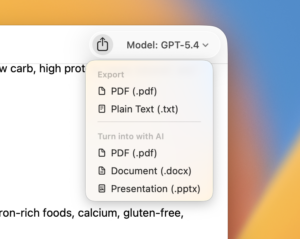
- PDF — a styled document of the conversation
- Plain Text — raw text copy
- AI Export — choose PDF, Word (.docx), or PowerPoint (.pptx)
Not currently. Voice interaction is being considered for a future update.
Available on macOS:
⌘ N New chat
⌘ F Search conversations
⌘ ⌫ Delete conversation
⌘ R Rename conversation
Yes. In Settings, use the Text Size slider to adjust from 50% up to 200%.
Go to Fello AI → Settings and select your preferred interface language. Supported languages include English, French, German, Spanish, Portuguese, Italian, Chinese (Simplified and Traditional), Japanese, Korean, Thai, Vietnamese, Turkish, Russian, Polish, and Czech.
Yes. The path depends on your device:
- iPhone / iPad: tap the gear icon → Default Model
- macOS: Fello AI → Settings → Models → Starting Model
Yes, on macOS. Go to Fello AI → Settings → Models to customize up to five shortcut buttons on the new chat screen. You can also right-click any shortcut button directly and choose "Customize shortcuts."
Go to Settings and scroll to the Notifications section to disable push notifications entirely.
In Settings, turn off the notification content preview toggle. You will still receive notification alerts but without the conversation text being displayed in the preview.
On macOS, go to Settings → Models to customize up to 5 shortcuts, or right-click any shortcut button for the "Customize shortcuts" option.
Pricing & Account
Fello AI is free to download with a limited free tier. Paid plans:
- Weekly — $3.99
- Monthly — $9.99
- Yearly — $79.99 (best value)
Yes. Fello AI includes a free tier where you can ask a limited number of questions per hour with premium models. The limit resets every hour. Advanced features and unlimited premium model access require a paid plan.
Fello AI pays AI providers based on actual usage, not fixed monthly seat fees. This means costs scale with real usage patterns. Most users make far fewer queries than they would need to justify the full cost of individual subscriptions, so a single flat-rate plan covering all models ends up significantly cheaper.
No. Fello AI is a completely standalone app and does not link to any external accounts. You cannot connect your ChatGPT, Claude, or Gemini account to Fello AI.
No. Fello AI is completely independent and does not connect to your existing subscriptions from OpenAI, Anthropic, or Google. It provides model access through its own infrastructure.
Yes. Your Fello AI subscription works across Mac, iPhone, and iPad as long as you are signed in with the same Apple ID.
Subscription management is handled by Apple, not Fello AI. You can cancel through your Apple ID subscription settings on any Apple device. The subscription remains active until the end of the current billing period.
Go to Settings and create an account to enable syncing, then log in on your other devices with the same credentials. Conversations will sync automatically across Mac, iPhone, and iPad.
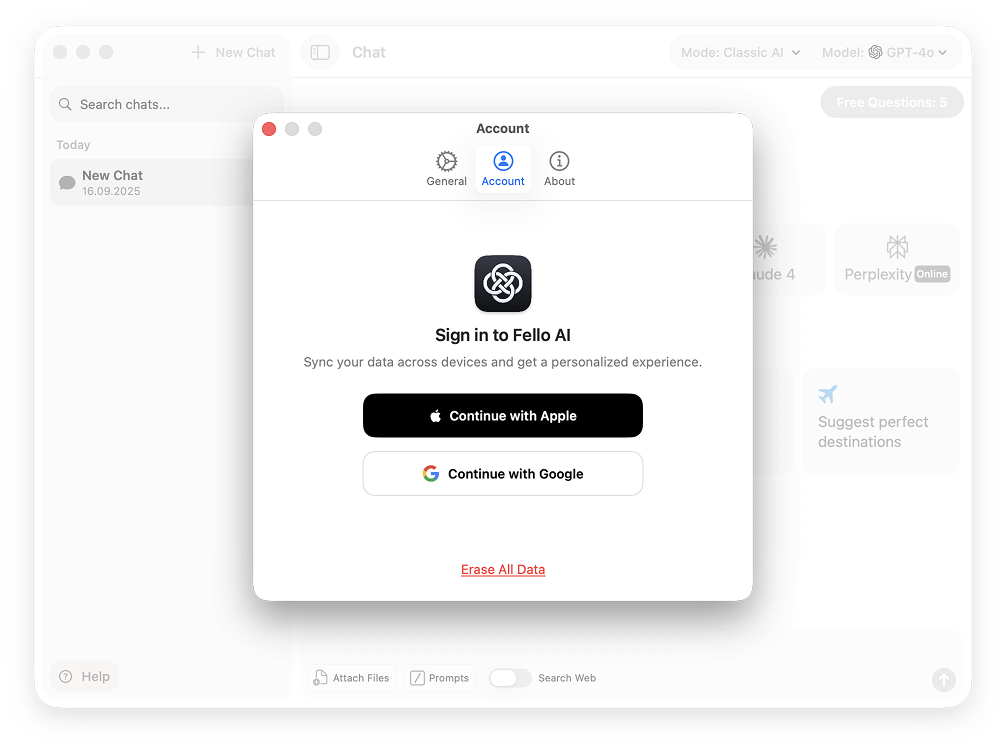
- If signed in: Settings → Account → "Delete Account" — permanent, immediate erasure
- If not signed in: Settings → "Erase All Data" — clears local device storage only