Grok on Mac

The best way to use
Grok on your Mac

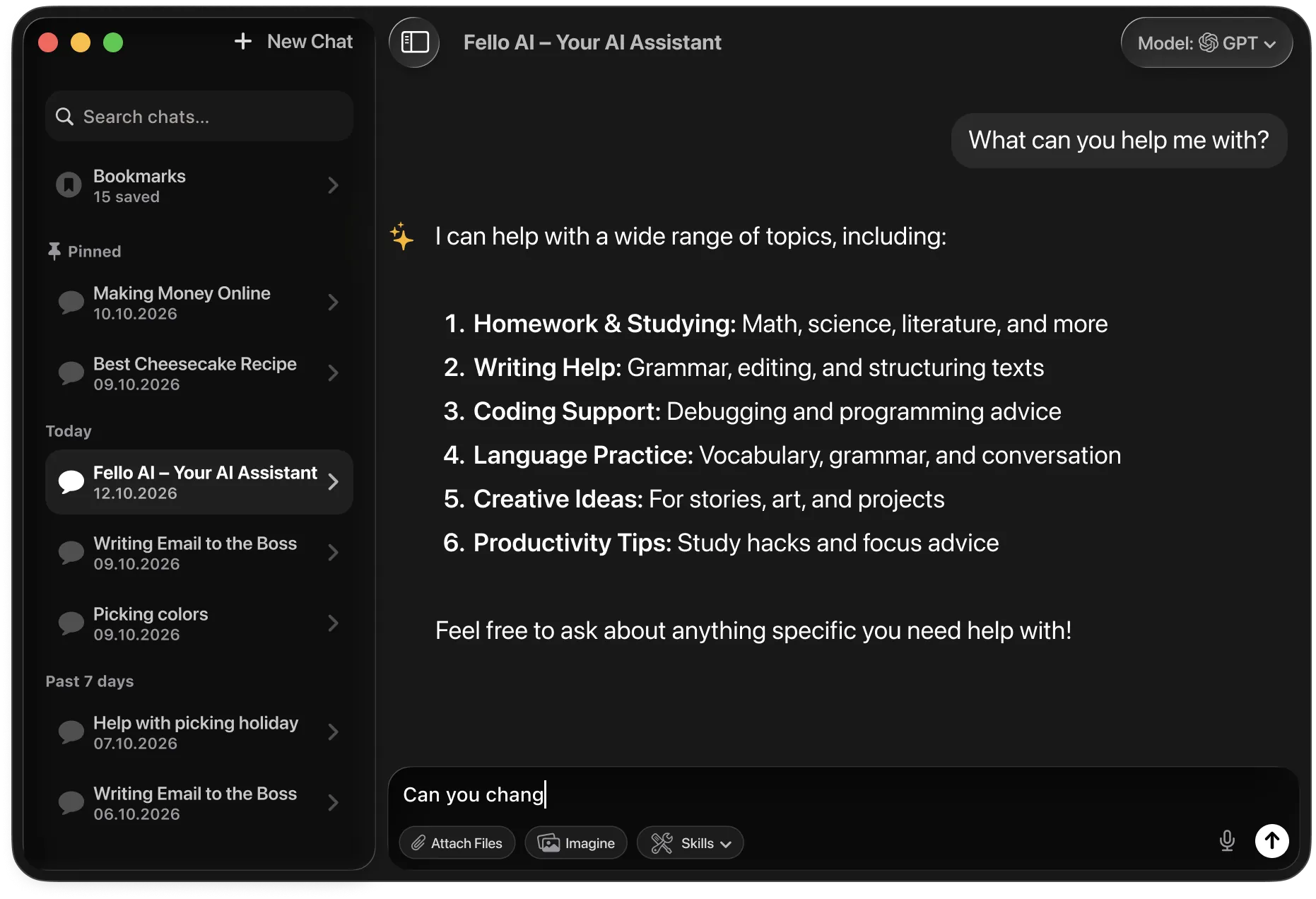
Fello AI is a native Mac app giving you Grok 4.5 without X Premium, plus every other frontier model in one place. No browser tabs, no social media noise.

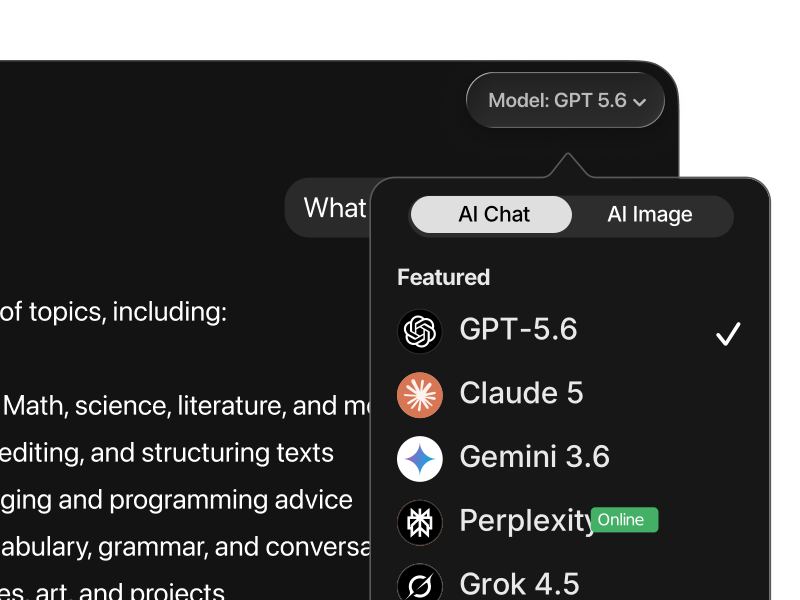
Fello AI on macOS with the model picker open, showing 9 AI models
What is Grok

What Grok actually is

Grok is the AI made by xAI, the company founded by Elon Musk. It has one capability no other major AI model offers: live access to everything being posted on X (formerly Twitter). That means Grok knows what is happening right now, not just what was true when it was trained. Breaking news, trending stories, viral posts, market commentary, Grok can see and reason about all of it in real time while other models are still stuck at their training cutoff.

Grok also has a distinctive personality. Where Claude and ChatGPT tend to be measured and cautious, Grok is more direct, more willing to engage with edgy topics, and occasionally funny. Anthropic designed Claude to be careful. Elon Musk designed Grok to be opinionated. Whether that is a feature or a flaw depends entirely on what you are trying to do, but it makes Grok a genuinely different experience from any other AI assistant.

Grok 4.5 is the most capable version yet. It has caught up significantly with GPT-5.6 and Claude on standard reasoning and coding benchmarks while maintaining its unique real-time information advantage. For staying on top of fast-moving news, tracking social conversations, or wanting an AI that is not afraid to give you a direct answer, Grok is the right tool.

Grok vs Grok 4.5: Grok is the model name. 4.5 is the current version. It is made by xAI, a separate company from Musk's other ventures. Normally you need an X Premium subscription to use it. In Fello AI, you access Grok 4.5 with no X account required.
Real-time
Live access to X and the web
xAI
Built by Elon Musk's team
More open
Less restricted than rivals
2023
Founded and already top-tier

Get started

3 ways to use Grok on Mac

02
Browser at grok.com

Visit grok.com to use Grok directly in your browser. The free tier gives you roughly 10 messages every two hours. For higher limits you need an X Premium subscription at $16/month. The experience lives inside a browser tab with no native Mac integration or other models available.

03
Grok via X (Twitter)

Grok is built into the X platform and accessible through the X website or X mobile app. The advantage here is deep integration with X posts and trending topics. The limitation is that meaningful usage requires X Premium Plus, and you're always working inside a social media environment rather than a focused AI workspace.


Why Fello AI

Grok without the strings attached

Grok is known for real-time X search and a more unfiltered approach, but normally you have to pay for X Premium. Fello AI gives you Grok on your Mac without an X subscription, right next to Claude, ChatGPT, and Gemini. You can also generate AI images and turn any answer into a real PowerPoint, Excel, or Word file, which Grok can't do.

No X Premium required
Grok's best features are gated behind X Premium Plus at $16/month. Through Fello AI you access Grok 4.5 without paying for X, without creating an X account, and without any social media distraction. Just the AI.
A focused Mac workspace
Accessing Grok through X.com means dealing with tweets, notifications, trending topics, and ads. Fello AI is a dedicated AI workspace built natively for macOS with no distractions and no feed. Your conversations stay private and focused.
Grok plus every other frontier model
Grok excels at real-time data and creative tasks. For technical coding switch to GPT-5. For nuanced long-form writing use Claude. Fello AI keeps every frontier model one tap away in the same app under one subscription.

Side by side

Fello AI vs Grok official

FeatureFello AIGrok (grok.com / X Premium)
PriceFree tier + $9.99/mo or $79.99/yr$16/mo (X Premium Plus) for full Grok
Access to Grok 4.5 Yes Yes (X Premium Plus)
Native Mac app macOS 12+, Intel + Apple silicon Browser only
X account required No X account needed X account + Premium required
Models available Grok 4.5, Claude 5, GPT-5.6, Gemini 3.6, DeepSeek V4 and more Grok only
Image generation GPT Image 2, Nano Banana 2, Seedream 5, FLUX.2, Grok ImagineGrok Imagine (X Premium Plus only)
Distraction-free workspace Focused AI app Social feed, notifications
iPhone and iPad Yes, same appVia X app only

In depth

A closer look at Grok 4.5

Knows what happened today

Grok indexes live posts from X and searches the web in real time. If something happened in the last hour, Grok knows about it. No other major AI model has this depth of live data access built in as a core feature.

More direct, less cautious

Grok was deliberately designed to be less restricted than Claude or ChatGPT. It gives direct answers, engages with edgy or controversial topics more openly, and is less likely to refuse a reasonable request with a boilerplate response.

No X account needed through Fello AI

To access Grok at full capacity through official channels you need an X Premium subscription. Through Fello AI, you get Grok 4.5 with no X account, no X Premium, and no social media feed in the way.

Competes with the best on hard tasks

Grok 4.5 matches GPT-5.6 and Claude on standard reasoning and coding benchmarks. The real-time data advantage is the headline, but beneath that is a model that is genuinely capable across a broad range of tasks.


Model comparison

How does Grok compare to other AIs?

The AI landscape in 2026 is genuinely competitive. ChatGPT dominates computer-use workflows, Claude 5 leads on writing quality, and Gemini holds the context-length record. Where does Grok, powered by Grok 4.5, actually stand?

Grok 4.5 is the best model for anything requiring live information. Its real-time indexing of X and the web gives it a structural advantage for current events, breaking news, and time-sensitive decisions that no other frontier model can match.

Grok VS ChatGPT

Grok vs ChatGPT

ChatGPT finishes. Grok finds.

ChatGPT powered by GPT-5.6 is the strongest model for computer-use tasks. It can operate software, navigate interfaces, fill out forms, and complete multi-step desktop workflows autonomously. For structured execution and production-level tool use, it is the benchmark.

Grok 4.5 takes a different angle. Where GPT-5.6 is a finisher, Grok is a finder. Its real-time indexing of X and the broader web means it knows what is happening right now, not just what was true at training time. It is also notably less restricted in the topics it engages with.

Use ChatGPT for computer-use tasks, structured execution, and production reliability. Use Grok for live information, current events, and brainstorming.

Grok VS Claude

Grok vs Claude

Claude is precise. Grok is direct.

Claude 5 is the strongest model for writing quality and instruction following. It produces the most natural, well-structured output of any major model, maintains consistency across long documents, and is highly reliable at multi-part analytical tasks.

Grok 4.5 is more direct and opinionated. It is willing to take positions, engage with edgy or controversial topics more openly, and move faster than Claude's more measured approach. For creative brainstorming and live research, that directness is an asset.

Use Claude for writing quality, structured analysis, and complex instruction-following. Use Grok for brainstorming, live information, and tasks where direct and opinionated answers are useful.

Grok VS Gemini

Grok vs Gemini

Gemini reads the archive. Grok reads the feed.

Gemini 3.6 Flash leads on context length, with a million-token window for processing enormous documents. It also has native Google Search grounding for real-time factual access, deep integration with Google's productivity tools, and native multimodal understanding of images, audio, and video.

Grok's real-time advantage is narrower but more immediate. Gemini gets current information through Google Search. Grok gets it from X in near-real time, which means social sentiment, breaking news, and what is actually being discussed online right now, not what Google has indexed.

Use Gemini for large document analysis, Google integrations, and systematic research. Use Grok for live X sentiment, breaking news, and real-time social context.

Grok VS Perplexity

Grok vs Perplexity

Perplexity cites sources. Grok is in the conversation.

Perplexity is a search-first AI. It retrieves and summarizes information from the web with citations, giving you sourced answers rather than confident unsourced claims. It is the cleaner tool for straightforward research questions where you want to see where the answer came from.

Grok is more conversational and opinionated. It integrates X data in ways Perplexity does not, and it is better at moving from research to brainstorming, exploration, and follow-up within a single conversation.

Use Perplexity for clean, cited research from the web. Use Grok for conversational research with live X data and a more direct, exploratory style.

Grok VS DeepSeek

Grok vs DeepSeek

DeepSeek is rigorous. Grok is live.

DeepSeek V4 is a powerful open-weight model with frontier-level reasoning and coding ability. Its open-source nature makes it auditable and cost-efficient, and its performance on structured technical benchmarks is genuinely impressive.

Grok 4.5 is stronger in the areas where live data matters: current events, social context, and real-time research. DeepSeek is stronger on pure technical tasks and cost efficiency. These models serve different primary use cases.

Use DeepSeek for cost-efficient technical tasks and open-weight access. Use Grok for live information, real-time X data, and exploratory research.

Grok VS Qwen GLM Kimi

Grok vs other models

No single model wins every task.

Fello AI also gives you Qwen for math and coding, GLM as a strong open model, and Kimi as a top open-weight model. Each is a click away, right beside Grok.

Use all of them in one app

No single model is best at everything. Grok leads on live data, but Claude writes better, ChatGPT handles computer use, and Gemini scales to massive documents. The most effective AI setups use multiple models routed to the task they handle best. Through Fello AI, you get Grok 4.5 with no X account required, alongside ChatGPT, Claude, Gemini, Perplexity, and DeepSeek in one native app.

MetricGrok 4.5GPT-5.6Claude 5Gemini 3.6
Real-time infoBest (live X + web)Web search (Plus)LimitedGoogle search
ReasoningStrongExcellentExcellentVery good
Creative tasksExcellent (witty)Very goodVery goodGood
Context window500K tokens1M tokens1M tokens1M tokens
API cost (per 1M)$2 / $6$5 / $30$5 / $25$1.50 / $7.50
Best forReal-time info, news, creative tasksAll-round work, codingLong-form docs, writingSpeed, large docs

What Fello AI offers

What you can actually do in Fello AI

Switching between AI models in Fello AI
Use the right model for the task

Different models are better at different kinds of work. In Fello AI, you switch between ChatGPT, Claude, Gemini, Grok, and more without leaving the app or rebuilding your workflow. Compare outputs, move faster, and use the model that fits instead of forcing everything through one tool.

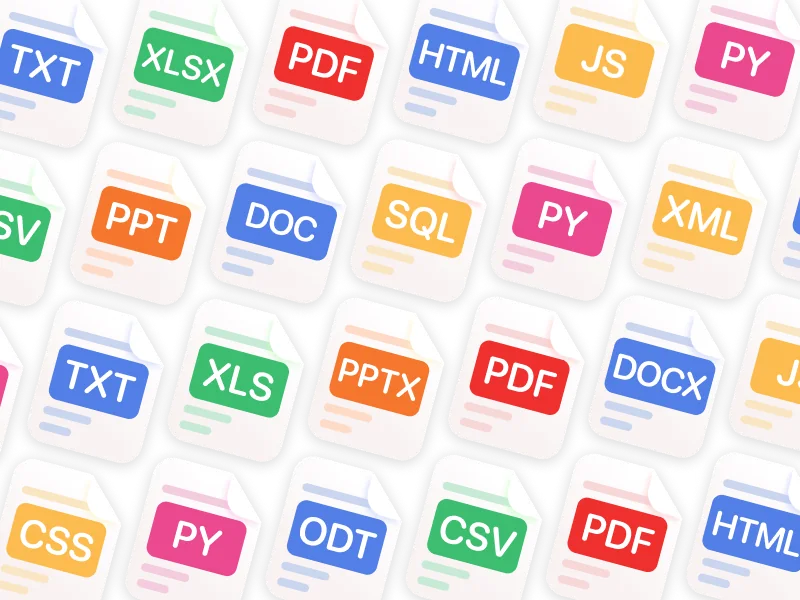
Fello AI supports PDF, Word, Excel, PowerPoint, images, and many more file formats
Chat with PDFs, images, and Office files

Upload PDFs, images, Excel sheets, slide decks, and documents, then ask for summaries, explanations, rewrites, or extracted insights. This makes Fello AI much more useful for study, research, reporting, and day-to-day professional tasks than a plain text chatbot.

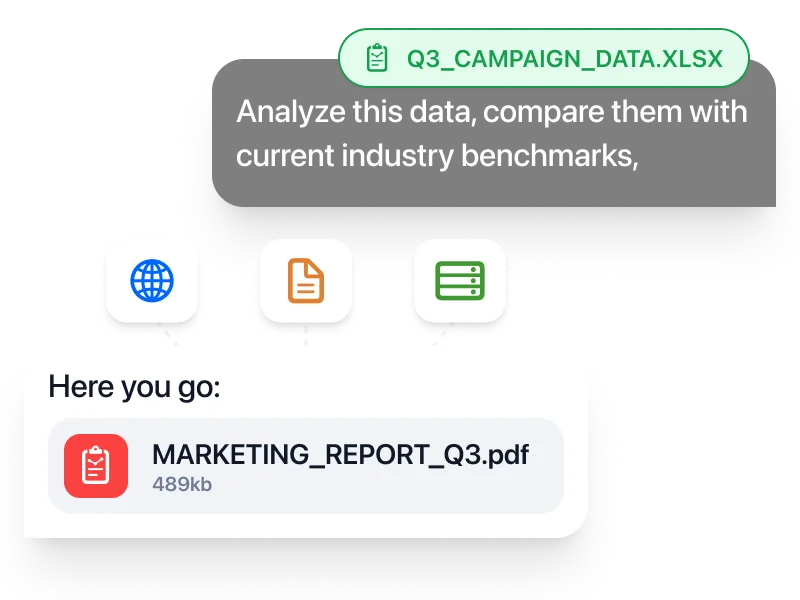
Fello AI generating a downloadable PDF report from a spreadsheet
Create real documents you can download

Generate PowerPoint presentations, Excel spreadsheets with formulas, Word documents, and PDFs, then download and use them immediately. That turns AI from a brainstorming tool into something much closer to a real productivity workspace.

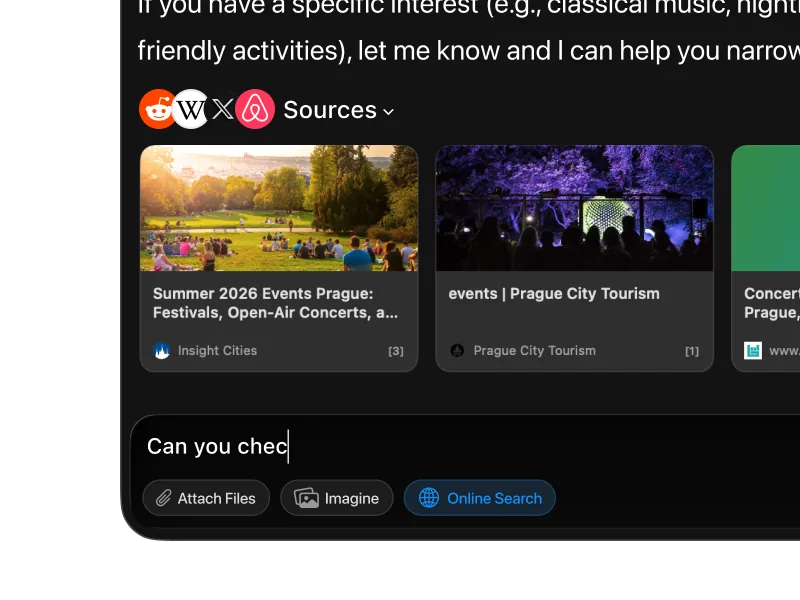
Fello AI web search results with cited sources
Search the web and keep working in one place

When you need current information, Fello AI searches the web with cited sources instead of forcing you to leave the app and manually piece things together. Especially useful when researching a topic, checking facts, or turning fresh information into a finished document.

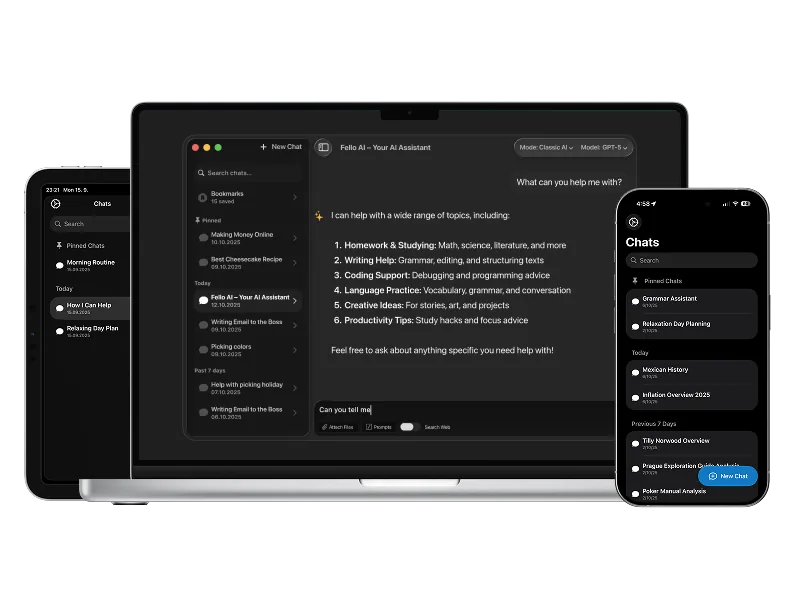
Fello AI on Mac, iPhone, and iPad
One workflow across Mac, iPhone, and iPad

Fello AI is native on all Apple devices, so you keep the same app, the same models, and the same workflow whether you're on your Mac at a desk or on your phone on the go. No separate setup, no switching tools, no restarting the context.

For professionals

Fello AI gives professionals a practical way to use ChatGPT, Claude, Gemini, Grok, and other top models across Mac, iPhone, and iPad as part of one consistent workflow. Analyze PDFs, Word files, Excel sheets, presentations, and images, then turn the result into real downloadable documents for client work, internal workflows, and day-to-day execution.

For students

Fello AI helps students handle everyday academic work more efficiently. Summarize readings, explain difficult topics, compare answers across models, and work with PDFs, slides, notes, and study materials in one place. Instead of relying on a single AI answer, use the model that fits the task and move from quick explanations to deeper research without jumping between apps.


Common questions

Grok on Mac FAQ

No. xAI does not offer a native Mac desktop app for Grok. The official way to use Grok is via grok.com in a browser or through the X mobile app. Fello AI is the fastest way to get Grok as a proper native Mac app.
Grok.com has a free tier with roughly 10 messages every two hours. For higher usage limits and access to advanced features you need X Premium Plus at $16 per month. Through Fello AI, you access Grok 4.5 without an X account or X subscription at all.
Grok 4.5 has three distinctive qualities. First, it has live access to X (Twitter) posts and the open web, making it the best model for real-time information and breaking news. Second, it has a witty, less restricted personality that makes it well-suited for creative tasks and unconventional requests. Third, its 500,000-token context window handles very long documents and extended sessions without losing coherence.
GPT-5.6 is the stronger choice for everyday productivity, document creation, structured reasoning, and multi-step tasks. Grok 4.5 outperforms it for real-time information, social intelligence, and creative tasks where a less cautious tone is an asset. In Fello AI you have both and can choose the right model for each task rather than picking one and committing.
Yes. Grok's real-time data access is one of its defining strengths. It indexes live posts from X and the open web, so its knowledge is not cut off at a training date. This makes it particularly useful for tracking breaking news, market movements, sports scores, and anything where information changes quickly.
Grok applies safety guidelines but is generally less restrictive than Claude or GPT-5. It is designed to handle edgy, satirical, or unconventional prompts with more flexibility. This is a feature for many users and a consideration for those managing content for younger audiences. Fello AI does not modify Grok's behavior.
Grok 4.5 brings meaningful improvements in reasoning depth and consistency. It performs better on complex math and science benchmarks, follows long instructions more reliably, and produces more coherent multi-step reasoning. The 500k context window is also an expansion over earlier versions. Overall it is the first Grok release that consistently competes with GPT-5.6 and Claude on difficult tasks.
Yes. xAI offers Grok Imagine, its built-in image generation product (with a permissive "Spicy Mode"), through X Premium Plus. In Fello AI you have access to GPT Image 2, Nano Banana 2, Seedream 5, and FLUX.2 alongside Grok for text conversations. You can brainstorm visuals with Grok and generate them with GPT Image 2 or Nano Banana 2 in the same session.
Yes. That is exactly what Fello AI is built for. You can research a topic with Grok, switch to Claude for structured analysis, then move to GPT-5.6 to produce a final document, all inside the same native Mac app without managing separate accounts or subscriptions for each provider.
Yes. Fello AI supports macOS 12 or later, including Intel Macs as well as Apple silicon. The app is approximately 30 to 50MB and uses negligible RAM so it runs comfortably on older hardware.

All the AI you need.
One beautiful app.

Download Fello AI for Mac, iPhone, and iPad. Free to start. No X account needed.

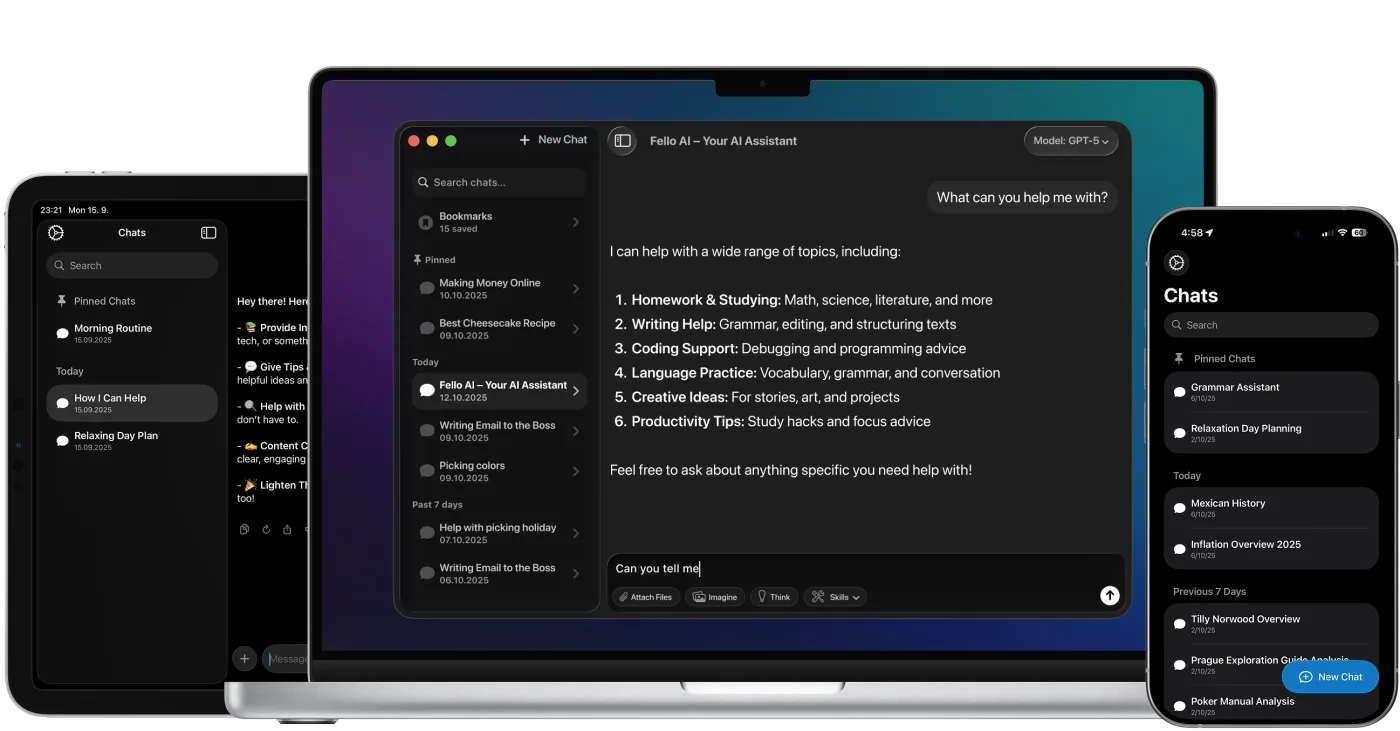
Fello AI running on Mac, iPad, and iPhone

4.7 rating·27,000+ reviews·Free to start