The best way to use
Gemini on your Mac
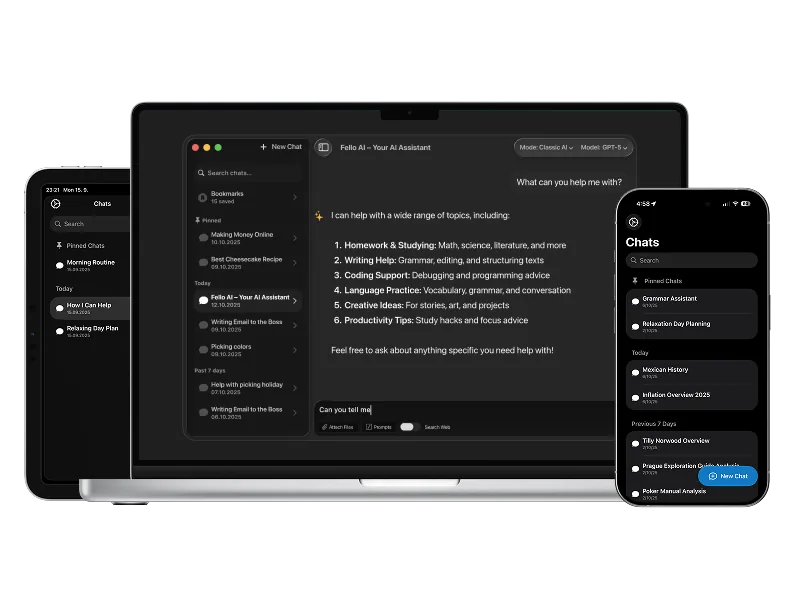
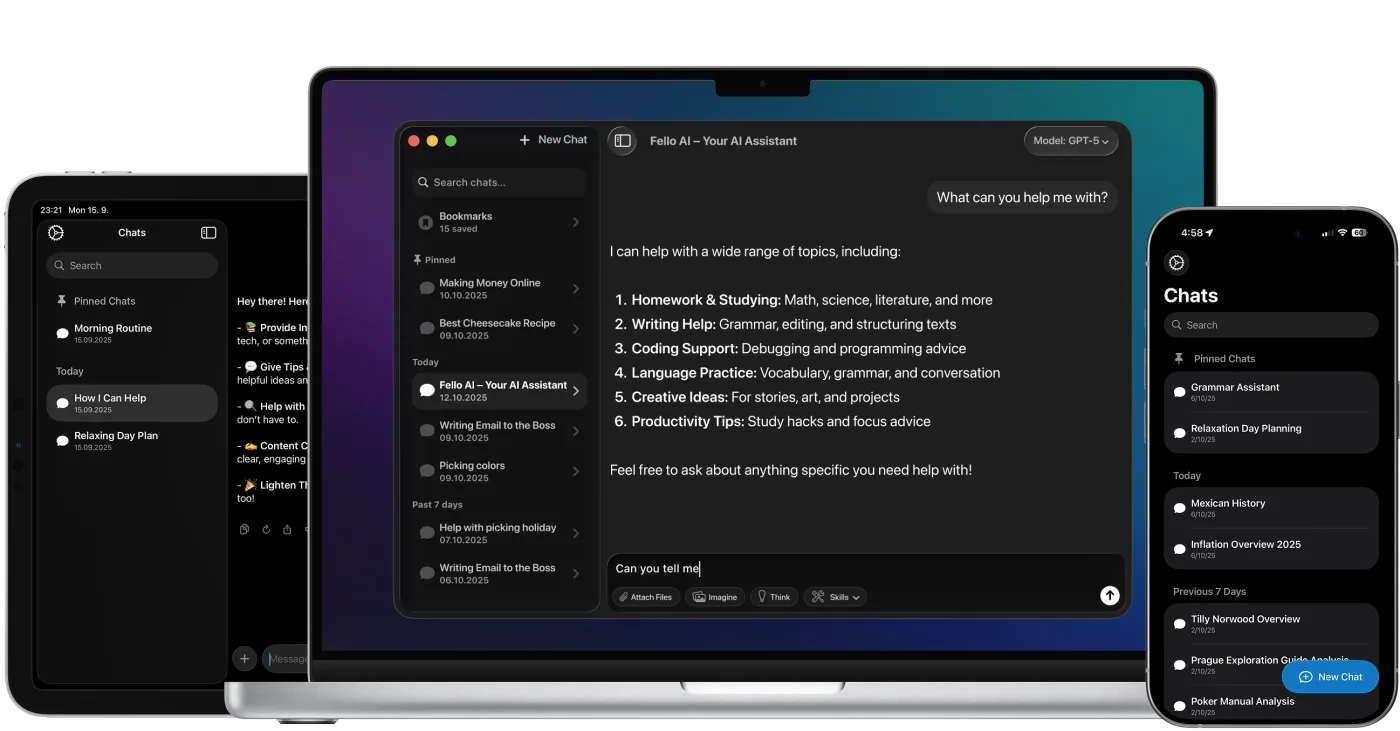
Fello AI is a native Mac app giving you Gemini 3.6 Flash and every other frontier model in one place. No browser tabs, no subscription juggling, no switching apps.
Gemini is Google's AI assistant and the one with the longest memory of any model available today. While most AI tools can hold a few dozen pages in mind at once, Gemini 3.6 Flash can handle the equivalent of about 2,500 pages in a single conversation. That is an entire year of a magazine, a full software codebase, or a set of research reports analyzed together without losing a single detail from the beginning.
It was also built from the ground up to understand more than just text. You can share a photo, a screenshot, a diagram, or a chart and Gemini will reason about it alongside the text you provide. This native understanding of images, audio, and video makes it useful in ways that text-only models are not. Google calls this being natively multimodal, which just means it thinks in multiple formats at once rather than trying to process them separately.
For people already living in Google's world (Gmail, Docs, Sheets, Maps, YouTube), Gemini is deeply integrated. It can help you draft emails, analyze spreadsheets, summarize YouTube videos, and do real-time web research powered by Google Search. If you use Google products every day, Gemini often feels like a natural extension of the tools you already have.
Gemini vs Gemini 3.6 Flash: Gemini is the model family. Gemini 3.6 is the current generation. Flash is the fast everyday version. Pro is available for tasks needing deeper analysis. All are built by Google and accessible through Fello AI.
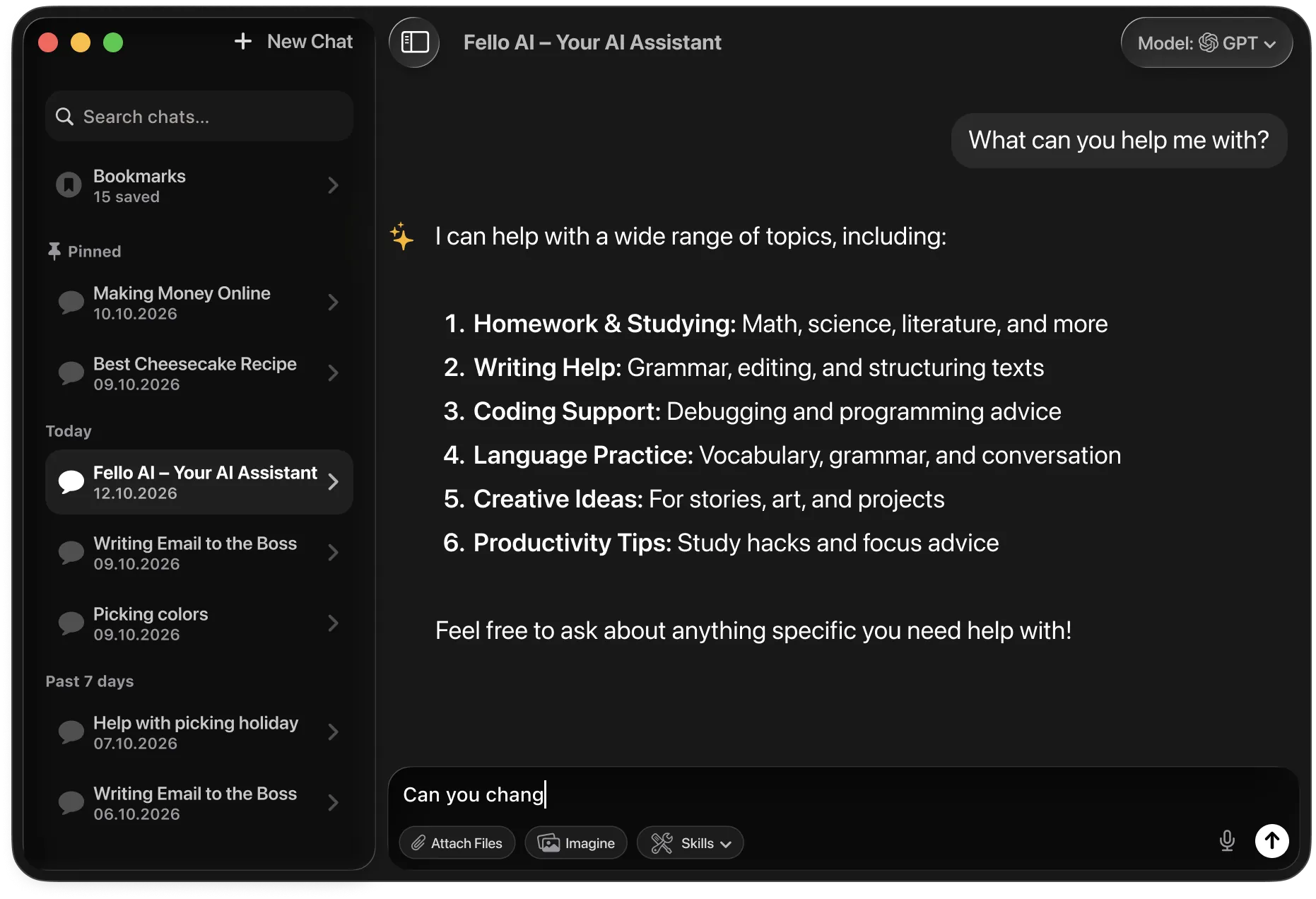
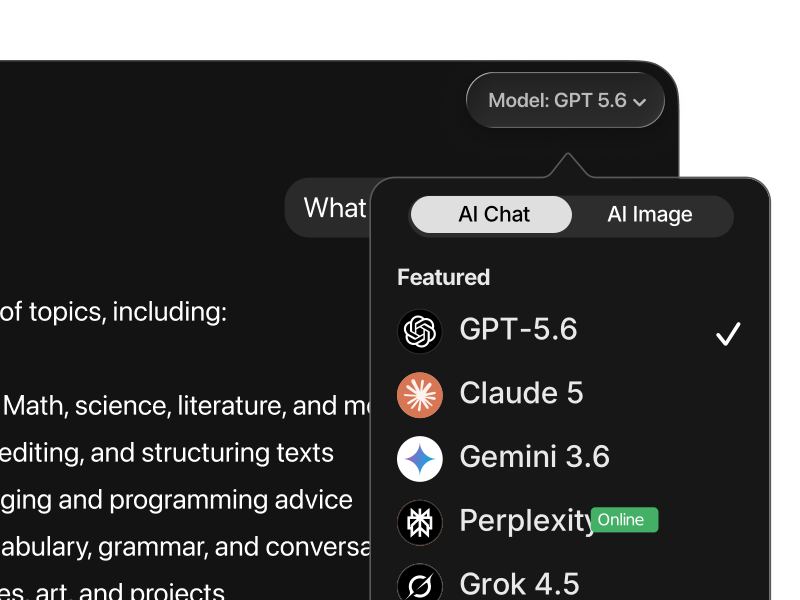
Download once and get Gemini 3.6 Flash alongside 30+ other frontier models including Claude 5, GPT-5.6, Grok 4.5, DeepSeek V4, and Kimi K3. Works on any Mac running macOS 12 or later, including Intel Macs. Around 30-50MB, negligible RAM, lives in your dock. Available on iPhone and iPad too, so your conversations follow you everywhere.
Open gemini.google.com in Safari or Chrome. No download required and you get the full Gemini experience in a browser. The downside is it's browser-only, limited to Gemini models, and competes with all your other tabs for attention. A Google One AI Premium subscription ($19.99/month) unlocks Gemini 3.6 Flash and the most capable models.
Google launched a native Gemini Mac app in April 2026. It supports an Option+Space shortcut and screen sharing, which are useful features. However, it requires macOS 15 Sequoia and Apple silicon, so Intel Macs and anyone on macOS 12, 13, or 14 cannot use it. You're also limited to Gemini models only, with no way to access GPT-5.6, Claude 5, or others from the same window.
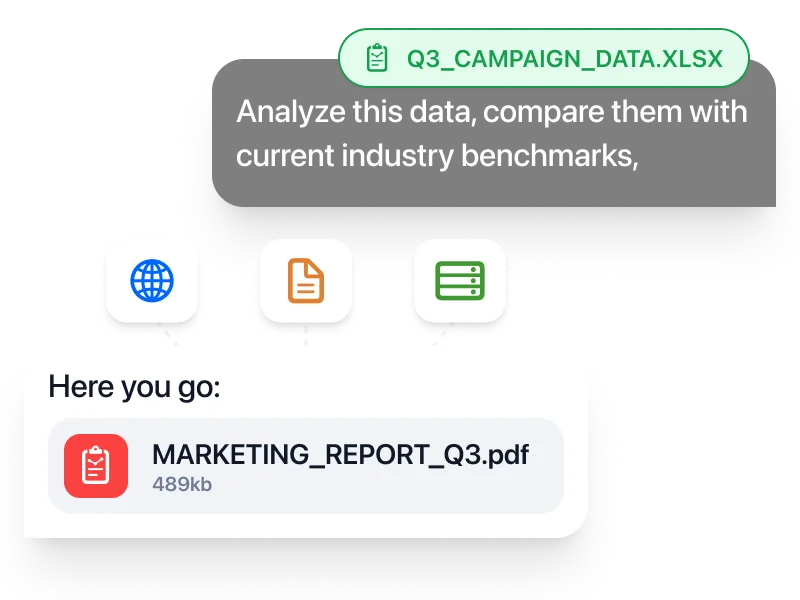
Gemini is a strong model for research and long documents, but the official Mac app is very limited. Fello AI runs Gemini natively on your Mac, iPhone, and iPad, and it does the real work, not just chat: turn any answer into a finished PowerPoint, Excel spreadsheet, or Word document you can download, generate AI images, or switch to another AI when it fits better.
| Feature | Fello AI | Gemini (browser / Mac app) |
|---|---|---|
| Price | Free tier + $9.99/mo or $79.99/yr | Free tier + $19.99/mo (AI Premium) |
| Access to Gemini 3.6 Flash | ✓ Yes | ✓ Yes (AI Premium subscribers) |
| Native Mac app | ✓ macOS 12+, Intel + Apple silicon | Apple silicon + macOS 15+ only |
| Models available | ✓ Gemini 3.6, GPT-5.6, Claude 5, Grok 4.5, DeepSeek, Kimi K3 and more | ✗ Gemini models only |
| Image generation | ✓ GPT Image 2, Nano Banana 2, Seedream 5, FLUX.2 | Nano Banana 2 only |
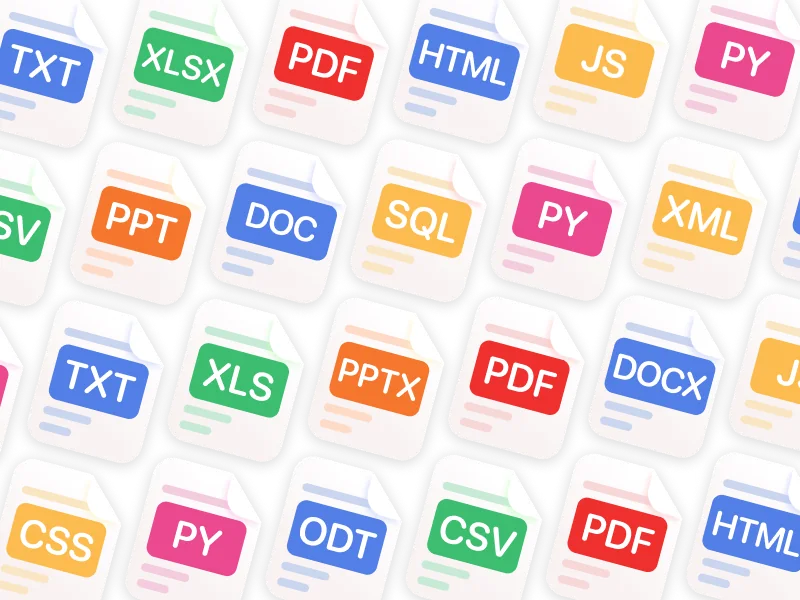
| PDF support | ✓ Up to 16 PDFs at once | Limited (AI Premium) |
| Podcast generation | ✓ Yes | ✗ No (NotebookLM is separate) |
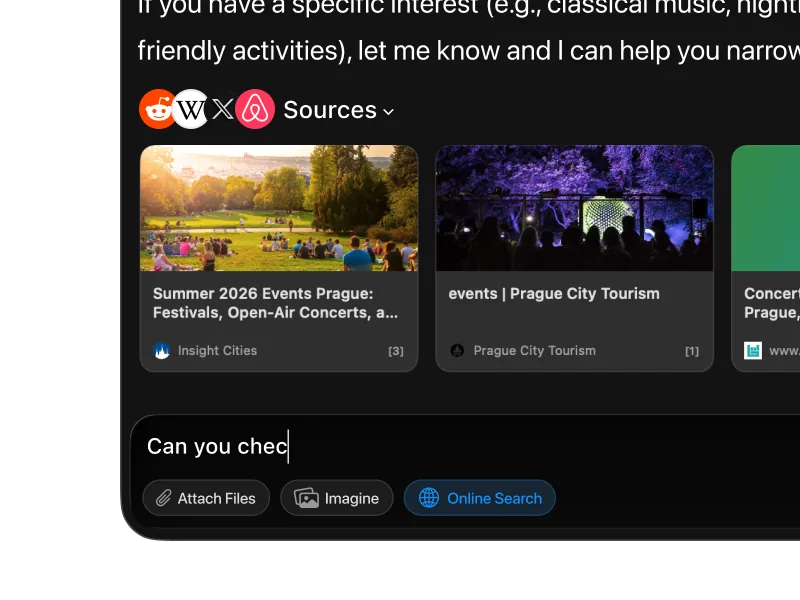
| Web research | ✓ Web, YouTube, X, booking sites | Google Search integration |
| iPhone and iPad | ✓ Yes, same app | ✓ Separate app |
| macOS requirement | ✓ macOS 12 (Monterey) | macOS 15 (Sequoia) for Mac app |
Gemini 3.6 Flash can process roughly 2,500 pages in a single session. That is an entire software project, a year of reports, or a full book series analyzed at once without losing detail from the start.
Most AI tools are text-only with image support bolted on. Gemini was built from the start to process multiple formats together. Show it a screenshot, play it audio, or share a video clip and it reasons about all of it as one unified input.
Gemini can pull live information from the web via Google Search and cite where it came from. For anything time-sensitive (prices, news, recent events), this makes it significantly more reliable than models relying on training data alone.
If you use Gmail, Docs, Sheets, or Drive, Gemini works directly inside them. You can ask it to summarize emails, draft documents, or analyze spreadsheet data without leaving the tools you already use every day.
The AI landscape in 2026 is genuinely competitive. ChatGPT leads in computer-use automation, Claude 5 excels at writing and long-form analysis, and Grok 4.5 brings real-time X data. Where does Gemini, powered by Gemini 3.6 Flash, actually stand?
Gemini 3.6 Flash pairs a 1M-token context window with the deepest integration with Google products. For users who work with enormous documents, need real-time Google Search grounding, or live inside Google's productivity suite, it is the strongest choice available.
ChatGPT operates. Gemini reads.
ChatGPT powered by GPT-5.6 is optimized for execution. It can operate software, navigate interfaces, complete multi-step desktop tasks, and integrate deeply with developer tools and macOS workflows. For anyone who wants an AI that can actually do things on your computer, not just talk about them, GPT-5.6 is the leader.
Gemini is stronger on the research and document side. Its 1M-token context window is among the largest available, making it a strong choice when you need to analyze an entire codebase, a year's worth of reports, or a full legal contract in one session.
Use ChatGPT for computer-use tasks, automated workflows, and tool-heavy execution. Use Gemini for large-scale document analysis, research, and Google-integrated workflows.
Claude writes better. Gemini reads more.
Claude 5 is the strongest model for writing quality and instruction following. It produces more natural, well-structured output than any major competitor, maintains consistency across long documents, and is significantly more reliable at following detailed multi-part instructions without drift.
Gemini 3.6 Flash is strong at scale. It combines a 1M-token context window with native Google Search grounding, giving it real-time factual access that Claude lacks by default. For sheer volume of information processed and integrated, Gemini is the choice.
Use Claude 5 for writing quality, structured analysis, and instruction-following tasks. Use Gemini for massive documents, Google integrations, and anything requiring real-time Google Search grounding.
Grok scans the feed. Gemini reads the archive.
Grok 4.5 specializes in real-time data. It indexes X posts and the broader web live, making it the best model for anything time-sensitive: breaking news, current stock sentiment, recent product releases, or what is being debated online right now.
Gemini also has real-time Google Search access, but its greater strength is depth over speed. Where Grok surfaces the latest information quickly, Gemini is better at analyzing large amounts of content systematically, especially within the Google ecosystem.
Use Grok for breaking news, live sentiment, and real-time X data. Use Gemini for systematic research, Google-integrated workflows, and large document analysis.
Perplexity retrieves. Gemini analyzes.
Perplexity is a search-first AI. It finds, reads, and summarizes sources from the web in real time, then returns cited answers. It is excellent for quick fact-gathering and source verification.
Gemini goes further. Yes, it can search the web via Google. But it also processes your own documents, integrates with Gmail and Drive, handles images and video natively, and works within longer analytical workflows where you need more than a sourced summary.
Use Perplexity for fast, cited research from the web. Use Gemini when you need deeper analysis, file processing, or full integration with Google's productivity tools.
DeepSeek is the open option. Gemini is the Google-native one.
DeepSeek V4 is an impressive open-weight model with frontier-level reasoning and coding ability. Its open-source status makes it auditable and self-hostable, and its cost-efficiency is unmatched among capable models.
Gemini 3.6 Flash is stronger on multimodal tasks, Google integration, and context length. It is a fully managed, production-tested model with native understanding of images, audio, and video that DeepSeek does not match.
Use DeepSeek when cost, privacy, or open-source access matter. Use Gemini for multimodal work, Google ecosystem integration, and large-scale document analysis.
No single model handles everything best. Gemini leads on context length and Google integration, but Claude beats it on writing quality, ChatGPT on computer use, and Grok on live data. The most effective AI setups use multiple models routed to the task they handle best. Fello AI puts Gemini, ChatGPT, Claude, Grok, Perplexity, and DeepSeek in one native app for Mac, iPhone, and iPad.
| Metric | Gemini 3.6 Flash | GPT-5.6 | Claude 5 | Grok 4.5 |
|---|---|---|---|---|
| Reasoning | Very good | Excellent | Excellent | Strong |
| Coding | Very good | Top tier | Top tier | Good |
| Writing | Good | Very good | Excellent | Good |
| Image gen | Nano Banana 2 | GPT Image 2 | None | Grok Imagine |
| Speed | Very fast | Fast | Moderate | Fast |
| Context window | 1M tokens | 1M tokens | 1M tokens | 500K tokens |
| Best for | Speed, large docs, research, multimodal | All-round work, coding, operators | Complex writing, long-form | Brainstorming, real-time info |
Different models are better at different kinds of work. In Fello AI, you switch between ChatGPT, Claude, Gemini, Grok, and more without leaving the app or rebuilding your workflow. Compare outputs, move faster, and use the model that fits instead of forcing everything through one tool.

Upload PDFs, images, Excel sheets, slide decks, and documents, then ask for summaries, explanations, rewrites, or extracted insights. This makes Fello AI much more useful for study, research, reporting, and day-to-day professional tasks than a plain text chatbot.

Generate PowerPoint presentations, Excel spreadsheets with formulas, Word documents, and PDFs, then download and use them immediately. That turns AI from a brainstorming tool into something much closer to a real productivity workspace.

When you need current information, Fello AI searches the web with cited sources instead of forcing you to leave the app and manually piece things together. Especially useful when researching a topic, checking facts, or turning fresh information into a finished document.

Fello AI is native on all Apple devices, so you keep the same app, the same models, and the same workflow whether you're on your Mac at a desk or on your phone on the go. No separate setup, no switching tools, no restarting the context.
Fello AI gives professionals a practical way to use ChatGPT, Claude, Gemini, Grok, and other top models across Mac, iPhone, and iPad as part of one consistent workflow. Analyze PDFs, Word files, Excel sheets, presentations, and images, then turn the result into real downloadable documents for client work, internal workflows, and day-to-day execution.
Fello AI helps students handle everyday academic work more efficiently. Summarize readings, explain difficult topics, compare answers across models, and work with PDFs, slides, notes, and study materials in one place. Instead of relying on a single AI answer, use the model that fits the task and move from quick explanations to deeper research without jumping between apps.


Download Fello AI for Mac, iPhone, and iPad. Free to start.
4.7 rating·27,000+ reviews·Free to start