Grok is a generative AI chatbot developed by xAI, Elon Musk‘s AI research company. Since its launch in November 2023, Grok has evolved rapidly — and in 2026, it’s one of the most powerful AI models available. Grok 4.6, released August 12, 2026, scores 61 on the Artificial Analysis Intelligence Index, tying GPT-5.6 Sol and sitting two points behind the leader, Claude Opus 5. With real-time knowledge from X, a distinctive personality, and built-in image and video generation, Grok offers a genuinely different AI experience.
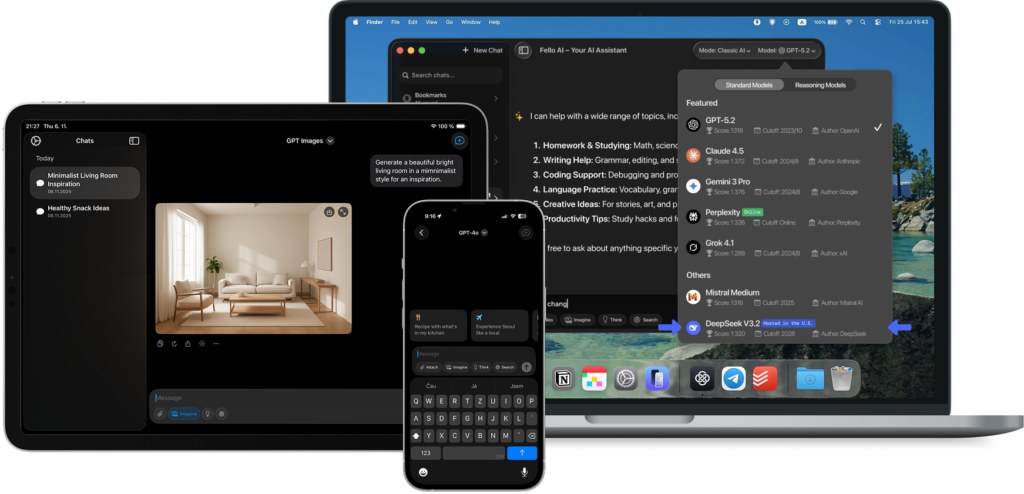
Use Grok safely without login on Your Mac!
Get the full power of Grok — without the privacy risks. Securely hosted in the US, fully uncensored, right on your Mac.
While Grok is available for free at grok.com with limited usage, you can also access it on your Mac without needing an X subscription through a multi-model app like Fello AI.
In this article, we’ll explore what Grok is in 2026, what’s changed since launch, and how you can set it up on your Mac for a seamless, desktop-like experience.
What Is Grok in 2026?
Developed by xAI under Elon Musk’s direction, Grok is a conversational AI chatbot designed for real-time interactions. Since its initial Grok-1 release, xAI has shipped multiple major upgrades. The current lineup includes Grok 4.6 — the flagship reasoning model — and the cheaper Grok 4.1 Fast, optimized for speed and high-volume work. Following SpaceX’s acquisition of xAI in February 2026, the pace of development has only accelerated.
Grok 4.6 is a top-tier AI model that scores 61 on the Artificial Analysis Intelligence Index, placing it joint third on the frontier alongside GPT-5.6 Sol and behind only Claude Opus 5 and Claude Fable 5. It supports a 500K token context window and costs $2 per million input tokens and $6 per million output, though prompts of 200,000 tokens or more re-bill the entire request at double that. If you need a much larger window for less money, the older Grok 4.1 Fast still offers 2 million tokens at $0.20 / $0.50 — enough to process entire codebases or massive document collections in a single request.
Grok pulls real-time information from X (formerly Twitter) and the open web, giving it a significant edge over models that rely solely on static training data. You get answers based on what’s happening right now — breaking news, trending topics, market movements, and social sentiment.
Beyond text, Grok now features Grok Imagine — xAI’s native creative engine for image and video generation. It creates high-quality images from text prompts (photorealistic portraits, illustrations, logos with accurate embedded text), supports editing existing images, and generates 6–10 second videos with synchronized audio in roughly 17 seconds. Grok Voice adds low-latency voice interaction in dozens of languages with full tool-calling support.
Grok is also known for its distinctive personality — witty, direct, and occasionally irreverent. You can switch between modes like “Researcher” for professional output and “Fun” for a more unfiltered conversational experience.
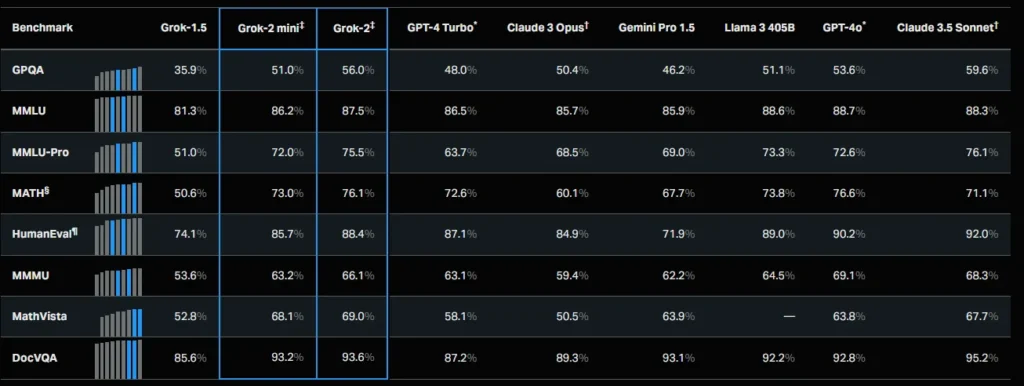
Despite these advancements, Grok isn’t without its challenges. Like all AI models, it can occasionally produce inaccurate or misleading responses. Ethical concerns around image generation persist, though xAI continues to implement safeguards. Always verify critical information independently.
Overall, Grok 4.6 represents a major leap in conversational AI — offering real-time insights, powerful reasoning, built-in creative tools, and a unique personality that sets it apart from ChatGPT, Claude, and Gemini.
How to Set Up Grok on Your Mac
Wondering how to download Grok AI on Mac? xAI still doesn’t offer a native Mac desktop app, but there are several great ways to use Grok on your Mac right now:
Option 1: Using Fello AI
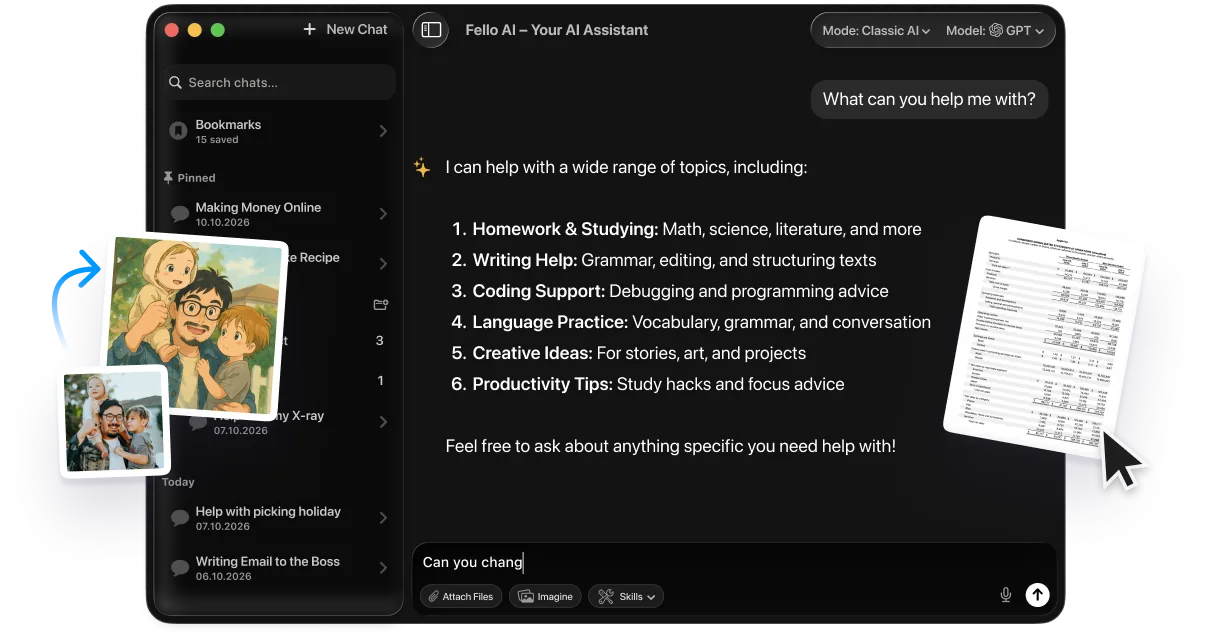
Fello AI is a native Mac app that integrates multiple large language models, including Grok. This gives you a true desktop experience — without needing separate subscriptions for each model. If you are weighing Grok against the other big assistants on desktop, see our ChatGPT vs Claude vs Gemini on Mac comparison.
- Download and Install Fello AI: Head to the Mac App Store and search for Fello AI. Install it on your Mac.
- Open Fello AI: Launch the app — no login or registration needed.
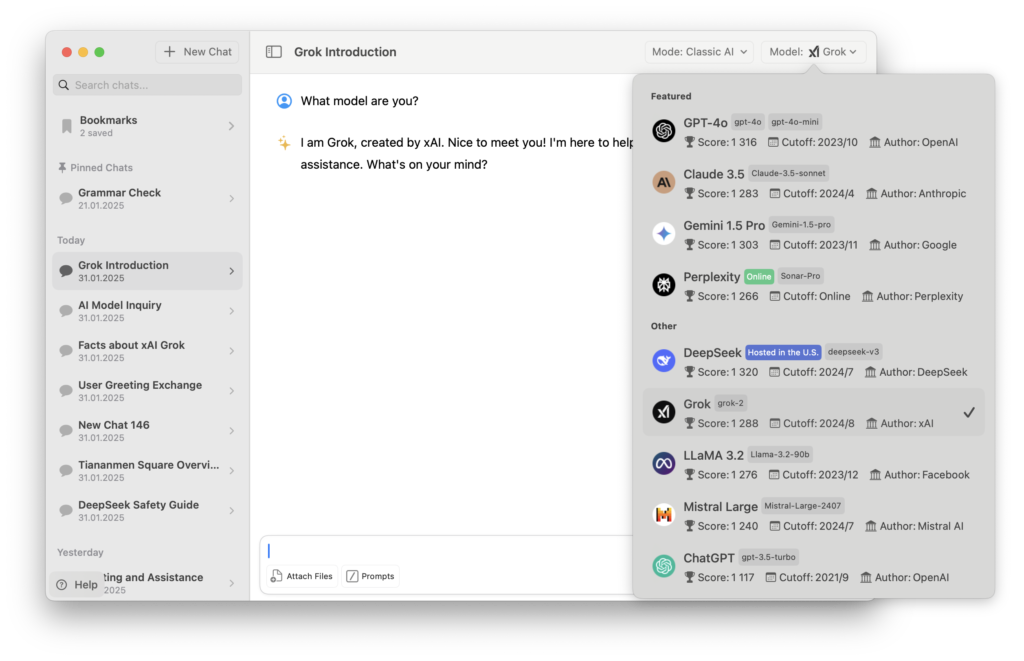
- Select Grok: Choose “Grok” from the model selection menu.
- Start Chatting: Ask questions, generate text, create images with Grok Imagine, or analyze documents. Grok’s real-time data and distinctive personality are fully available within the app.
In addition to Grok, Fello AI supports ChatGPT (GPT-5.2), Claude 4.5, Gemini 3, DeepSeek, and Perplexity — all in one app, across macOS, iOS, and iPadOS.
Option 2: Using grok.com
Grok offers a free web interface at grok.com with access to Grok models, though the newest release is normally reserved for paid tiers. Free tier users get approximately 10 messages every two hours. For unlimited access, xAI offers SuperGrok at $30/month, which removes message caps and provides priority access to the latest models.
Option 3: Creating a Progressive Web App (PWA)
You can turn grok.com into a desktop app-like experience by creating a Progressive Web App:
- Open Safari: Navigate to grok.com.
- Add to Dock: Click “Share” → “Add to Dock” to create a shortcut.
- Launch from Dock: Access Grok directly from your dock without opening a full browser window.
For the best experience with native performance, multi-model access, and no browser clutter, Fello AI remains the recommended option.
Frequently Asked Questions
Why Use Grok on macOS?
If you use Grok regularly, relying on a browser gets tedious — tabs pile up, sessions time out, and context is easily lost. By using a dedicated app like Fello AI or a PWA shortcut, you get one-click access from your dock, saving time and making the experience much smoother. It reduces interruptions, enhances productivity, and helps you take full advantage of Grok’s real-time data and creative tools. Not sure whether you even need to pay? We break down whether Grok is free and what each tier unlocks.
Is Grok free to use?
Yes. Grok now offers a free tier at grok.com and through the X app, with approximately 10 messages every two hours. For unlimited access, xAI offers SuperGrok at $30/month, which removes message caps and gives priority access to Grok 4.6 and the wider Grok model line. There’s also SuperGrok Heavy at $300/month for power users. Through Fello AI, you can access Grok as part of the app’s supported model lineup.
Does Grok require an X subscription to work?
No longer. Grok is now available to everyone at grok.com with a free tier — no X subscription required. For higher usage limits and access to the most powerful models, you can subscribe to SuperGrok directly. You can also use Grok through Fello AI without any X account.
Can Grok access real-time data from X?
Yes, this remains one of Grok’s key differentiators. It pulls live data from X and the open web to provide up-to-the-minute information — breaking news, trending topics, social sentiment, and market movements. This real-time access is available across all tiers, including the free tier.
How is Grok different from ChatGPT?
Grok 4.6 leads in real-time data access through its native X integration, giving it an edge for current events and social intelligence. It also has a distinctive personality with adjustable tone modes, and features built-in image and video generation via Grok Imagine. ChatGPT with GPT-5.6 remains the most well-rounded assistant, excelling in creative tasks, voice interaction, browsing, and its mature plugin ecosystem. Choose Grok for real-time insights and personality; choose ChatGPT for maximum versatility.
What is SuperGrok?
SuperGrok is xAI’s premium subscription at $30/month ($300/year). It removes daily message caps, provides priority routing, and unlocks the full power of Grok 4.6 and the wider Grok model line. For professionals needing the highest usage limits, SuperGrok Heavy is available at $300/month.
Will Grok continue to receive updates?
Yes. xAI is one of the most actively developing AI labs, with Grok 5 already expected in the near future. Following SpaceX’s acquisition of xAI in early 2026, the company has significant resources behind continued development. Expect ongoing improvements in reasoning, creative capabilities, and new features.
Can children or minors use Grok?
Grok is not designed for users under 13 years old. Teens aged 13 to 18 must have parental permission. While Grok has content filters, it may produce inappropriate content in certain modes like “Fun.” Parents should exercise caution.
How does Grok handle my personal information?
xAI follows strict privacy policies and does not sell your data. Your prompts may be used to improve AI performance unless you opt out. When using Grok through Fello AI, your conversation data is stored locally on your device — nothing is saved on Fello AI’s servers. We have opted out of allowing conversations to be used for model training, though we cannot fully guarantee how xAI handles data on their end.
Does Grok make mistakes?
Yes. Like all AI models, Grok can occasionally produce inaccurate, incomplete, or misleading responses. While Grok 4.6 scores among the top models on accuracy benchmarks, it is not infallible. Always verify critical information independently — especially for medical, legal, financial, or safety-related topics.
Can Grok generate images and video?
Yes. Grok Imagine is xAI’s built-in creative engine. It generates high-quality images from text prompts, supports editing existing images (restyling, adding/removing objects), and creates 6–10 second videos with synchronized audio. Multiple creative modes (Normal, Fun, Custom) let you control style and tone. In Fello AI, you can use Grok Imagine directly within your chat.
Can I personalize my Grok experience?
Yes. Grok offers personalization settings that allow it to use your X data to tailor interactions. You can switch between personality modes — from professional “Researcher” to the more casual “Fun” mode. These options can be managed in your account settings.
Is there a way to delete my data or account?
Yes, you can delete your conversation history or account via Settings on the Grok app or website. Data is typically removed within 30 days, unless legal or security reasons require otherwise.
Where can I use Grok?
Grok is available through the Grok mobile app on iOS and Android, the grok.com website, and on X as part of Premium services. On Mac, you can use Fello AI for a native desktop experience or create a PWA shortcut from grok.com. Grok is also integrated into Tesla vehicles across multiple markets.
How do I contact xAI for assistance?
You can reach out to privacy@x.ai for questions related to privacy or data handling. For general support, additional contact information is available in your account settings at grok.com.